

Question
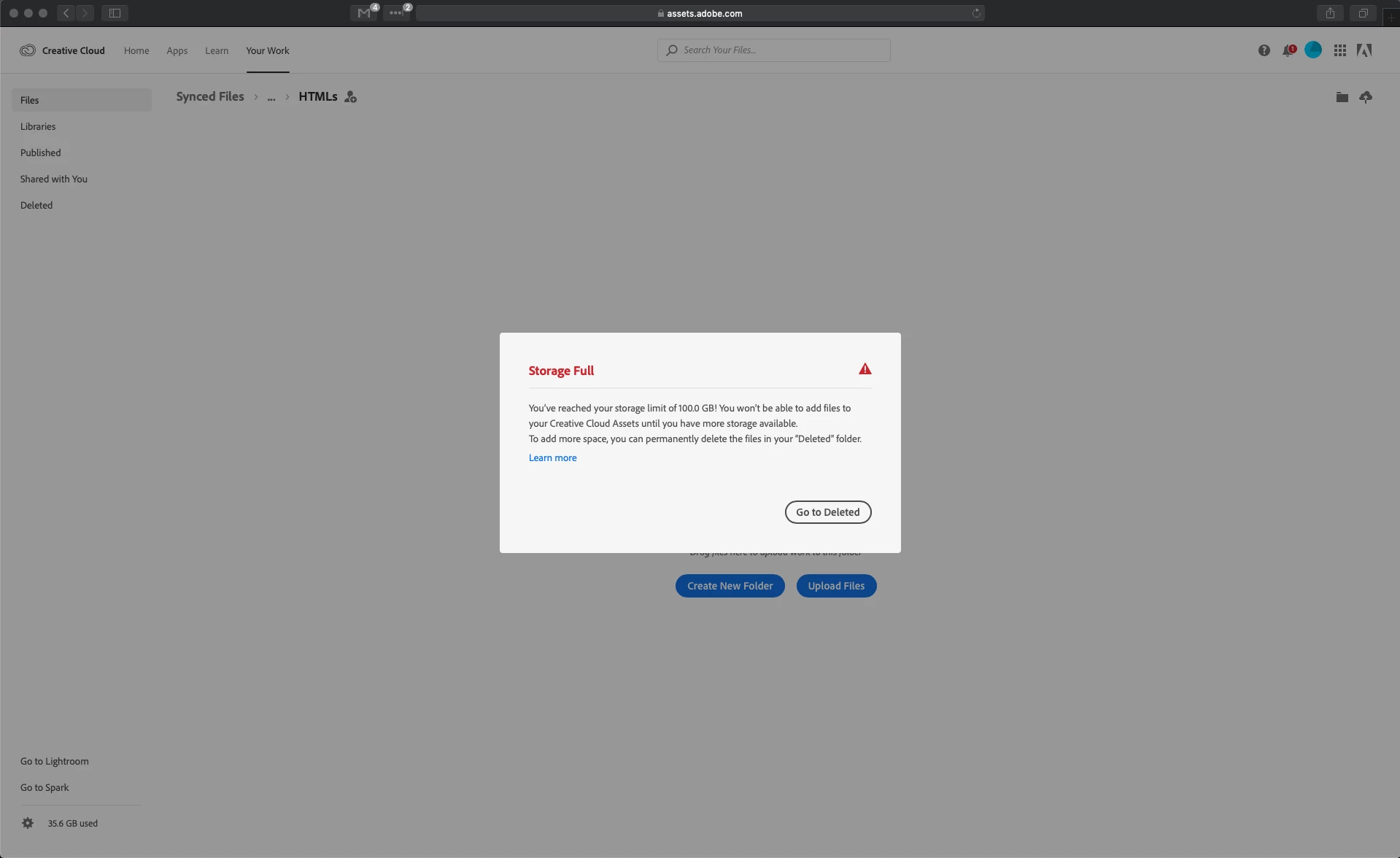
Storage full, but it isn't (image included)
This has recently happened on the CC web browser site.
My laptop memory is too low to use the desktop app, so I manage my files on the web browser instead. This is the first time this has happened since using CC.
I've cleared my deleted folder completely, checked there's nothing on Lightbox, and tried restarting multiple times, but this message keeps coming up.
As you can see from the screenshot, I've only used 35.6GB out of 100GB so I shouldn't be anywhere near full.
I tried explaining this to customer service, but they didn't understand what I meant and thought I was using the desktop app.
Does anyone know how to solve this problem?


 AdChoices