
Answered
synch not working if file is dragged to creative cloud folder on desktop
HI ! Synch works only if file is dragged to creative cloud panel online .Any reason why?
tks!

HI ! Synch works only if file is dragged to creative cloud panel online .Any reason why?
tks!
I just did and now the check marks or warning signs next to the files in the creative cloud folder on desktop have disappeared.Now it's not synching both way. Check here
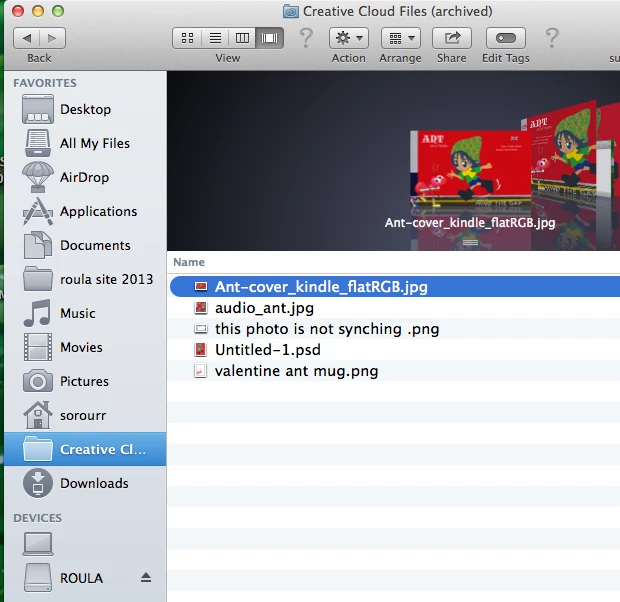
Hi,
Can you tell me if asset sync has returned to normal now? or are you still seeing the same issue?. If this issue remains can you please follow the instructions below to manually delete your database.
'Library' on Mac and 'AppData' on Windows are both hidden folders. Please read these pages for help on showing these folders:
http://helpx.adobe.com/x-productkb/global/show-hidden-files-folders-extensions.html (Win)
https://helpx.adobe.com/x-productkb/global/access-hidden-user-library-files.html (Mac)
Thanks
Warner
Already have an account? Login
Enter your E-mail address. We'll send you an e-mail with instructions to reset your password.


 AdChoices