
Buro Belaen
Participant
July 18, 2022
Question

Synchronization error creative cloud keeps occurring

  • July 18, 2022
  • 1 reply
  • 275 views

Hello, 

i have been having constant problems with the adobe synchronization.

I have tried everything. I've searched for all different symbols (*/"<> ...), all my files are clean. I've reinstalled the app, rebooted my mac, ... still i get this problem.
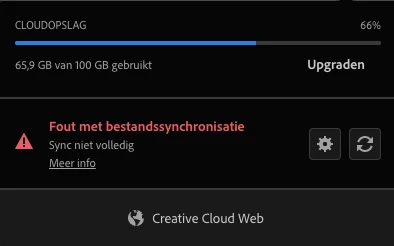
 

Can someone help out?

Thx!

This topic has been closed for replies.

1 reply

kglad
Community Expert
Community Expert
July 18, 2022

you have to use trial and error to find the problematic file.  assuming there's one file that's preventing complete sync'g that will require, at most, log base 2 (#files) steps.

Buro Belaen
Participant
July 19, 2022

Why is the feature gone that showed you what file was causing the sync problem?

kglad
Community Expert
Community Expert
July 19, 2022

i don't remember that feature, but if it existed, i can't tell you why it no longer exists.


you can make a suggestion to adobe here, https://www.adobe.com/products/wishform.html