Participant
October 9, 2023
Question

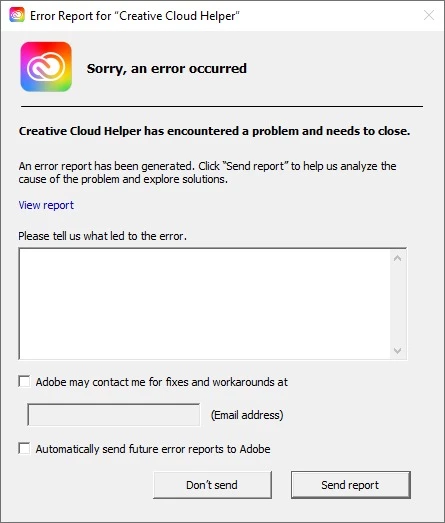
The application is not responding
  • October 9, 2023
  • 2 replies
  • 122 views

This message appeared to me and I don't know where the problem is
Is there a solution or does anyone know of Adobe's help email?
For your information, I am involved in one of Adobe's great plans



This topic has been closed for replies.

2 replies

kglad
Community Expert
Community Expert
October 9, 2023

reset the cc desktop app by making sure it's in the foreground, then press:

Win: Ctrl + Alt + R
Mac: Cmd + Opt + R


if that fails, repair per https://helpx.adobe.com/download-install/kb/creative-cloud-install-stuck.html


if that fails, uninstall using the correct uninstaller from https://helpx.adobe.com/creative-cloud/help/uninstall-creative-cloud-desktop-app.html#sa_src=web-messaging and then reinstall using*


if that fails, do a clean cc install carefully following each applicable step:

uninstall every cc app including preferences per https://helpx.adobe.com/creative-cloud/help/uninstall-remove-app.html

then uninstall the cc desktop app, again using the correct uninstaller per https://helpx.adobe.com/creative-cloud/help/uninstall-creative-cloud-desktop-app.html#sa_src=web-messaging

clean your computer of cc files per http://www.adobe.com/support/contact/cscleanertool.html

check for, and if available, update your os

if windows is your os, repair all ms visual c++ versions that can be repaired (use google if you don't know how to do this)

if windows is your os update your ms visual c++, if it can be updated (use google if you don't know how to do this)

restart your computer (don't skip this)

reinstall the cc desktop app using the "alternative download links" at the bottom of the page at https://helpx.adobe.com/download-install/kb/creative-cloud-desktop-app-download.html

use the desktop app to install your cc programs/trials

NOTE: win 11 users that have trouble with the latest win 10 installer often have success with the older win 10 installer.

John T Smith
Community Expert
Community Expert
October 9, 2023

Not exactly the same message, but this may help

Problem with Cloud manager https://helpx.adobe.com/creative-cloud/kb/creative-cloud-missing-damaged.html


Or contact support (This is a public forum with mostly other users, not Adobe support)

Be sure to remain signed in with your Adobe ID before accessing the link below
Do be aware that wait times are sometimes long before an agent responds
.
You MUST make sure that your browser does NOT block ads, scripts, or pop-ups
You MUST also allow 'cookies' in your web browser for the link to work
This will NOT work if you are using a VPN
.
This link will go directly to the chat option
https://helpx.adobe.com/contact.html?rghtup=autoOpen
Type "Agent" in the chat box to bypass the chatbot and be connected to a person
-Meaning type in the word Agent in the lower right, without the quote " " marks
or
X (aka Twitter) tweet @AdobeCare
.
Adobe does NOT do support by email, so beware of answering anyone who sends you a private message
-click for more information about scammers https://tinyurl.com/10791730