
Known Participant
February 14, 2017
Question

Unable to download assets from the Creative Cloud app

  • February 14, 2017
  • 1 reply
  • 657 views

Hello all!

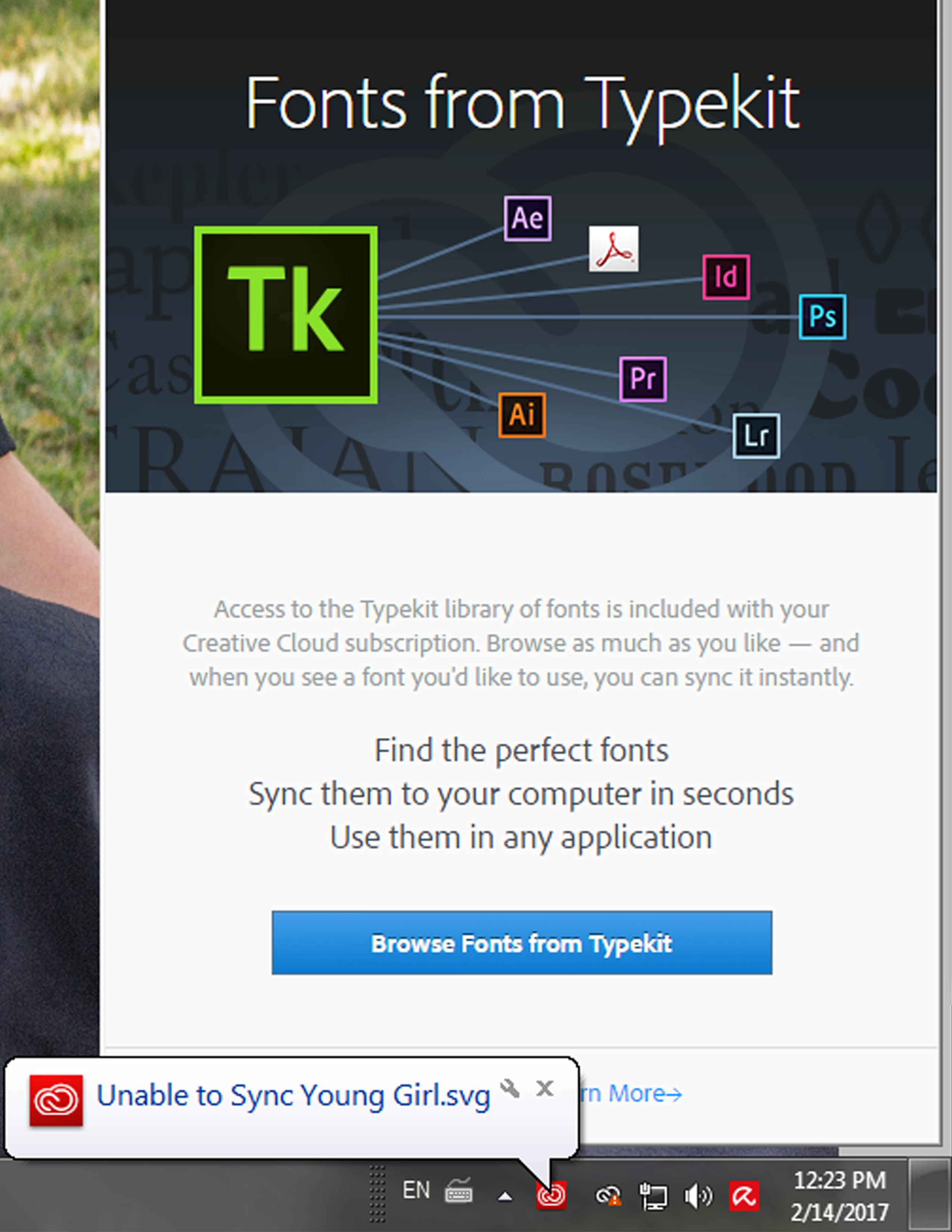
I am unable to download assets from the Creative Cloud app because it claims that it is unable to sync a certain file. See the screenshot below. When I try to download an asset and I click on the download button, nothing happens. Can somebody give me some troubleshooting tips? I am using Windows 7 professional with the latest version of the Creative Cloud app installed. Thanks so much in advance!
This topic has been closed for replies.

1 reply

David__B
Legend
February 16, 2017

Hi Awitmer,

I would try turning off sync from the preferences, then moving the Young Girl.svg file out of the Creative Cloud Files folder and then turning sync back on and see if all of the rest of the flies sync successfully. The preferences are accessed from the gear icon in the top right.

If everything else syncs successfully you might test if you can upload Young Girl.svg to your Creative Cloud storage using a web browser rather than through File Sync. Browse, sync, and manage Adobe Creative Cloud assets

Please let me know if this helps,

- Dave

AwitmerAuthor
Known Participant
February 16, 2017

I deleted that file out of my creative cloud folder and did exactly what you said. It didn't start working immediately, but it is working now today probably since I did a system reboot. I am able to download assets normally now. Thanks so much for your help! I really appreciate it!