Rob Ainscough
Inspiring
October 5, 2026
Question

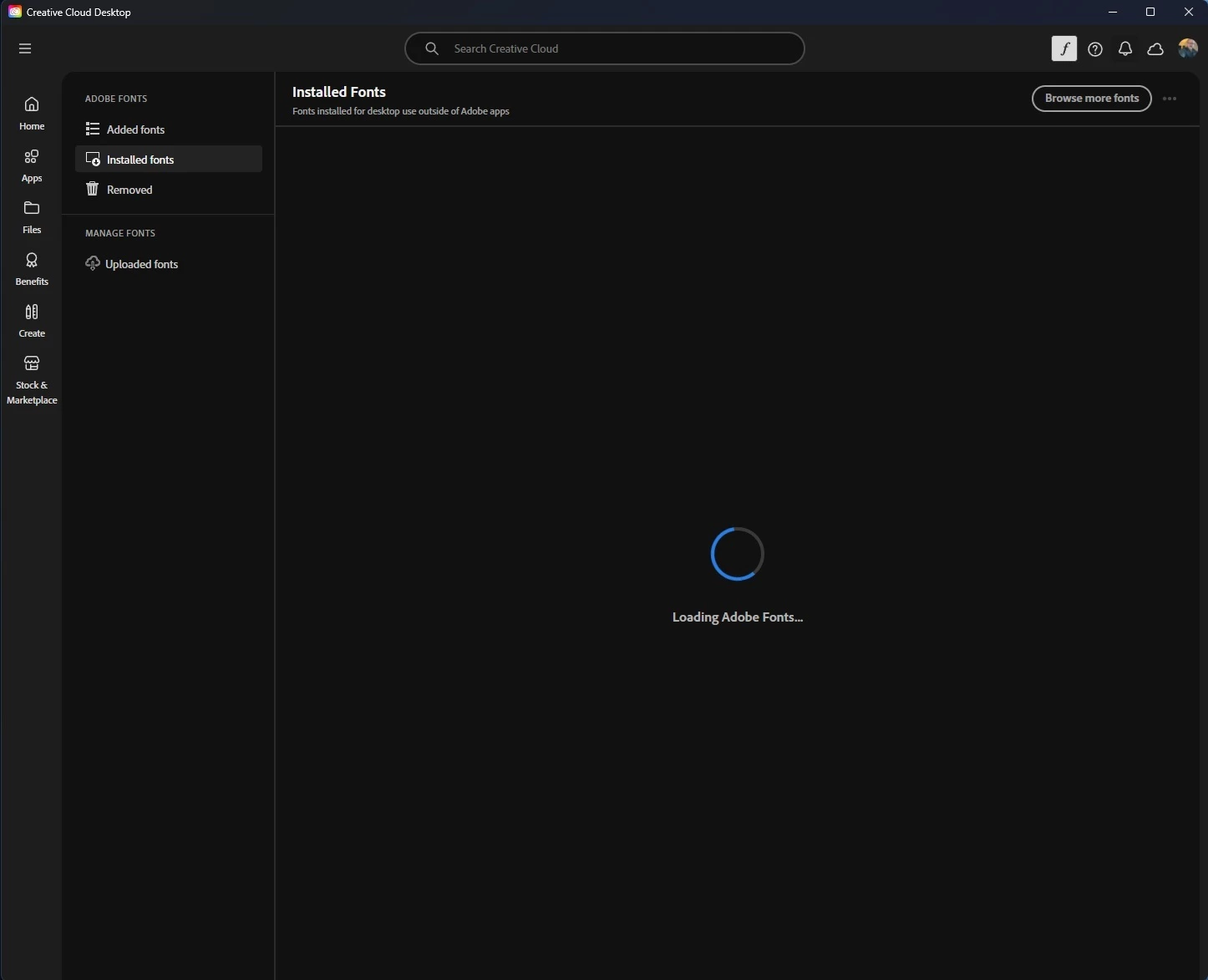
Unable to install Adobe Fonts?
  • October 5, 2026
  • 5 replies
  • 17 views

Don’t even dare suggest “Uninstall everything”  run a “Cleaner too” and reinstalled everything and “hope”.  That’s NOT going to happen.  There are numerous issues over 5 years old with paying users have the same problem.

I have Admin rights, so that’s NOT the problem.

If CC is unable to get fonts then it should at the VERY LEAST timeout after 2 minutes or so and provide a USEFUL message saying why it can’t load any fonts … basic software engineering 101 (yes I have 47 years of software development experience and now retired so I do know).

If you need elevated privileges to install Fonts on Windows 11 then you request them, the user will get a prompt to allow, and then we allow … but just a endless spinning wheel IS NOT accept for software that costs this much every month.

Adobe, FIX CC or lose more customers to Blackmagic Design, Affinity Photo 2, etc. etc. 

This is simply NOT acceptable.



    5 replies

    Peru Bob
    Community Expert
    Community Expert
    October 6, 2026

    Have you tried a different browser?

    Rob Ainscough
    Inspiring
    October 6, 2026

    That screenshot is the CC app, it’s not browser based.

    Peru Bob
    Community Expert
    Community Expert
    October 6, 2026

    The CC app uses your browser to communicate with Adobe.

    A browser communication issue can cause a problem.

    kglad
    Community Expert
    Community Expert
    October 6, 2026

    first try, resetting the cc app: To reset the Creative Cloud desktop app, make sure it's in the foreground, then press:


    Win: Ctrl + Alt + R

    Mac: Cmd + Opt + R


    Rob Ainscough
    Inspiring
    October 6, 2026

    Unfortunately Ctrl + Alt + R will CC has focus made no difference, same “Loading Adobe Fonts” spinning wheel ...