
November 17, 2017
Question

Unable to sync files (.pek and .cfa)

  • November 17, 2017
  • 2 replies
  • 637 views

Hi,

I've been getting these pop-ups for a while on both of my computers (I have a desktop and laptop for mobile editing).
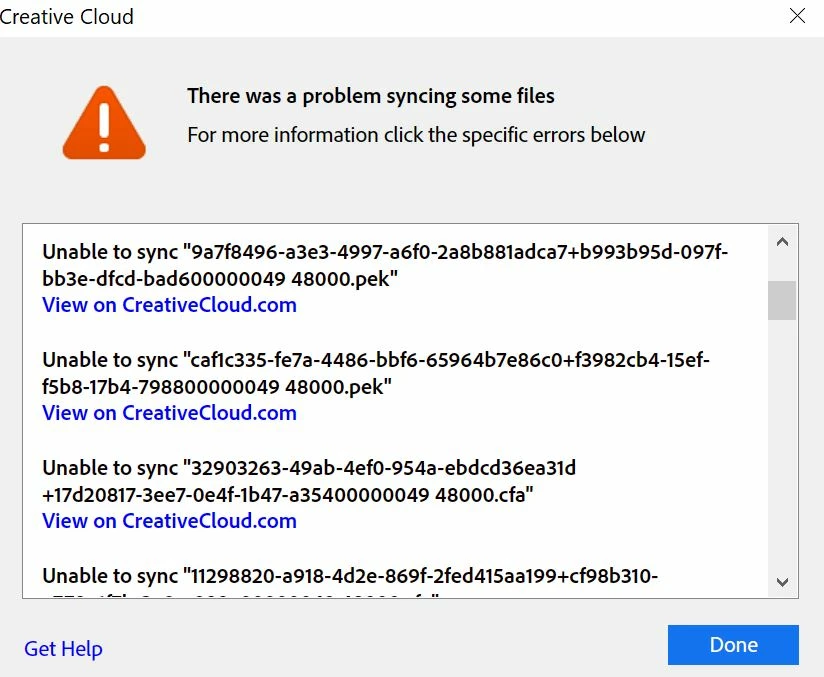
There aren't any error codes that I can see, so I don't know how to fix the problem. When I click on "View on CreativeCloud.com," I get taken to my archives folder, but I can't find the files listed here. I cleared the Archives folder about a few weeks ago, but that didn't fix the problem. Only PEK and CFA files seem to have trouble syncing. All of my main files (project files, media) seem to sync without issue.

I'm on CC 4.3.0.256, with all of the latest CC 2018 apps. This was happening before the update, though.

Any thoughts on what could be going on and how I can fix it? I appreciate your time and input.

This topic has been closed for replies.

2 replies

Kanikas
Community Manager
Community Manager
November 21, 2017
John T Smith
Community Expert
Community Expert
November 17, 2017

You don't mention the program... is that for Premiere Pro?

If yes, those are "dynamic" temporary files that are created when the video file is being "conformed" for playback

I don't keep anything in the cloud, but since those files are created as needed, I'm not sure if they are supposed to go to the Cloud

Would you like to have this message moved to the Premiere Pro forum?

November 17, 2017

Hey John,

Thanks for getting back to me so quickly! The error message pops up in the CC app itself (I go to Assets : Files : "Some Files Failed to sync. Learn More")

But yes, I do most of my work in Premiere Pro. I like to keep all of my assets (except for the footage) in the cloud so I can work from any computer and share with my partner. But maybe I set those Temp files to save locally off the cloud?

Thanks again!