Participating Frequently
November 8, 2021
Answered

Unable to sync with Create cloud

  • November 8, 2021
  • 3 replies
  • 1081 views

Hi,

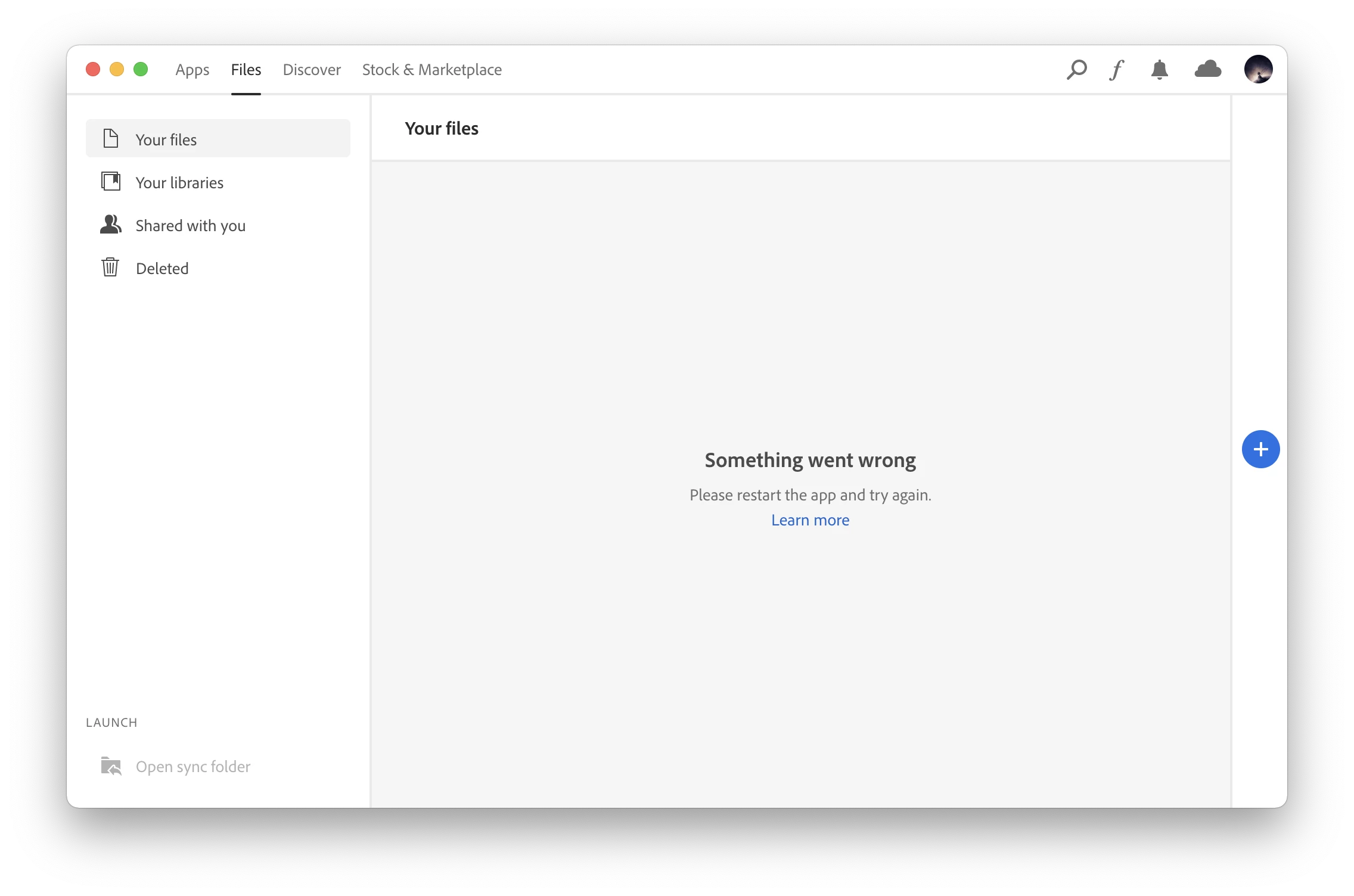
Does anyone know why the file sync won't work? I restarted the app but it still shows such an error.

I am using Macbook Pro 16' 2021.

Thanks!
 

This topic has been closed for replies.

3 replies

Megane5ECE
Participant
November 18, 2021

I've had the same exact issue and situation for the past few days. After thorough investigation, I figured out that using Migration Assistant when transferring files from Mac to Mac somehow messed some stuff up (May have to do with moving from a Mac with an Intel chip to a Mac with M1 chip).


I've finally figured it out. When troubleshooting on Activity Monitor after digging through multible posts on Creative Cloud issues, I realized the file "CoreSync" was not running when my Creative Cloud apps were opened (a file that sounds pretty important for syncing lol).  


To solve this:

1. Quit the Creative Cloud desktop app.

2. Find the CoreSync file on your computer (I just used Finder). It'll pop up. For me, it looked like a grey box with Adobe logo on front and arrow at the bottom. You're just gonna click on it and I think it uninstalls or something of the sort. If it doesn't uninstall automatically like mine did, I assume deleting the file will do the trick.

3. Reopen the Creative Cloud desktop app.

4. Navigate to your "Files" tab (at the top), then "Your files" on the left.

4. Because the CoreSync file is gone, Creative Cloud will give you the option to install it. Click Install and it will reinstall the CoreSync file and other associated files on your computer properly.


That should do the trick! You should be able to see your synced files pop up. 

Hope this helped! It was definitely a pain in the butt on my end.


Rui_AAAuthor
Participating Frequently
November 21, 2021

Thanks! Megane. I shared the same issue since I used Migration Assistant to move from the Mac with Intel chip to a Mac with M1 pro. Now the sync works fine.

Rui_AAAuthor
Participating Frequently
November 16, 2021

Hi, Hakkibilen

Thanks for your reply. My problem is exactly caused by that I used the migration-assistant to transfer files from the old to the new Macbook.

Nancy OShea
Community Expert
Community Expert
November 8, 2021

1. Open CC Desktop App.
2. Click your Avatar (top right image) > Preferences > General tab > Settings. Select "Always keep Creative Cloud up to date."
3. Click on your Avatar again.
4. Sign-out of Creative Cloud.
5. Close all apps.
6. Restart your computer.
7. Open CC Desktop app.
8. Click your Avatar.
9. Sign-in with your paid ID and password.


Nancy O'Shea— Product User & Community Expert
Rui_AAAuthor
Participating Frequently
November 9, 2021

Hi, Nancy

Thanks for your reply!

However, the same issue still exists after I tried your solution. Is there any other thing I can do?

I also reinstalled the creative cloud app but it did not work. 

Nancy OShea
Community Expert
Community Expert
November 9, 2021

Which Mac operating system do you have?


Nancy O'Shea— Product User & Community Expert
