
Participant
September 17, 2018
Question

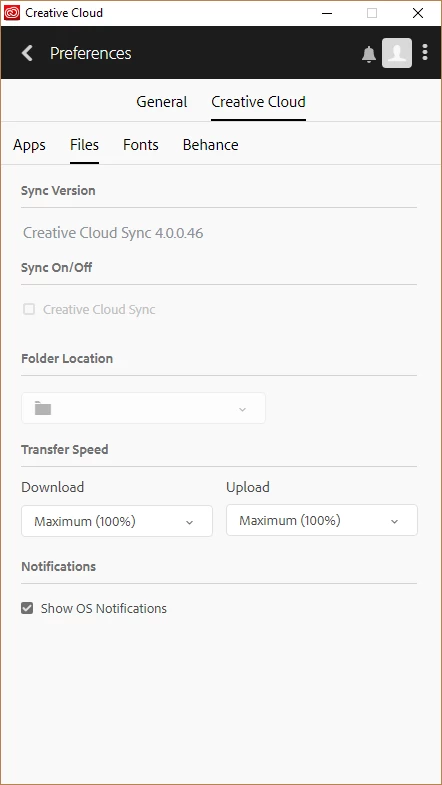
Unable to turn on Creative Cloud Sync on Windows 10

  • September 17, 2018
  • 2 replies
  • 704 views

Hi, I'm having issues with turning on the Creative Cloud sync on Windows 10. I have tried:

- uninstalling and installing all Adobe software

- updating to the latest version afterwards

- running the CC as an Administrator

- locating options.tix (I don't have the folder: C:\Users\<username>\AppData\Roaming\Adobe\CoreSync

I am running a Windows Home Edition, 64bit and I only have the free subscription.

Is there anything else I can try doing?

Thank you for your help!
This topic has been closed for replies.

2 replies

Kanikas
Legend
September 21, 2018

HI there,

We're sorry about the issue you are facing.

Could you please follow the steps shared in the link for help:

Adobe Creative Cloud desktop app | Unable to turn on file sync

Let us know if this helps! Feel free to update the thread for any other questions.

Thanks

Kanika

Participant
April 2, 2019

I have this issue and running: del %APPDATA%\Adobe\CoreSync\options.tix does nothing as there is no such file in this location...

kglad
Community Expert
Community Expert
September 17, 2018