


Updating global styles in Adobe Portfolio doesn't change anything
I'm using the Thomas theme and I'm having an issue where if I try updating global styles for the heading font nothing changes.
Here's an example:
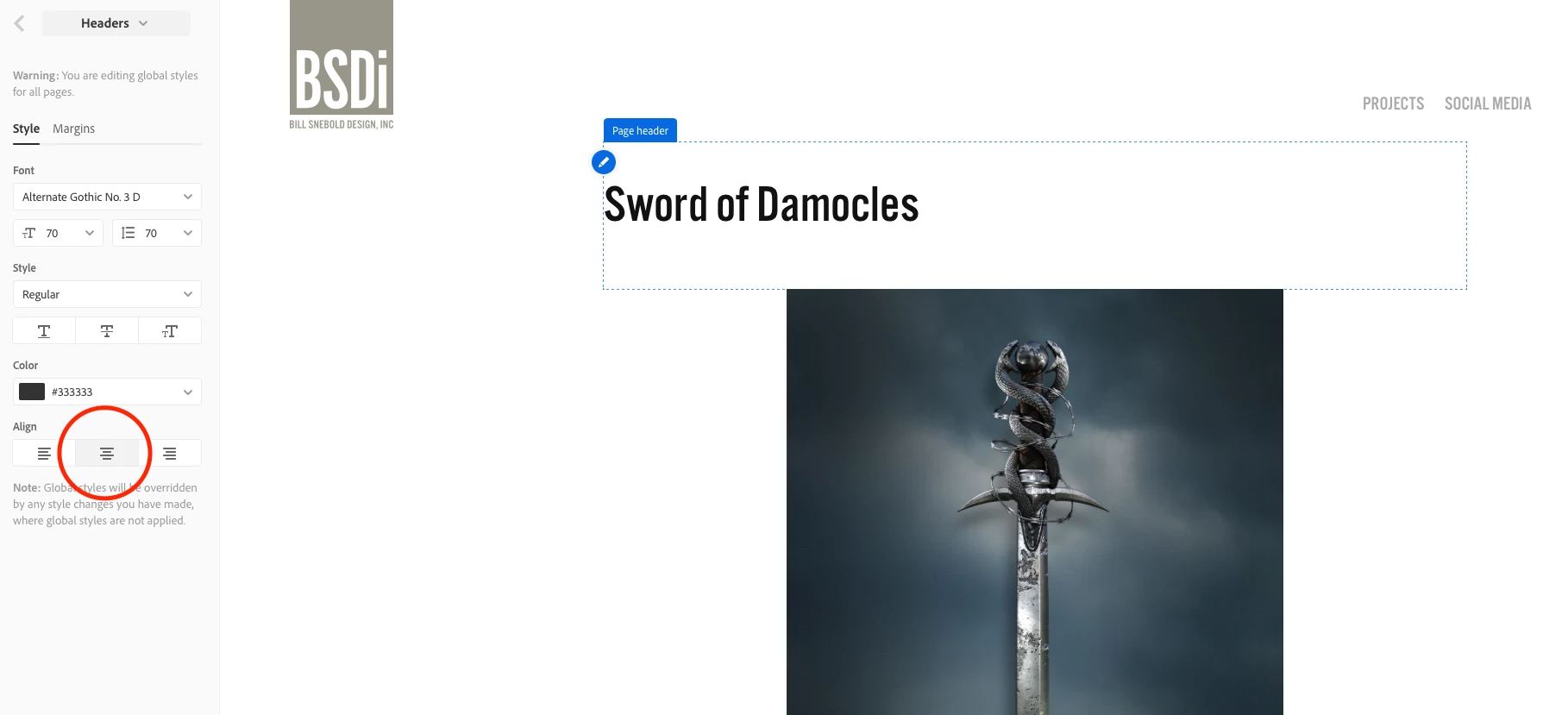
Notice that I've made sure that the text alignment for the headers are centered, but as you can see the header text is clearly aligned left. I've tried switching back and forth between the global setting for the header, but it has no effect. If I try adjusting the header settings on the page itself, all it does is shift the alignment of the entire header block within the page as opposed to changing the text alignment of the text within the header block. Even if it did what I wanted, I wouldn't want to go through and make that change to each and every page.
Has anyone else had this issue and found a solution?
 AdChoices