



maxxedpotatoes
Participant
April 1, 2026
Answered

Vertical pictures are getting distorted in Adobe Portfolio

  • April 1, 2026
  • 3 replies
  • 24 views

So I shoot everything on my Fuji X100V and directly export it to my pc from the sd card. All pictures are vertical, same aspect ratios. I load them into Bridge to sort them, move them afterwards into folders to have the final pictures. The pictures are saved as JPGs, approx. 12MB per picture. I then upload them as a grid into Portfolio and no matter what settings I use, this is what happens: 
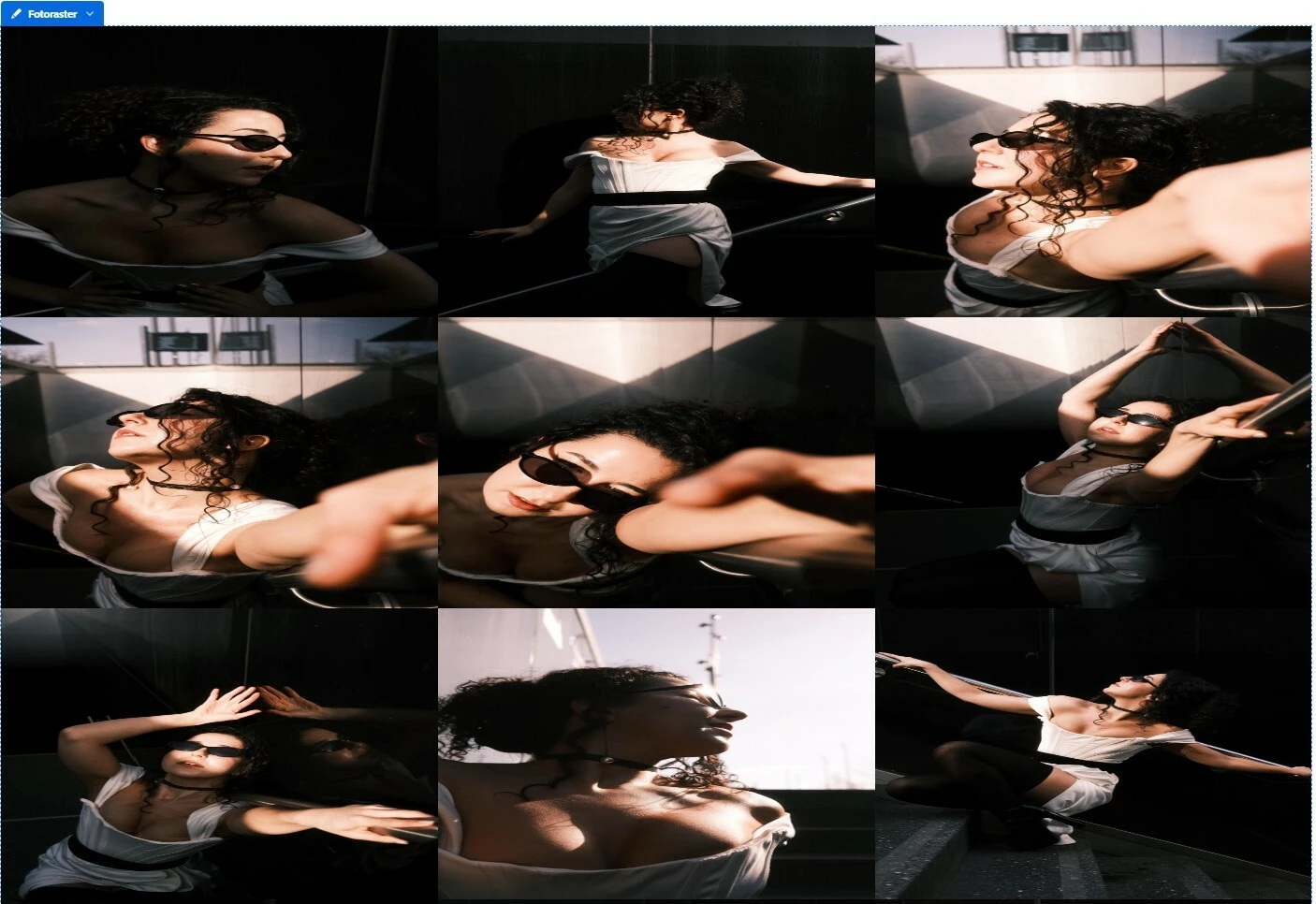
When I click on the picture, everything looks fine, but in the grid pictures always get distorted. If I upload pictures one by one, the look good, but they are displayed too big for my liking, I would like to have a grid of 5 pictures next to eachother but I really am freaking out, because I cant find a solution. 

Pls help:) 

Correct answer Nancy OShea

By the looks of things, you’re using the PhotoGrid module. Is that correct?

See Edit Grid Style (gutters, width, margins, # of images per row).

https://help.myportfolio.com/hc/articles/360035920114-Photo-Grid-module


Hope that helps.


3 replies

Nancy OShea
Community Expert
Nancy OSheaCommunity ExpertCorrect answer
Community Expert
April 3, 2026

By the looks of things, you’re using the PhotoGrid module. Is that correct?

See Edit Grid Style (gutters, width, margins, # of images per row).

https://help.myportfolio.com/hc/articles/360035920114-Photo-Grid-module


Hope that helps.


Nancy O'Shea— Product User & Community Expert
kglad
Community Expert
Community Expert
April 2, 2026

portfolio questions: https://help.myportfolio.com/hc/en-us/requests/new?ticket_form_id=177168


portfolio faq: https://help.myportfolio.com/hc/en-us

John T Smith
Community Expert
Community Expert
April 1, 2026