


Participant
July 1, 2022
Question

VirusTotal detects Adobe Creative Cloud Set-up as virus

  • July 1, 2022
  • 7 replies
  • 7195 views

I downloaded Creative Cloud from there which I think is the official website:

https://creativecloud.adobe.com/apps/all/desktop?action=install&source=apps&productId=creative-cloud


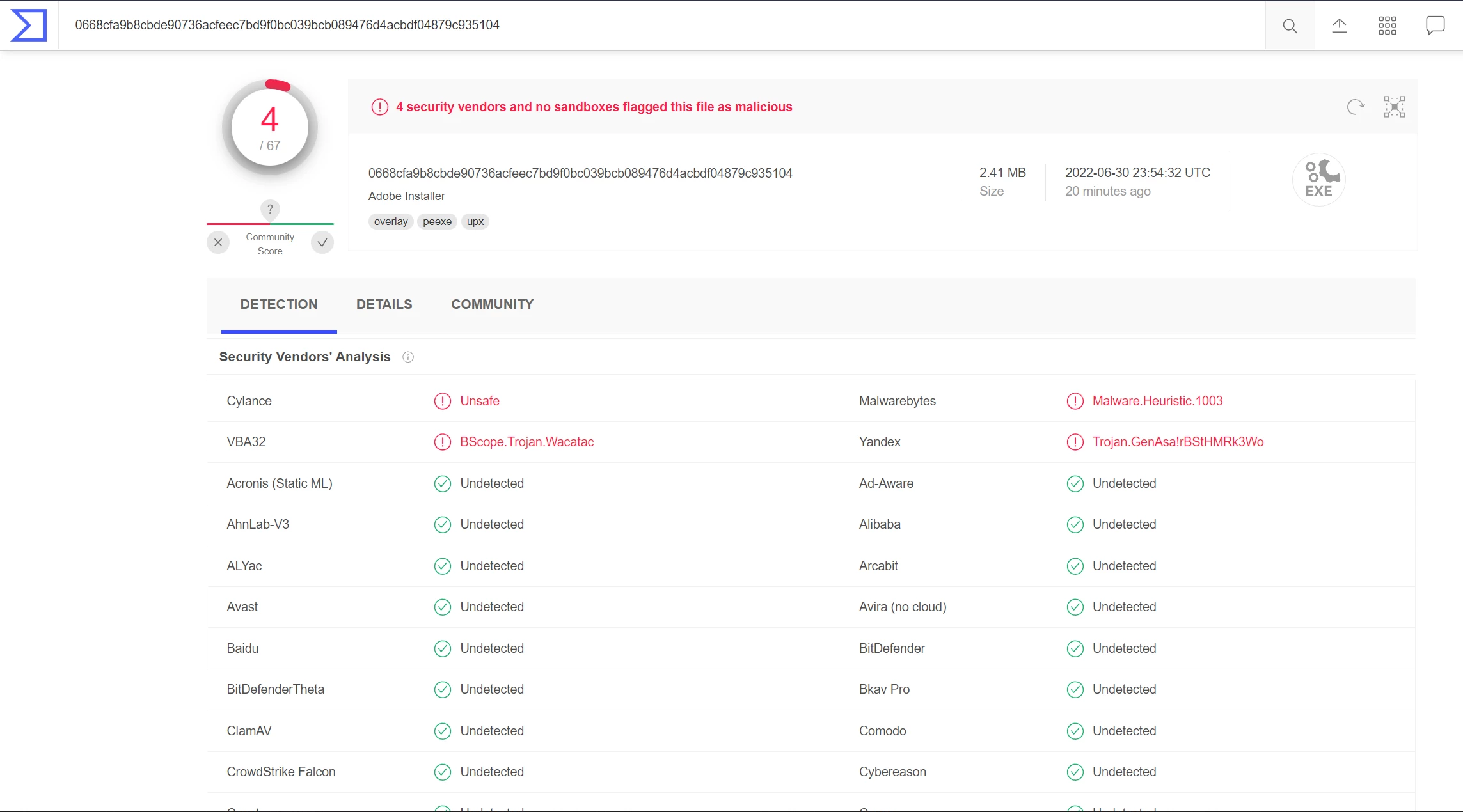
And then when I scanned it on VirusTotal it detected some viruses. Here are the results;

https://www.virustotal.com/gui/file/0668cfa9b8cbde90736acfeec7bd9f0bc039bcb089476d4acbdf04879c935104/detection


So should I install it? Or what should I do?
7 replies

kglad
Community Expert
Community Expert
June 10, 2025

as long as your downloaded from adobe, it's secure.

Participant
June 10, 2025

i have the same problem but i tried with norton and it said nothing but virustotal said 3 dedections idk why

David__B
Adobe Employee
Adobe Employee
June 10, 2025

Hi @jack_0790

I think you can report false positives to Norton here: https://adobe.ly/4jNOnbb


Best,
Dave

Participant
August 2, 2024

This is because so-called "adobe creative cloud" acts like malware. It reinstalls itself, adds unwanted services, spies on you, and does all sorts of things that any self-respecting antivirus should flag as a dangerous threat. It’s unfortunate that only a few antivirus programs handle it properly. Hats off to VirusTotal for catching it.

kglad
Community Expert
Community Expert
August 2, 2024

@stenjus 


largely incorrect.

Curtis5945
Participant
November 20, 2022

Unfortunately Adobe needs to address this.  I will not install something that multiple security sites show as having malware. 


No offense, but an SSL certificate does nothing to ease my worries about false positives.  Both of sites below show multiple different vendors.  It is possible that the specific vendor is overzealous, but that does not ease my worries about it having malware.  They need to remove the component or update the component that is causing the malware flag.  It is quite possible that many companies now have malware because of this.


Both metadefender and virustotal show the install has malware.


Virustotal.com shows: Virus.Win32.Chiton.cnmqve and malware

metadefender.opswat.com shows: Virus/Malware!U9EMSrmU

kglad
Community Expert
Community Expert
November 20, 2022

you can report (what you think is a true positive) here:


for applicable apps, use https://helpx.adobe.com/ie/x-productkb/global/how-to-user-voice.html


for others, use https://www.adobe.com/products/wishform.html

Participant
August 1, 2022
kglad
Community Expert
Community Expert
August 1, 2022

as long as you're downloading from an https adobe.com domain, it's a virustotal issue, VirusTotal is detecting a legitimate software I have developed, what can I do? – VirusTotal

Participant
August 1, 2022

I have the same problem. File downloaded from adobe.com and VirusTotal detects some viruses, included Malwarebytes.

Nancy OShea
Community Expert
Community Expert
August 1, 2022

Your AV is overzealous.  Malwarebytes is infamous for reporting false positives.

https://blog.malwarebytes.com/security-world/2017/09/explained-false-positives/


Nancy O'Shea— Product User & Community Expert
kglad
Community Expert
Community Expert
July 1, 2022

if you're sure you downloaded from an adobe.com domain and you saw the lock (in the address bar), you can trust it.

Participating Frequently
August 17, 2024

are you sure? Cause these other anti viruses except Yandex are showing new stuff that are not in the screenshots previously. 


kglad
Community Expert
Community Expert
August 17, 2024

i have no idea what you're testing.