semiBJoker
Participant
February 29, 2020
Question

Where can I view storage usage in Creative Cloud?

  • February 29, 2020
  • 1 reply
  • 2594 views

Hello, everybody,


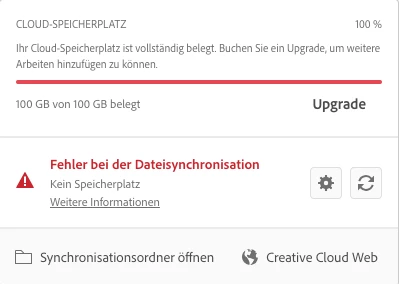
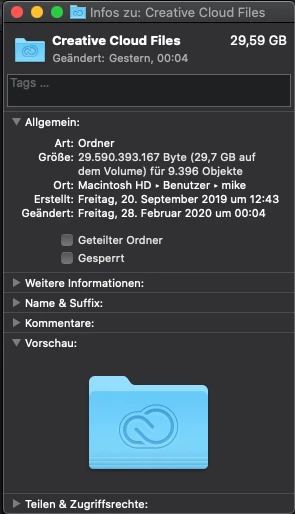
i am currently having the problem that i am told that i have used the full 100GB of my cloud storage and therefore no more data can be synchronized. However, my local mirror of the CC data is only occupied to 30GB. So I wanted to look online where the remaining 70GB are occupied. But I couldn't find a menu item in the app or on the website that shows me the exact allocation and distribution of the memory.


Since I work a lot across devices, I would be grateful for any help and tips!


Thanks in advance!
 

1 reply

gerikp
Community Expert
Community Expert
February 29, 2020

Open the Adobe Creative Cloud app. Then click the gear icon at the top right. That should open up and show you your Cloud Storage usage.

semiBJoker
Participant
March 10, 2020

Thanks for the tip, but I already knew that and unfortunately it does not help me. There I can only see how much storage I have used. But not WHAT is occupying the storage. The problem is that the normal cloud storage only uses 30 GB. So something else, e.g. the libraries, has to use the memory. But I can't find this breakdown anywhere.