Known Participant
December 21, 2021
Question

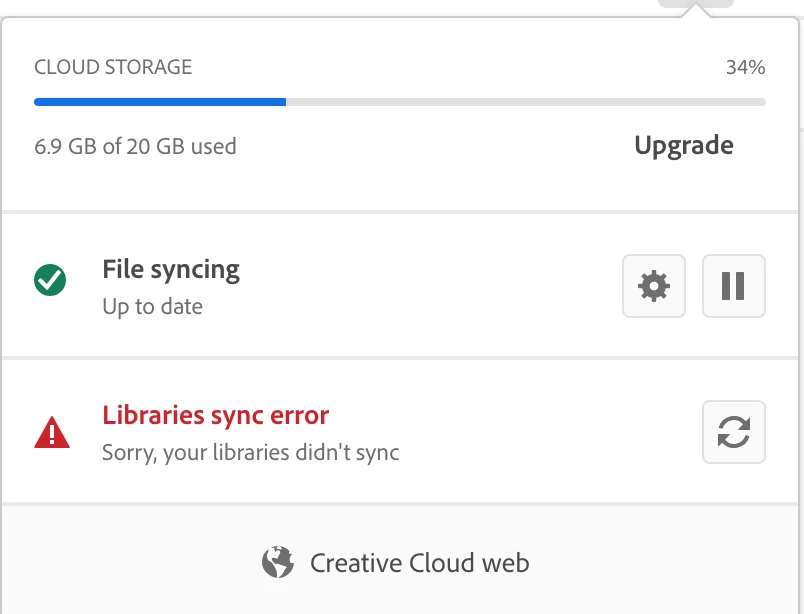
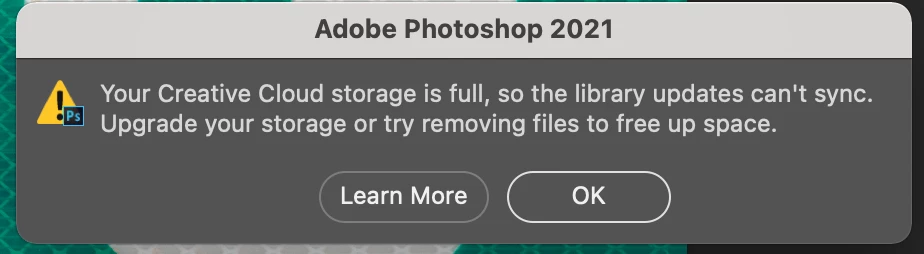
Why am I seeing this error when I have plenty of memory left on my cloud drive?

  • December 21, 2021
  • 3 replies
  • 460 views

    This topic has been closed for replies.

    3 replies

    David__B
    Adobe Employee
    Adobe Employee
    December 22, 2021

    Hi PSbosker,


    You may also want to try signing out of your Adobe ID and back in again from within Photoshop directly under the Help menu.

    Jeffrey_A_Wright
    Community Manager
    Community Manager
    December 22, 2021

    PSbosker, how much space is available on the drive that contains the operating system?  Due to the collaborative nature of the feature, the synced files for Creative Cloud libraries are stored on the same purpose that contains the OS.

    Known Participant
    December 22, 2021
    Ok, not a clear answer but an answer. So what is the fix?
    Jeffrey_A_Wright
    Community Manager
    Community Manager
    December 22, 2021

    Ensure the drive containing the operating system has sufficient disk space for temporary files and any files you wish to use within Creative Cloud libraries. 
     

    You can also use the process in https://helpx.adobe.com/creative-cloud/help/import-export-creative-cloud-libraries.html to export and backup any libraries you have created but are no longer using.

    PECourtejoie
    Community Expert
    Community Expert
    December 22, 2021

    Moving to CC services