
Participant
May 24, 2015 10:20 PM UTC
Question

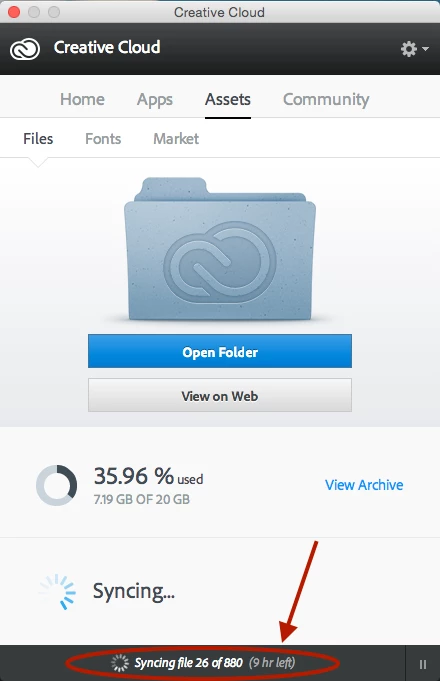
Why CC from time to time erases all my files and sync them all over again?

I have an issue with Creative Cloud file sync. From time to time CC erases all my files and then syncing them all over again It used to happen before but only after CC update. Now it's almost every week! This is really annoying especially because it slows down internet connection.
This topic is closed to new replies. Start a new post to keep the conversation going.

7 replies

wharress
Participating Frequently
May 26, 2015 9:38 AM UTC

Hi,

Your issue looks like something our customers are already seeing Files are getting deleted from creative cloud

Please send in your log files so we can be sure about this.

The logs are located at

Mac:

The log file can be found here:

<Mac Hard Drive>/Users/<username>/Library/Application Support/Adobe/CoreSyncSync/CoreSync-YYYY-MM-DD.log

(where YYYY-MM-DD indicate the date of the last log)

Note: The Users Library user folder is hidden on starting with 10.7 or later

see http://helpx.adobe.com/x-productkb/global/access-hidden-user-library-files.html

Windows:

The log file can be found here:

C:\Users\<username>\AppData\Roaming\CoreSync\CoreSync-YYYY-MM-DD.log

(where YYYY-MM-DD indicate the date of the last log)

Note: The AppData folder is hidden by default this doc shows how to show it if needed

http://helpx.adobe.com/x-productkb/global/show-hidden-files-folders-extensions.html


Please zip them up and send them to SyncForum-Communication@adobe.com with this forum URL in the email.

Translate
Participant
Jun 6, 2015 9:26 AM UTC

Thank you for quick reply. I don't think it's the problem though—my files are not moved to the trash. They simply disappearing. CC creates "archived" folders (see attached picture) and starts to sync from the beginning.

Translate
wharress
Participating Frequently
Jun 8, 2015 10:10 AM UTC

Hi,

It seems that you have ran into a bug that was fixed a while ago where Creative Cloud (Unknown) folders will be created and all of your assets re-downloaded. We have fixed this issue, please can you confirm what version of Creative Cloud you are using?.

Thanks

Warner

Translate