

davidc1815
Legend
May 6, 2015
Question

why does "core" empty window appear on my desktop from time to time?

  • May 6, 2015
  • 3 replies
  • 2744 views

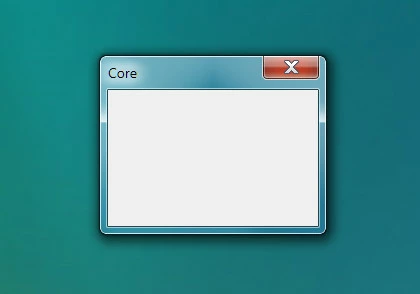
From time to time, unpredictably, I get a small empty window appearing on my desktop with the word "core" in the top left corner:
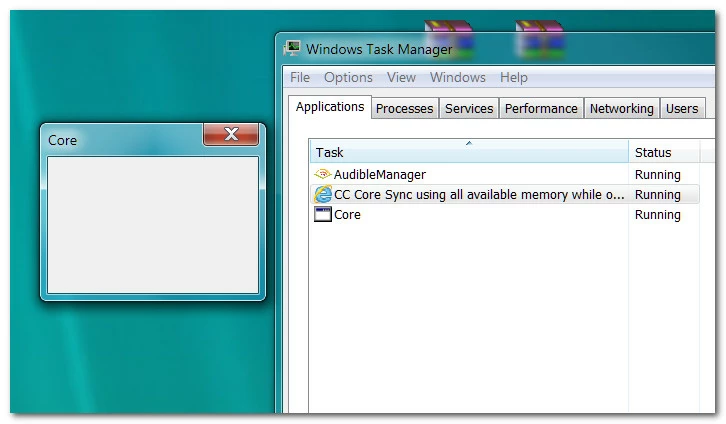
Checking in task manager, "coresync" seems to be using 100% of memory:
I have to shut the computer down to get rid of the process.  I believe it may have something to do with Creative Cloud but I don't what it is.   My CC version is 2.0.0.74. I am using CC's File Sync.

I am running Windows 7 Pro 64bit OS on my machine and the system appears stable.  I am using Photoshop CC 2014 64bit and Dreamweaver CS3.  My machine specs are:

CPU 3770K ; an Asus P8Z77-V Deluxe motherboard; 32Gb Crucial DDR memory;  a Crucial 256Gb SSD for the OS and programs; x2 Samsung 512Gb 840 Pro SSDs for data; an Asus GTX660 graphics card.

Can anyone help me with this please?  Will the problem disappear if I stop File Sync in CC?

Thanks

This topic has been closed for replies.

3 replies

info337
Participant
May 24, 2015

I have exactly the same problem. I uninstalled Nvidia Experience, but it didnt helped. I have the core windows every time. It only goes away when I kill the creative service process.

Any news on this issue?

davidc1815
Legend
May 25, 2015

Not really.  No answer yet.  Here is a thread I started in a Windows Seven forum...

http://www.sevenforums.com/software/369490-why-does-core-empty-window-appear-my-desktop-time-time.html?posted=1#post3071645http://

Strange that your "core window" appears on every boot up and mine doesn't. 

wharress
Community Manager
Community Manager
May 27, 2015

We now have an internal bug open for this for the relevant teams in investigate further.

davidc1815
Legend
May 23, 2015

I spoke too soon.  The "core" empty window came back with this morning's boot.  It's definitely related to CC because for a moment after I killed the application in Task Manager I saw words like "the creative service has stopped" or something like that. So I'm back in the market for help...thanks for any other ideas.

David

magical_Skyline0D4A
Inspiring
May 7, 2015

Hi nickna12,

I'm not an engineer and I have no idea how this works, but I saw that the same problem was discussed here Core Sync Process Choking Systems.

Try to contact REMOVED for adequate support to the problem.

Good luck!

davidc1815
Legend
May 7, 2015

Thanks.

wharress
Community Manager
Community Manager
May 11, 2015

Hi,

The process "core" is not something to do with Creative Cloud as far as I know. Having a look on Google I can see some information Google