
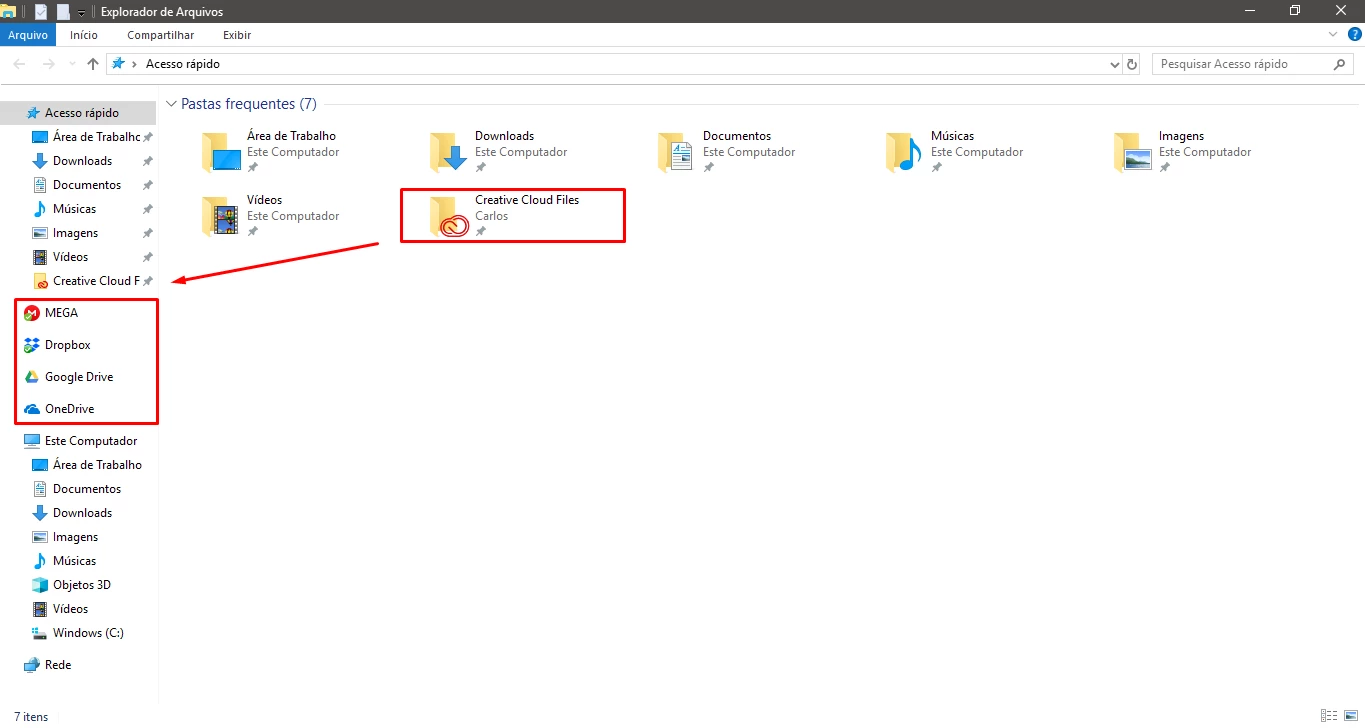
Why does Creative Cloud Files doesn't appear on explorer's Navigation Pane like other clouds?
I can't remember if when I installed Creative Cloud for the first it was pinned on the explorer's navigation pane.
But I think it did.
I started saving my projects on the cloud, but I noticed that the Creative Cloud Files wasn't pinned on navigation pane like the other clouds I have installed.
So every time I have to go through My Computer\Users\Carlos\Creative Cloud Files to save. I pinned it to quick access, but I wanted it to be like the other clouds.
When I search on Google how to add it to the navigation pane I only find how to remove it because seems like no one likes it.
And when I try to do the reverse process of removing, I can't find the System.IsPinnedToNameSpaceTree registry (because it does not exist).
Was this option removed because everyone hated it or is there another way I can add the Creative Cloud Files to my navigation pane?


 AdChoices