Participant
December 26, 2024
Question

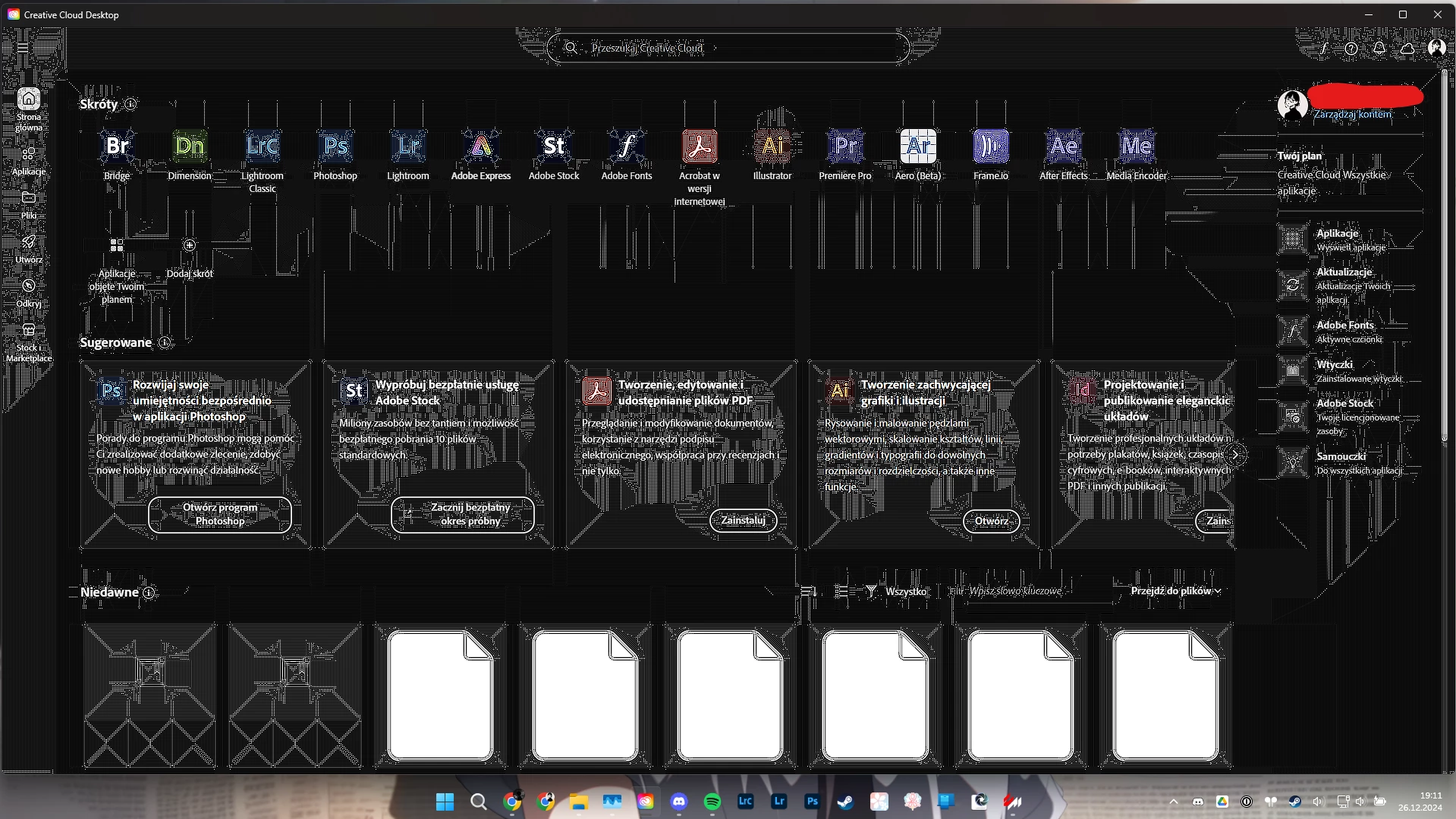
Why this is happening Creative Cloud Glitching

  • December 26, 2024
  • 2 replies
  • 110 views


This topic has been closed for replies.

2 replies

John T Smith
Community Expert
Community Expert
December 26, 2024

Do not count on Windows to be fully up to date when it comes to device drivers
Go to the vendor site to be sure you have an updated driver for your graphic adapter
Also check (copied link) https://www.tomshardware.com/reviews/gpu-hierarchy,4388.html
.
nVidia Driver Downloads https://www.nvidia.com/Download/index.aspx?lang=en-us
-for all Adobe programs use the STUDIO driver, not the GAMING driver
-To achieve the highest level of reliability, Studio Drivers undergo extensive
-testing against multi-app creator workflows and multiple revisions of the top
-creative applications from Adobe to Autodesk and beyond
.
If you have a laptop you MAY also need to check for a laptop specific nVidia driver
-SOME laptops require an approved driver from the laptop company, not nVidia
.
AMD/ATI Driver https://www.amd.com/en/support
.
Intel https://downloadcenter.intel.com/product/211969/Intel-HD-Graphics-Family
https://www.askwoody.com/newsletter/free-edition-working-with-the-intel-driver-support-assistant/

kglad
Community Expert
Community Expert
December 26, 2024

update your graphics card driver (using a non-gamer) version.