

Dragan A.
Participating Frequently
February 10, 2022
Question

Windows 11 and Cloud Services proccesses

  • February 10, 2022
  • 3 replies
  • 469 views

Hello,
I have some strange and frustrating problems with creative could on windows 11.
I have make clean installation of windows, there is just office, firefox an dthat is all, all is working good and fast, aftre that i have install creative cloud, Photoshop, Dreamweaver, Illustrator and Premiere pro and problems is starting.
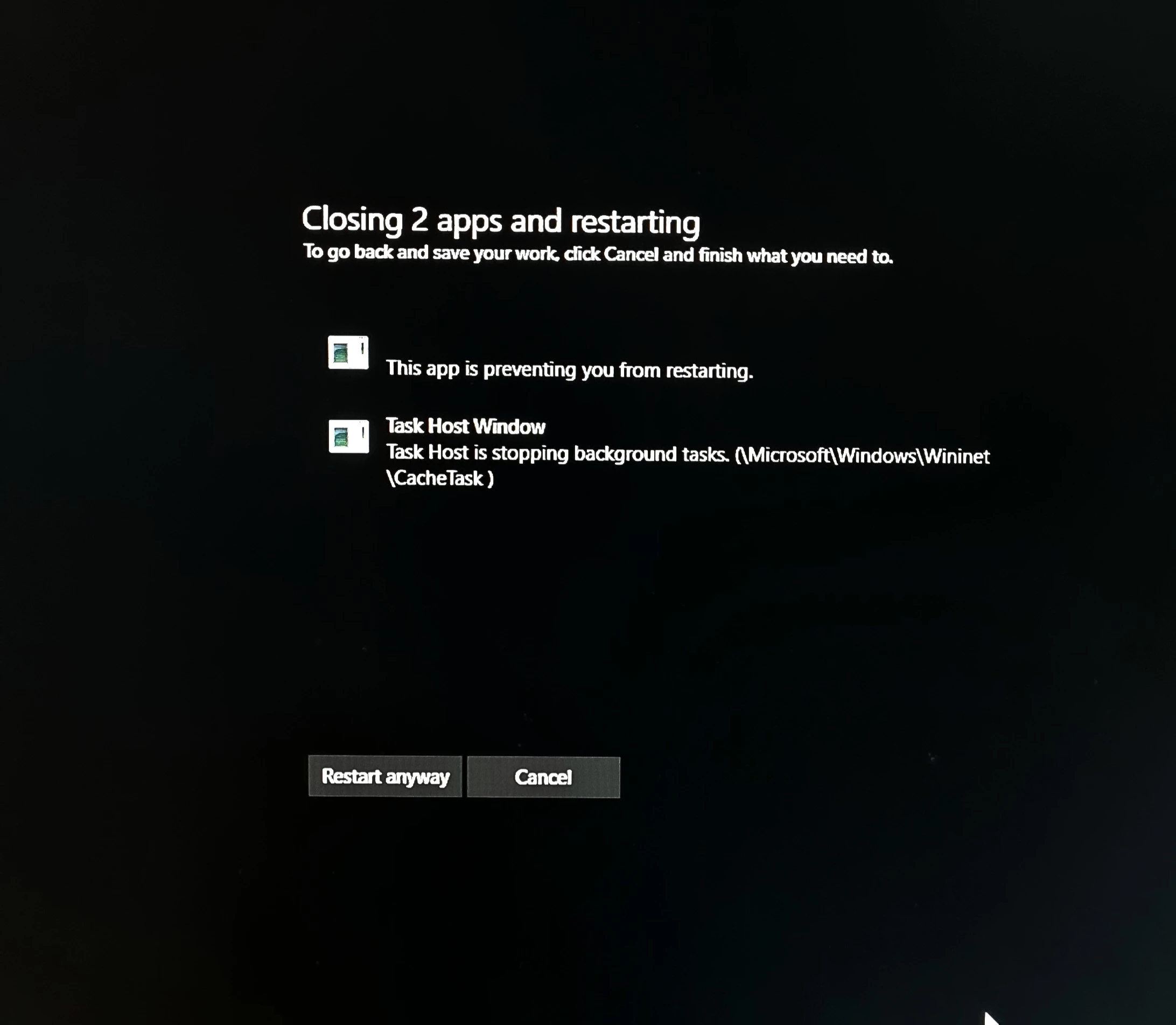
Every time when i shut down or restart my PC i have some error, like this app is preventing windows to shut down/reboot bla bla.. first time i was think problem is drivers or maybe OS have some strange bugs but not, i have install windows again all same, office 2021 and firefox only, i have working one day on this PC, OS was restarted several times and there is no any error, than i install adobe again and again i have same problem.
Anyone have solution for this, this error make me crazy.
 

This topic has been closed for replies.

3 replies

David__B
Adobe Employee
Adobe Employee
February 12, 2022

The Task Host interfering with background tasks is related to Windows browser cache functionality, so related to the OS. Did you run Windows Update after reinstalling the OS and install all available updates from MS? What happens if you Restart anyway?

Dragan A.
Dragan A.Author
Participating Frequently
February 12, 2022

Yeah latest OS updates installed and latest drivers.
I have run this OS on:
Intel I5-11600K
32GB ram
All Disk SSD (NVMe)
So generaly this config is run and working very fast i mean is not a problem related with my hardware or old and slowing hardware.

Restart anyway is just forced to close this process and PC is restarted, but problem is back again latter.
Sometime i quickly shut down PC and i go out when i back i can see PC is still is on with screen like above and same error.

Without adobe creative cloud i think PC is restarted much faster wihout any error.

John T Smith
Community Expert
Community Expert
February 11, 2022

How to disable a program in Windows 10/11 startup
-Click the 'window pane' in the very bottom left corner of the Windows desktop
-Select * Settings
-Select Apps
-Select Startup
-Select/toggle the program you want to disable/enable
-BE VERY CAREFUL WHAT YOU DISABLE SO YOU DON'T STOP WINDOWS FROM RUNNING

Dragan A.
Dragan A.Author
Participating Frequently
February 11, 2022

Yes this can help id i disable CCXProcess and Creative Cloud Desktop, after that all is working fine, but when i run some application from adobe looks some process is starting and problems is back again. Generally is working fine while i don't use or i don't run any adobe apps

Peru Bob
Community Expert
Community Expert
February 11, 2022

Check Task Manager and see if there is an app or service running.

Dragan A.
Dragan A.Author
Participating Frequently
February 11, 2022

Yes but all this i think is normal for adobe, nothing suspicious ?