Participant
October 25, 2016
Question

Activation error

  • October 25, 2016
  • 2 replies
  • 355 views

Hi,

I am getting the following error and dont know what to do, con you kindly assist. I am running Windows 10 on a Microsoft Surface 4.
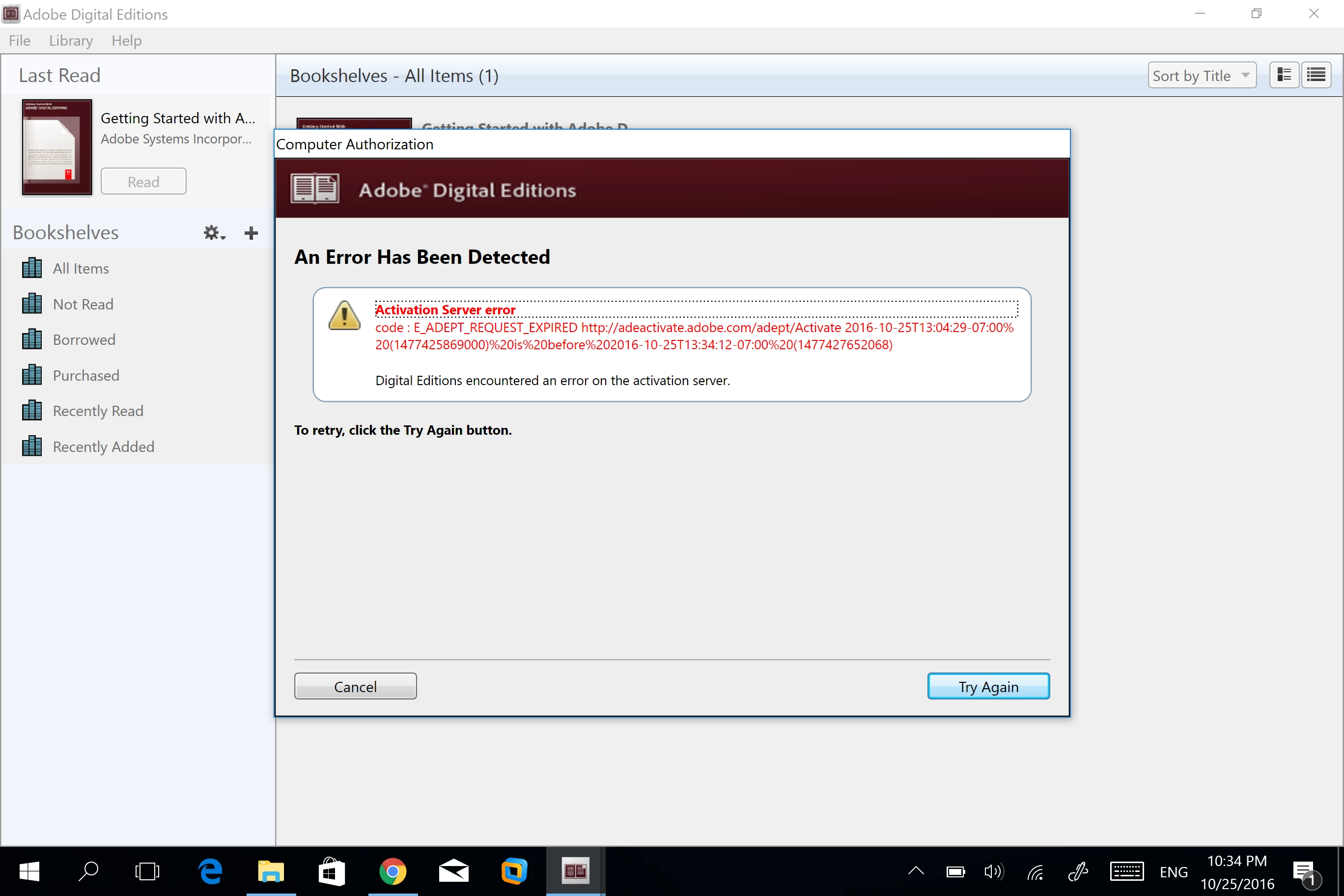

    This topic has been closed for replies.

    2 replies

    Enrique Pérez Pulido
    Participant
    October 28, 2016

    Hola, yo tambien tengo el mismo problema y no puedo resolverlo.

    Haber si hay alguna persona amable que nos pueda ayudar?

    Error! Check Activation.

    Nanaky
    Participating Frequently
    October 31, 2016

    Windows:

        Close all applications.

        Choose Start > Run.

        In the Open text box, type regedit and then press Enter. The Registry Editor opens.

        In the left pane of the Registry Editor, locate the following registry key: HKEY_CURRENT_USER\Software\Adobe\Adept

        Select the Adept key.

        Choose File > Export.

        In the Export Registry File dialog box, select Selected Branch under Export Range. Enter a name and location for the backup registry key, and then click Save.

        Right-click the Adept key and choose Delete.

        In the Confirm Key Delete dialog, click OK.

        Close the Registry Editor.

        Open Adobe Digital Editions and reauthorize.

    Macintosh:

        quit Adobe Digital Editions.

        Navigate to /Users//Library/Application Support/Adobe/Digital Editions and drag the activation.dat file to the trash.

        If you are using 10.7, see https://helpx.adobe.com/x-productkb/global/access-hidden-user-library-files.html

        Open Adobe Digital Editions and reauthorize.

    Nanaky
    Participating Frequently
    October 27, 2016

    Check Time, Timezone and Date of your System. One of ths cause the error.

    Participant
    October 28, 2016

    correct

    Nanaky
    Participating Frequently
    October 28, 2016

    What you meen with correkt?