


Sarah Denis
Participant
February 26, 2016
Answered

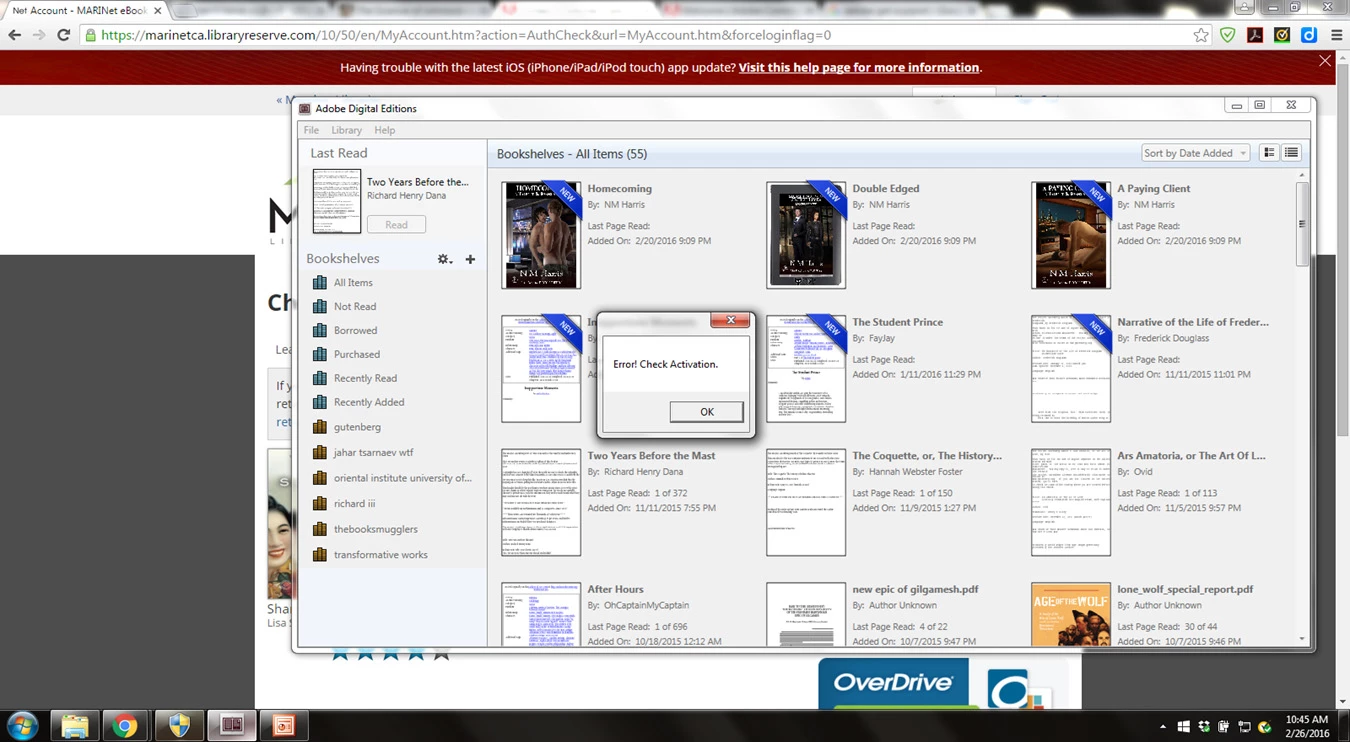
activation error when downloading books

  • February 26, 2016
  • 3 replies
  • 1144 views

Hi,

I get the activation error every time I download an ebook from my library. I have no problems downloading pdfs to adobe digital editions, or epubs from Project Gutenberg or free review copies from my email. I have reauthorized my nook ereader but that did not solve the problem. I would also rather not uninstall Digital editions and lose my books.
This topic has been closed for replies.
Correct answer Nanaky

No stuff, but can solved the problem with following steps:

Macintosh:

  1. Open Adobe Digital Wditions.
  2. Press Command+Shift+D to deauthorize Adobe Digital Editions.
  3. Select Erase Authorization.
  4. Click OK and quit Adobe Digital Editions.
  5. Navigate to /Users//Library/Application Support/Adobe/Digital Editions and drag the activation.dat file to the trash.
    If you are using 10.7, see Access hidden library files | Mac OS 10.7 and later.
  6. Open Adobe Digital Editions and reauthorize.

Windows:

  1. Close all applications.
  2. Choose Start > Run.
  3. In the Open text box, type regedit and then press Enter. The Registry Editor opens.
  4. In the left pane of the Registry Editor, locate the following registry key: HKEY_CURRENT_USER\Software\Adobe\Adept
  5. Select the Adept key.
  6. Choose File > Export.
  7. In the Export Registry File dialog box, select Selected Branch under Export Range. Enter a name and location for the backup registry key, and then click Save.
  8. Right-click the Adept key and choose Delete.
  9. In the Confirm Key Delete dialog, click OK.
  10. Close the Registry Editor.
  11. Open Adobe Digital Editions and reauthorize

3 replies

Sarah Denis
Participant
March 4, 2016

Nanaky's version worked! I think if I want to see the new registration in the tree I have to open it again. I used Adobe ID when  I was reregistering it and went fine. 

Participating Frequently
December 15, 2022

Is this a problem with adobe digital, the nook, or windows or with the library?   I have windows 10 on one computer and windows 11 on another.  From what I see here, lots of people from different areas have the same problem.  I have use adobe digital for over 20 years and never had on again off again problem.  When I download a book Mine says Error Dlialog: This book has been returned. Loan not on record. 

Windrose94
Participant
March 4, 2016

Thank you for the help. The procedure resulted in the  activation error changing to a new error saying Unable to Download. Error getting license. License Server Communication Problem E_ADEPT_REQUEST_EXPIRED.

I have had this error before. At that time I followed the same procedure you recommended in this thread and it worked so that I could transfer a library book to digital editions. This time it did not work and I continue to get the same error after reauthorizing Digital Editions.

Windrose94
Participant
February 27, 2016

I too am having this problem. I have downloaded library books before without any trouble.

Participant
February 27, 2016

I have same problem! please could you someone who is one of the customer service supporter can help us for  this issue? Thank you in advance.

Nanaky
NanakyCorrect answer
Participating Frequently
February 29, 2016

No stuff, but can solved the problem with following steps:

Macintosh:

  1. Open Adobe Digital Wditions.
  2. Press Command+Shift+D to deauthorize Adobe Digital Editions.
  3. Select Erase Authorization.
  4. Click OK and quit Adobe Digital Editions.
  5. Navigate to /Users//Library/Application Support/Adobe/Digital Editions and drag the activation.dat file to the trash.
    If you are using 10.7, see Access hidden library files | Mac OS 10.7 and later.
  6. Open Adobe Digital Editions and reauthorize.

Windows:

  1. Close all applications.
  2. Choose Start > Run.
  3. In the Open text box, type regedit and then press Enter. The Registry Editor opens.
  4. In the left pane of the Registry Editor, locate the following registry key: HKEY_CURRENT_USER\Software\Adobe\Adept
  5. Select the Adept key.
  6. Choose File > Export.
  7. In the Export Registry File dialog box, select Selected Branch under Export Range. Enter a name and location for the backup registry key, and then click Save.
  8. Right-click the Adept key and choose Delete.
  9. In the Confirm Key Delete dialog, click OK.
  10. Close the Registry Editor.
  11. Open Adobe Digital Editions and reauthorize