


Question
ADE deauthorisation password
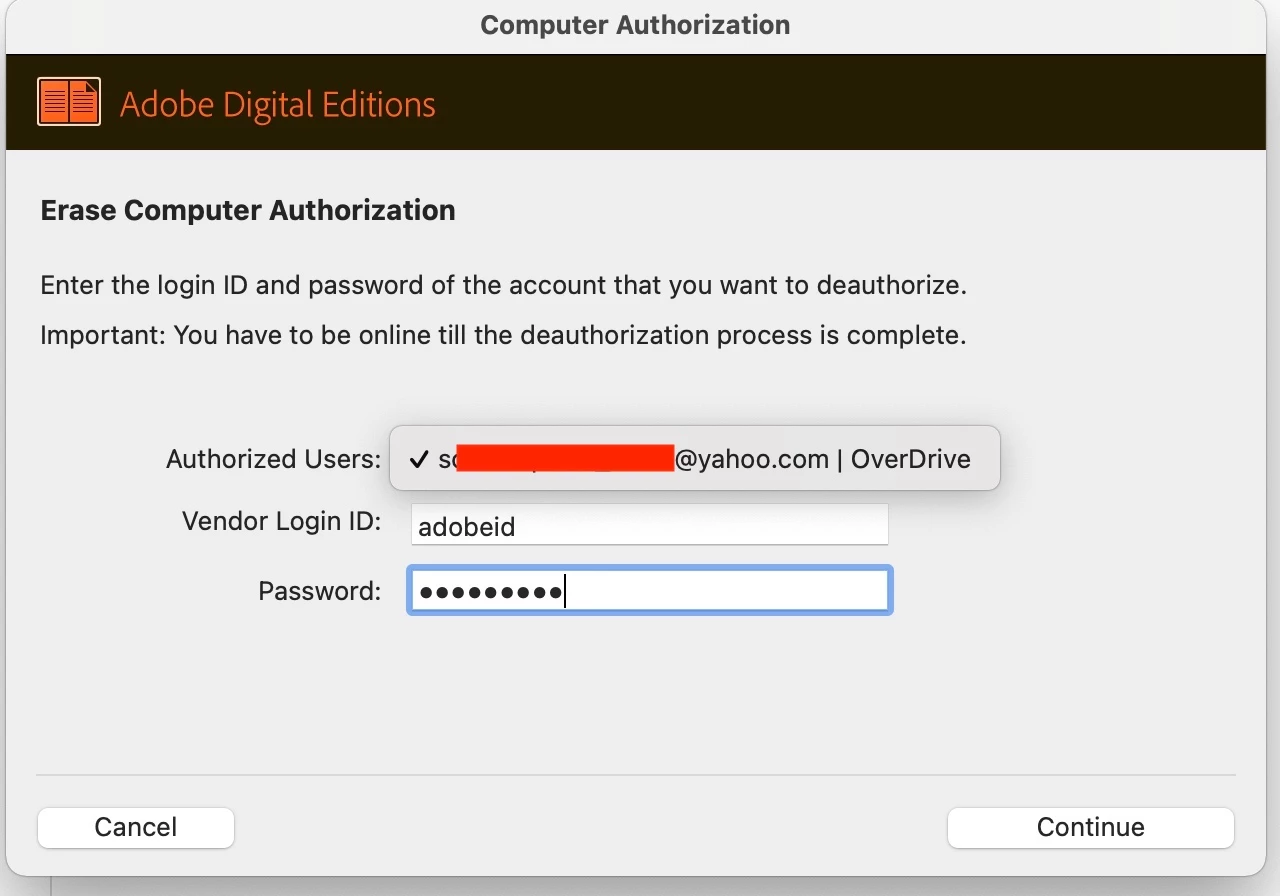
I have 2 Adobe IDs: A (which is the same as my Apple ID) and B. When I go to ADE to deauthorise the account, the pop-up shows that the "Authorised Users" ID is A (see screenshot: that's supposed to be my Apple ID email) and there's no way to select any other IDs. When I key in my Apple ID password the error says that the password is wrong. I am able to log into my Adobe account using my Apple ID so I'm sure the password is correct. I'm guessing that I might have used a different password when I previously authorised ADE. I just happen to use the same email as my Apple ID. I tried uninstalling and reinstalling ADE but it still remembers this authorised ID. How do I deauthorise this without recalling my password?
 AdChoices