
Participant
December 5, 2021
Question

Connection Error Detected: Digital Edition Could Not Connect to the Fulfillment Server. .....

  • December 5, 2021
  • 1 reply
  • 2011 views

Hi 

I need help with downliading e books to Adobe Digital Editions. I activated ADE on another laptop and signe din on a new on to access e book and I cannot and when I try to add the manually I get the following message:
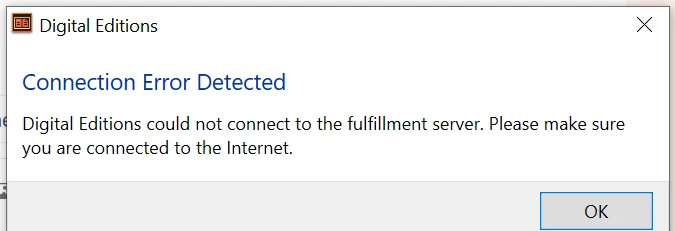
I have tried the following to no avail:

1) deactivting and activating

2) uninstalling and installing again

3) uninstalling and installing again  retarting between installing and uninstalling

4) ensuring that my time and time zone are antomatically updated and correct

5) allowing through my firewall


none of the above has worked please help

    This topic has been closed for replies.

    1 reply

    Participant
    December 7, 2021

    I'm also having this issue and cannot seem to get it fixed!! 😞

    Participant
    December 7, 2021

    I have the same problem on my computer that runs Windows 7. Used to be able to download epubs from public library (Overdrive) no problem. But no more. I tried everything listed above and more, then I tried using a computer running Windows 10 (on same wifi connection) and had no problem to download the epub and read the book.  So my suggestion is that you need to use a computer running Windows 10. I think this is a fairly recent problem on Windows 7 and is somehow related to the recent phenomen that many reliable websites won't connect with Google Chrome or Firefox, unless you manually click "advanced"  and then click

    "proceed to xxxx (unsafe). One can usually still go to these websites, but this requires a few extra clicks. See example pictures. Now, when you double click on the ebook.acsm file, Adobe Digital Editions is brought up and tries to go to the required website to fetch the epub. This is done behind the scenes ie, you can't see what website ADE is going to. And no browser is brought up either. I think the problem could be solved if Adobe could use websites (that send the epub) that don't give a connection errror. For example, I never get a connection error (like in the pictures) when I go to Google.

    Since all the engineers in Adobe are running Windows 10, they don't realize this recent problem. 


    Participant
    December 7, 2021

    Thanks for taking the time to provide some sugguestions. I am already running on Windows 10