



saebel
Participant
March 7, 2022
Answered

I can no longer read my very expensive eBook via Adobe Digital Editions

  • March 7, 2022
  • 3 replies
  • 267 views

I can no longer read my eBook and I get errors when trying to reauthorize my computer. I need help.


Normally I just double click on the book and it pops up.  Now I am getting the following:
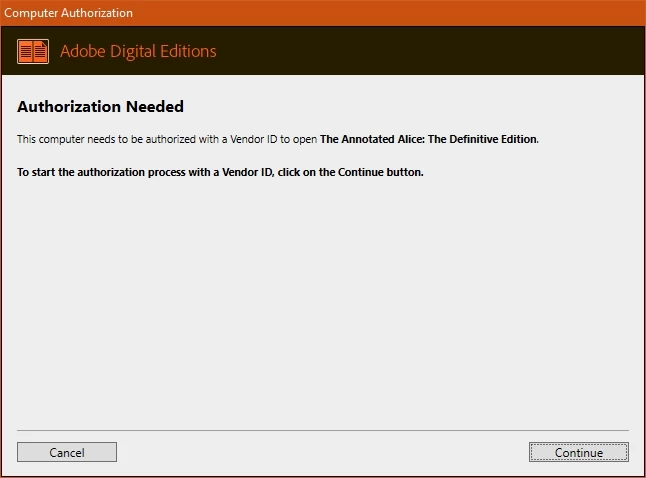
On the next screen, when I enter in my adobe ID and password, I get an error:
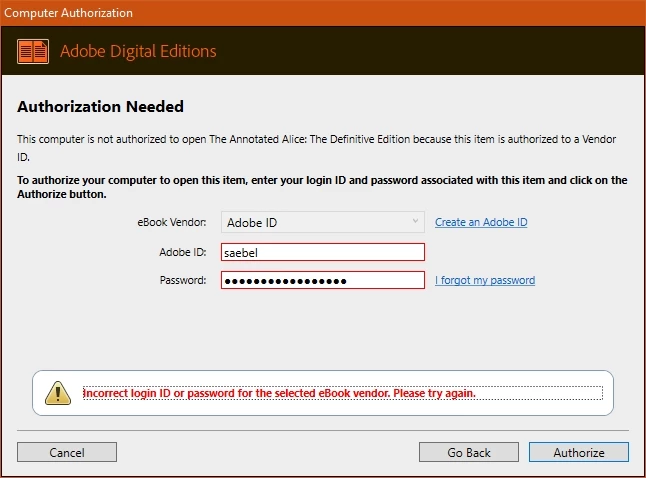
However, this is ABSOLUTELY my adobe ID and password.  I just double checked and was able to log into Adobe.com with it.  I tried to select a different vendor, but it won't let me.  So then I canceled the whole process and tried going about it a different way.


I went to the "Help" screen and selected "Authorize Computer..."  Which pulled up this:
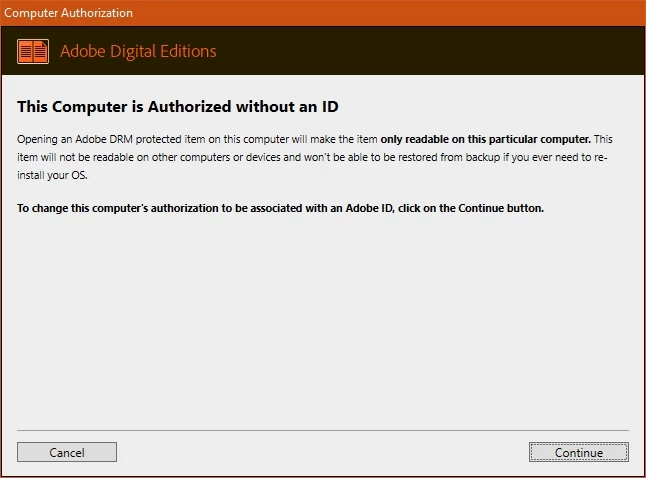
This was a weird message to see, becasue I was pretty sure that this computer was already authorized.  I decided to continue anyway which took me to the next screen where it once again asked for adobe ID and password.  When I clicked "Authorize", I got the following:
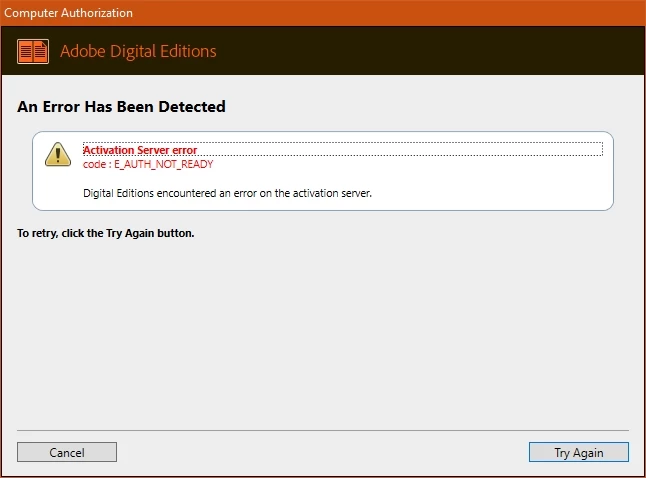
What does that mean and how do I fix it?  I tried going through Adobe chat and they said the only help available is through these forums and to hope an expert sees this.
I spent a lot of money on the eBook and I'm using it for an important research project.  I seriously do not want to have to purchase it again if I don't have to.
Help would be greatly appreciated.

This topic has been closed for replies.
Correct answer saebel

Solved.  It was not my "user ID" that it needed, it was my account's email address.  A bit frustrating when the field label doesn't indicate the correct data needed.

3 replies

Participating Frequently
November 19, 2022

My app stopped working mid-November; I got an error message "Check Activation", so E-Books wouldn't download from BorrowBox.With Adobe Support I have found a solution - it's about having correctly recognised authorisation:


  1. Uninstall the faulty ADE 4.5.11
  2. From Adobe's website re-install ADE 4.5.11 (I use the Windows edition)
  3. Open the ADE, go to Help, and select Erase Authorization. Follow the steps.

4 Go back to Help, select Authorize the Computer and follow the steps outlined (they are very clear - you need a user name (your own, [the administrator] email address, and to create a password).

  1. Go to Help, and select Authorization Information. Your details (user name and Adobe vendor ID) should be clearly visible (and ticked as 'Default)
  2. Close the ADE. Go to BorrowBox and test out a download. It should work, and then you can transfer the Ebook to Kobo.

Note: I tried this sequence several times before it magically worked - persist.


It took me over 12 hours of Live Chat with a number of Adobe consultant's before one  (Vishwarath) guided me through the above fix. Persist in requesting support, and don't ever be discouraged by any app provider using the excuse that "as it's free software we no longer support it" - that's not good enough. 

I hope sharing what's worked for me will be useful to the thousands of ADE 4.5.11 users whose app has suddenly stopped working.

I have shared this solution with Bolinda (the owner of BorrowBox). ADE 4.5.11 is a great app, and I happily use Adobe programs.


I welcome any feedback. Good luck,

Garry

Participant
November 14, 2022

In my case of a disappeared book which was purchased some years ago: There is no indication via the ADE app as to how to retrieve a purchased book. Speaking to an agent via the Virtual Assistant and then (what seems to be) an actual "Agent" resulted in "the support for the application has ended" and referal to this forum. I did that before and after interaction with the "assistant". Conclusion: Book was bought and taken back. Lesson learnt: Stay away from ADE & go to Amazon & purchase the book at some US$35.00 - which becomes a lot more when converted to my national currency and weighed against the original price and my income. Well done Adobe.


saebel
saebelAuthorCorrect answer
Participant
March 7, 2022

Solved.  It was not my "user ID" that it needed, it was my account's email address.  A bit frustrating when the field label doesn't indicate the correct data needed.