
Participant
May 27, 2015
Answered

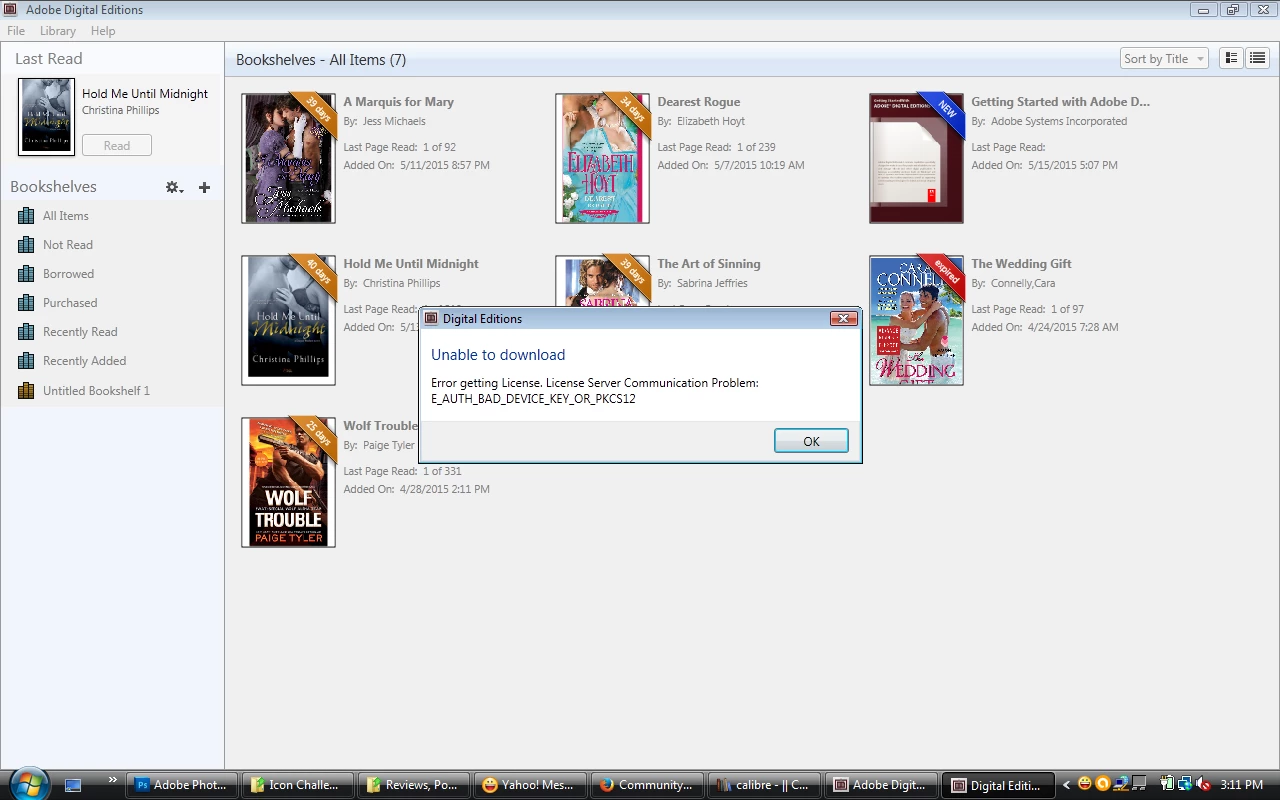
I just updated to version 4 of ADE and now I am having problems opening review books from NetGalley

  • May 27, 2015
  • 1 reply
  • 315 views

I just updated to version 4 of ADE and now I am having problems opening review books from NetGalley on it. I didn't have this problem before and now I'm getting a message that says "Error getting license. License Server Communication Problem: E_AUTH_BAD_DEVICE_KEY_OR_PKCS12" I really need this resolved ASAP as my reviews do have a deadline.
This topic has been closed for replies.
Correct answer shreya

For this problem, you need to deauthorize and authorize ADE again.

Follow below steps: (note you need to know your current authorization user id and password)

Windows:

Choose Start > Run.

In the Open text box, type regedit and then press Enter. The Registry Editor opens.

In the left pane of the Registry Editor, locate the following registry key:

HKEY_CURRENT_USER\Software\Adobe\Adept

Right-click the Adept key and choose Delete.

In the Confirm Key Delete dialog, click OK.

Your authorization will be deleted.

ADE will be deauthorized now.

Now Authorize ADE again.

1 reply

shreyaCorrect answer
Adobe Employee
May 28, 2015

For this problem, you need to deauthorize and authorize ADE again.

Follow below steps: (note you need to know your current authorization user id and password)

Windows:

Choose Start > Run.

In the Open text box, type regedit and then press Enter. The Registry Editor opens.

In the left pane of the Registry Editor, locate the following registry key:

HKEY_CURRENT_USER\Software\Adobe\Adept

Right-click the Adept key and choose Delete.

In the Confirm Key Delete dialog, click OK.

Your authorization will be deleted.

ADE will be deauthorized now.

Now Authorize ADE again.

Adria03Author
Participant
May 29, 2015

Thank you! It worked!