
Participant
June 9, 2021
Question

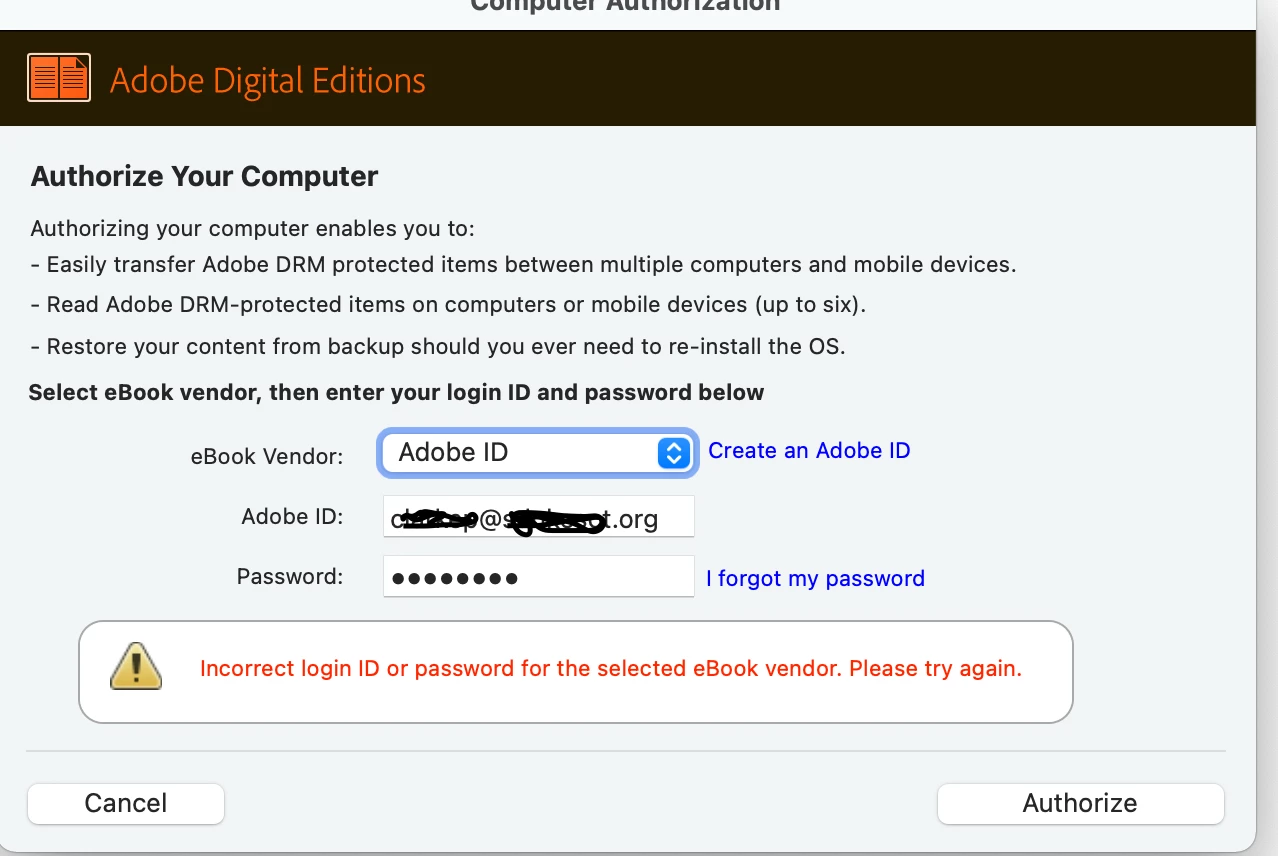
Unable to log into Adobe Digital Editions with Adobe ID

  • June 9, 2021
  • 4 replies
  • 4687 views

When I try and log into Adobe Digital Editions it tells me "Incorrect login ID or password for the selected eBook Vendor. Please try again." Meanwhile I am selecting Adobe ID and entering in my user name and password that grants me access to Adobe Creative Cloud. Any ideas?
    4 replies

    Participant
    November 1, 2024

    The problem is the two-factor authentication on your Adobe account. I had to diasble it to fix the problem.

    Participant
    June 12, 2021

    I did everything which was mentioned on this forum: shut off firewall, de-install ADE, de-install registry keys, no two-way verification, other browser. Still the same result: logging in on an Adobe site gives no problem, ADE does not recognize me.

    Finding a chatbox is impossible: I keep turning around on the website, but no "real people" to find.

    If Adobe is not able to fix this problem, it would only be fair that Adobe pays back my e-book.

    Known Participant
    June 12, 2021

    OK. Hmm.. So you are logged into the Adobe web site, right?   Double check your account and what products you have. ( Click on your profile at top right. Mine is a colored circle.  Then go to plans then products. Make sure it says you are an active user of ADE. See pic below)  And if it's not there then reintall ADE b/c you uninstalled it.

    Known Participant
    June 12, 2021

    If it's already installed and you see you are an active user then try chat again via this way. Maybe you'll finally get through to someone. Link to apecific product website ADE learn & support https://helpx.adobe.com/support/digital-editions.html.  Scroll all the way to the bottom middle of page. You'll see a pic of headphone set that reads "contact us" Real help from real people contact us. Click that chat box.  Also there was a circle with a bubble with 3 dots above a blue box on the right side of page. That also opens a chat box. Of course virtual agent starts off until you come up with some kind of combined key word or question it can't help you with.  I attached a pic for more visual reference. (See below) 
    Also, found another Adobe help product care page but I have not used this way to contact them. But I will link it here too for you. It may be only for paid products. ADE is free. Not sure but here it is as well.  https://helpx.adobe.com/contact.html  Hope that works for you. 
    Also, this is just a link to the specific  ADE product page.https://www.adobe.com/solutions/ebook/digital-editions.html .   At top you can see all availabe avenues of information. Tech Specs, FAQ etc. etc... etc....

     If you finally get through please update us on your resolution.   

    Participant
    June 11, 2021

    I have the same problem.

    Can anyone tell me where I can find a chatbox to talk to someone from Adobe?

    Participant
    June 11, 2021

    Hello,

    Same issue here - ADE 4.5.11 installed on Windows 10. ADE added to firewall exceptions but still I can't sign-in with my Adobe ID. At the same time I can sign-in without issues in Adobe website. I reset my Adobe ID password but without succses. I don't have an option to download my ebook with another ebook vendor account. Please advice how problem can be solved.

    Known Participant
    June 11, 2021

    (A step I forgot to include above was check to see if the two step verification is deactivated on your Adobe profile.)  If it's activated then deativate and see if that clears it up.

    If not, then you probably need a clean install which means removing registry keys. 
     Deactivate two-step verification process: 
     Sign in to your Adobe account.
    Click Password and security in the left pane of Profile.
    In the Two-step verification section, click Manage.
    In the Two-step verification screen, deactivate the Two-step verification option.    

    Known Participant
    June 10, 2021

    Hi. I had the same exact issue today. I got on with tech chat. They got it all squared away. But I am a first time user.

    Make sure you check email to verify email address if you just set this up today.  

    After verifying my email I had to reset password.

    Tech uninstalled ADE. Also had to uninstall key registries through control panel. (Working on Win 10).

    Then reinstalled ADE.  I was able to log in after all that.

    But again, I don't know if you are a new or existing user and what your operating platform is and what version of ADE you have. All I can tell you is that when I created my account it initially too showed me the access to Adobe Creative Cloud. But I had ADE installed  so I was confused.  Tech insisted it could have been third party related - I believe. Best to download from their site I think.. Not sure if this helps or not. Hope it does.

    Known Participant
    June 11, 2021

    Hi.  I need to correct something from my previous post. I said Control Panel above but I meant Command Prompt.