
azzaabd
Participant
Dec 27, 2016 9:39 AM UTC
Question

Unable to open epub file

Hello:

I have recently downloaded an ebook with a file extension of .acsm. When I open the file's content is being downloaded in Adobe Digital Editions, an epub file is created. An image of the cover of the book is shown along with information about the publisher and number of pages. However, a window appears immediately afterwards saying: "Unable to open the book; Errors were encountered in this item file:///C:/Users/....."
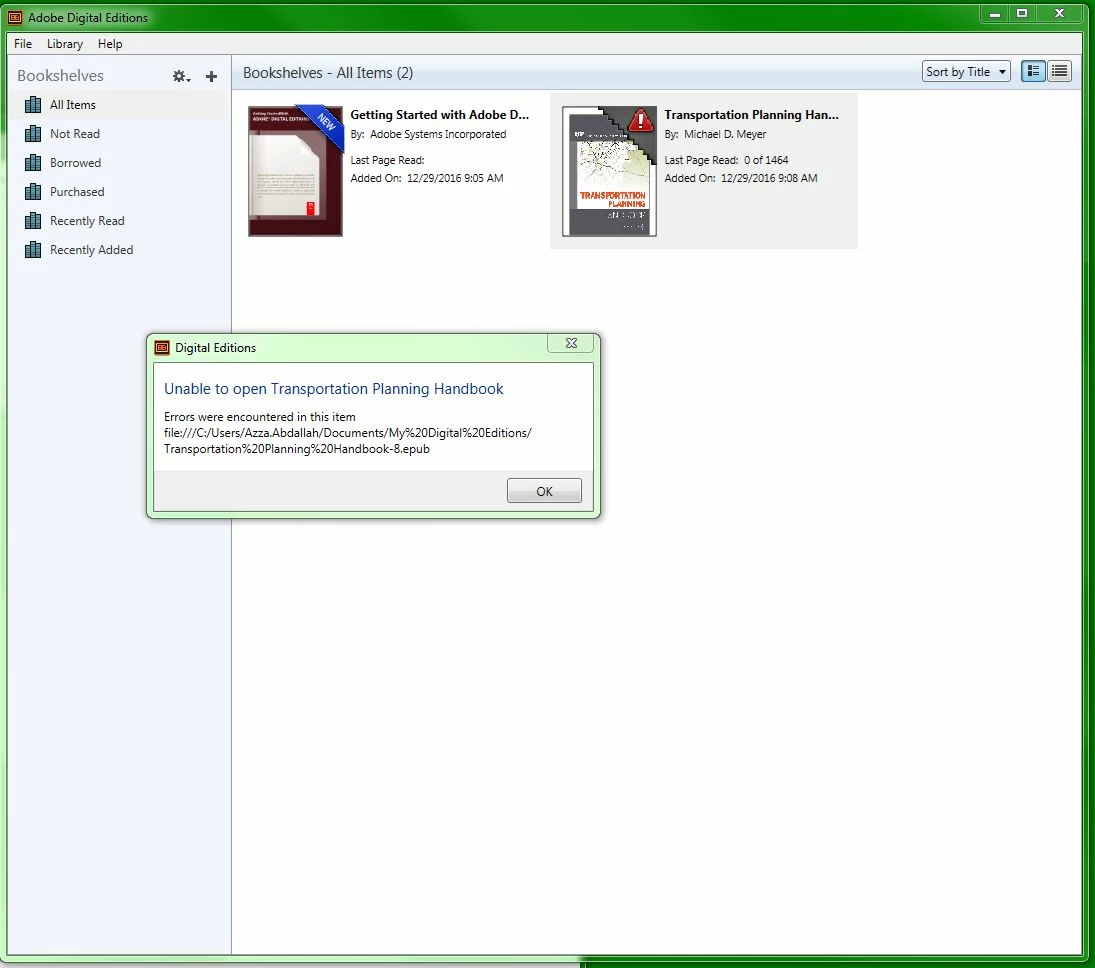
What steps can I take to solve this problem?

Many thanks and regards,

Azza

This topic is closed to new replies. Start a new post to keep the conversation going.

6 replies

Participant
Mar 25, 2018 5:37 PM UTC

I was able to fix this by uninstalling ADE and reinstalling. Once I booted it up, my library was still there and I could open the books.

Translate
jacqualinel11652392
Participant
Mar 25, 2018 10:39 PM UTC

Thanks Booth.

Translate
Participant
Mar 26, 2018 3:18 PM UTC

I'm new to Adobe Digital Editions (hating it at the moment). I've just downloaded a .epub file for work purposes that everyone in the office will need to reference (digital code book). Currently, I'm the only person that can read it and I'm unable to print it. How can I make it available for others to read and/or print?

Translate
jacqualinel11652392
Participant
Mar 20, 2018 9:48 AM UTC

How did you solve this issue? Did anyone respond back

Translate