Participant
May 3, 2013
Question

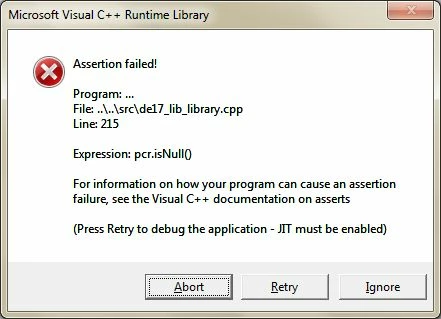
Visual c++ assertion error with Adobe Digital Editions 2.00

  • May 3, 2013
  • 1 reply
  • 800 views

My computer has windows 7. I have a Laser EB850 e-reader and have susccessfully installed and used ADE to borrow books from my library and then copy them over to my e-reader which has worked successfully.  Suddenly I find that when I try to connect my e-reader via USB to my computer I get a Visual C++ assertion error and am unable to access my e-reader through ADE. Why has this all of a sudden happened and how can I fix it
This topic has been closed for replies.

1 reply

June 3, 2013

I have the same problem, who can help????? I use Windows Vista, after re installing Vista this problem occured...

Inspiring
June 4, 2013

Unfortunately, ADE2.0 is full of bugs.

You may be able to get round this one by uninstalling ADE2.0, and then reinstalling it.

(Check the Vista installation information at http://helpx.adobe.com/digital-editions/kb/installing-digital-editions-20-windows.html)

Failing that, try installing instead the older but more reliable ADE1.7.2.

Version 1.7.2, it is a little difficult to find, available on Adobe site for Windows and for Mac.

http://helpx.adobe.com/digital-editions/kb/cant-install-digital-editions.html

The forum software is sometimes corrupting the link above.  There shouldn't be a blank in 'editio ns.html'.  The following redirects to the same page: http://tinyurl.com/diged172

~~~

In either case, it is quite likely that ADE will get its registration confused and half there.

In that case

  1. remove any corrupted registration by ctrl-shift-D (cmd-shift-D on Mac)
  2. restart ADE
  3. redo your registration (menu/Help/Authorize Computer on ADE2.0, menu/Library/Authorize Computer on ADE1.7.2)
Participant
June 5, 2013

I tried reinstalling etc and then got some technical assistance with my e-reader and discovered I had  hardware problems with that - the company has now replaced my e-reader and I am not having anymore issues