


Participant
October 22, 2021
Question

Adobe Dimension - Running but Window not Opening

  • October 22, 2021
  • 4 replies
  • 2604 views

Hi,


I have most recent verions of Dimension, have been running with no issue. Now it runs without opening.


Task manager confirms it's running, and the icon is visible in my active program menu. It just flashes when clicked, and shows a blank grey screen when I hover.
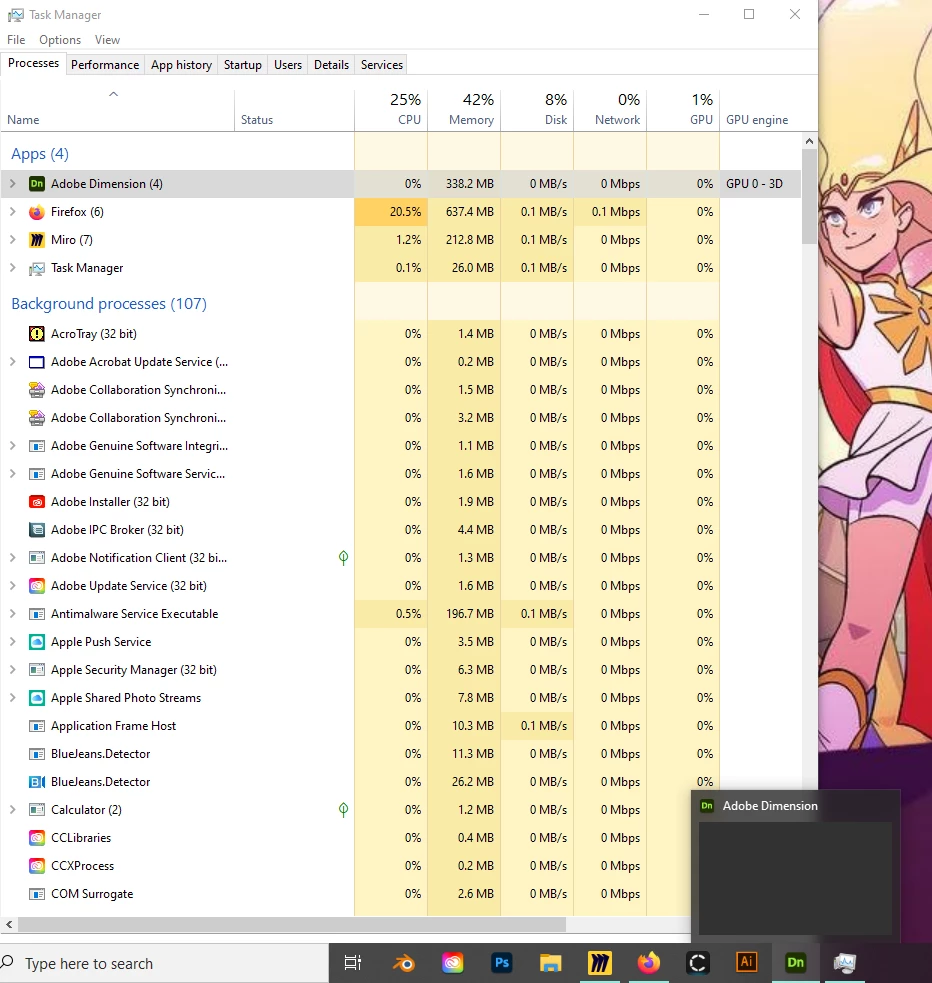


System specs are in line with requirements:

Windows 10

Intel(R) Core(TM) i7-9700 CPU @ 3.00GHz 3.00 GHz

16.0 GB (15.8 GB usable)


I have uninstalled and reinstalled the program, and of course reset my computer without result.


This topic has been closed for replies.

4 replies

doGraphics
Inspiring
July 6, 2022

I had the same problem. See my post on this issue, with a solution that might work for you.
https://community.adobe.com/t5/dimension-discussions/adobe-dimension-canvas-and-objects-not-showning/td-p/13008606

Participating Frequently
May 25, 2022

Hi, have you found a solution to the problem?
I have the same issues. It worked fine all day until suddenly it couldn't be opened anymore. Just a flash, it seems to be running, but I can't see/open it. I tried uninstalling and reinstalling a couple of times, restarting the computer, and I used the Cleaner Tool to uninstall Dimension. I still get only flashes. 


Windows 11 Pro
Intel(R) Core(TM) i7-9750H CPU @ 2.60GHz 2.60 GHz
RAM: 16,0 GB 
NVIDIA GeForce RTX 2070 Max-Q


Participant
June 28, 2022

Same issue here, i have tried reinstalling it, usint the CC Cleaner Tool, and I still can't get it to work. (Specs: AMD Ryzen 5 16000, 16 GB Ram, RTX 3060)

Ussnorway7605025
Legend
October 25, 2021

Adobe Dimension will not run inside a whiteboard mate so 1st thing to try is reboot the system and run with out Miro


you don't tell us your Gpu so I would look there next as your Cpu and Ram are fine... if this is a laptop then check which Gpu is trying to boot Dimension as many have two with the in built chip 1 just running the basic desktop screen while the good one should run the software (also why whiteboard software don't work well)

Ares Hovhannesyan
Community Expert
Community Expert
October 23, 2021

Try to se the Creative Cloud Cleaner Tool to solve installation issues
https://helpx.adobe.com/creative-cloud/kb/cc-cleaner-tool-installation-problems.html