Mr_Bimg
Known Participant
January 31, 2020
Answered

Re: Wrapping Art

  • January 31, 2020
  • 3 replies
  • 1971 views

Hi JMathews,


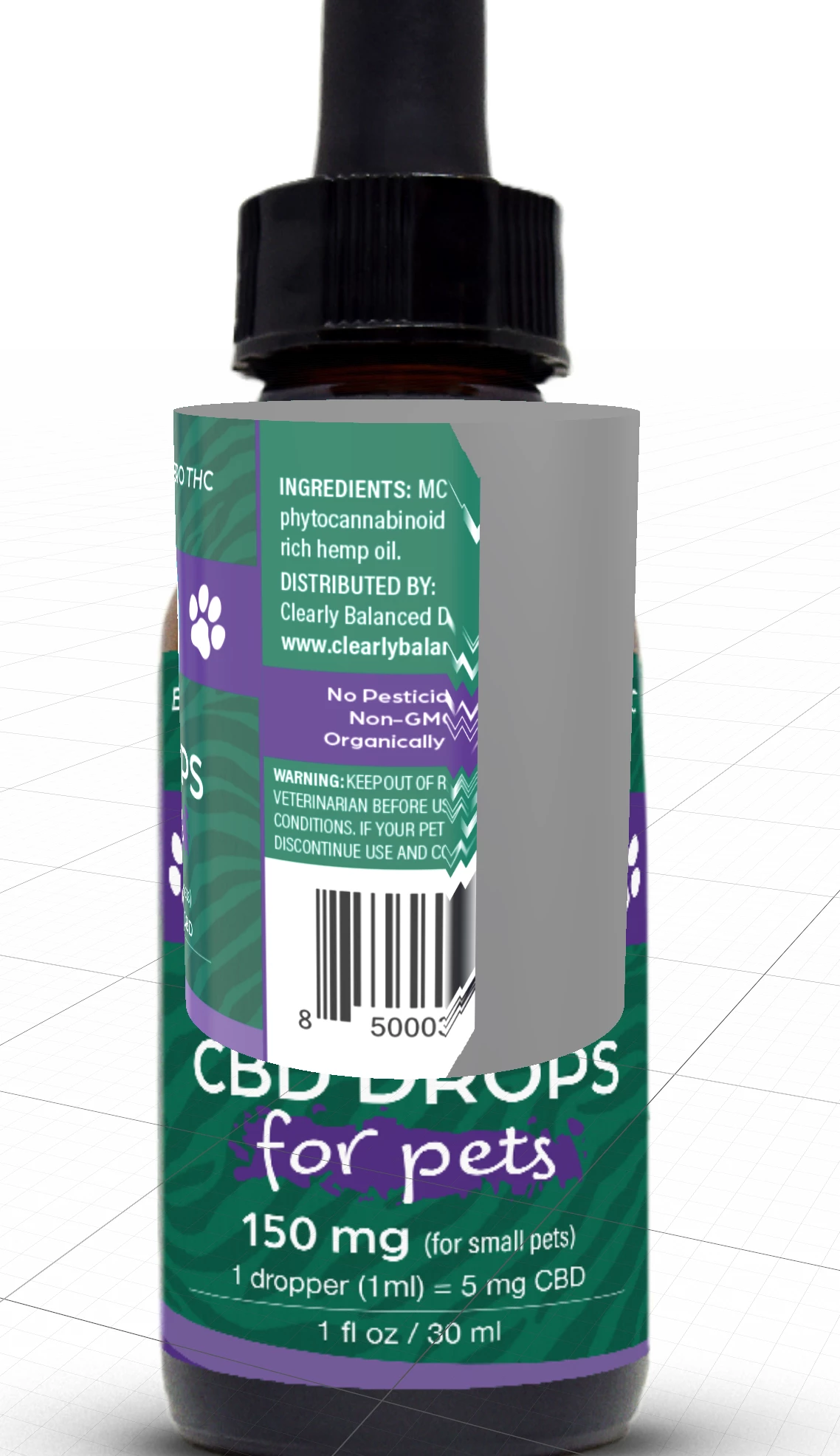
I'm trying to figure out a way to wrap labels in a similar way on a cylinder. I have the same issue when applying it as a decal the image stops wrapping around the cylinder. I tried adding the image as a base material, but the controls I have with offset and repeat are very limited and I can't manually adjust the label to fit the cylinder and the image is distorted to be too tall. Are there plans to make the decal function continue to wrap around a surface and any ideas how I can accomplish this?
    This topic has been closed for replies.
    Correct answer Ussnorway7605025

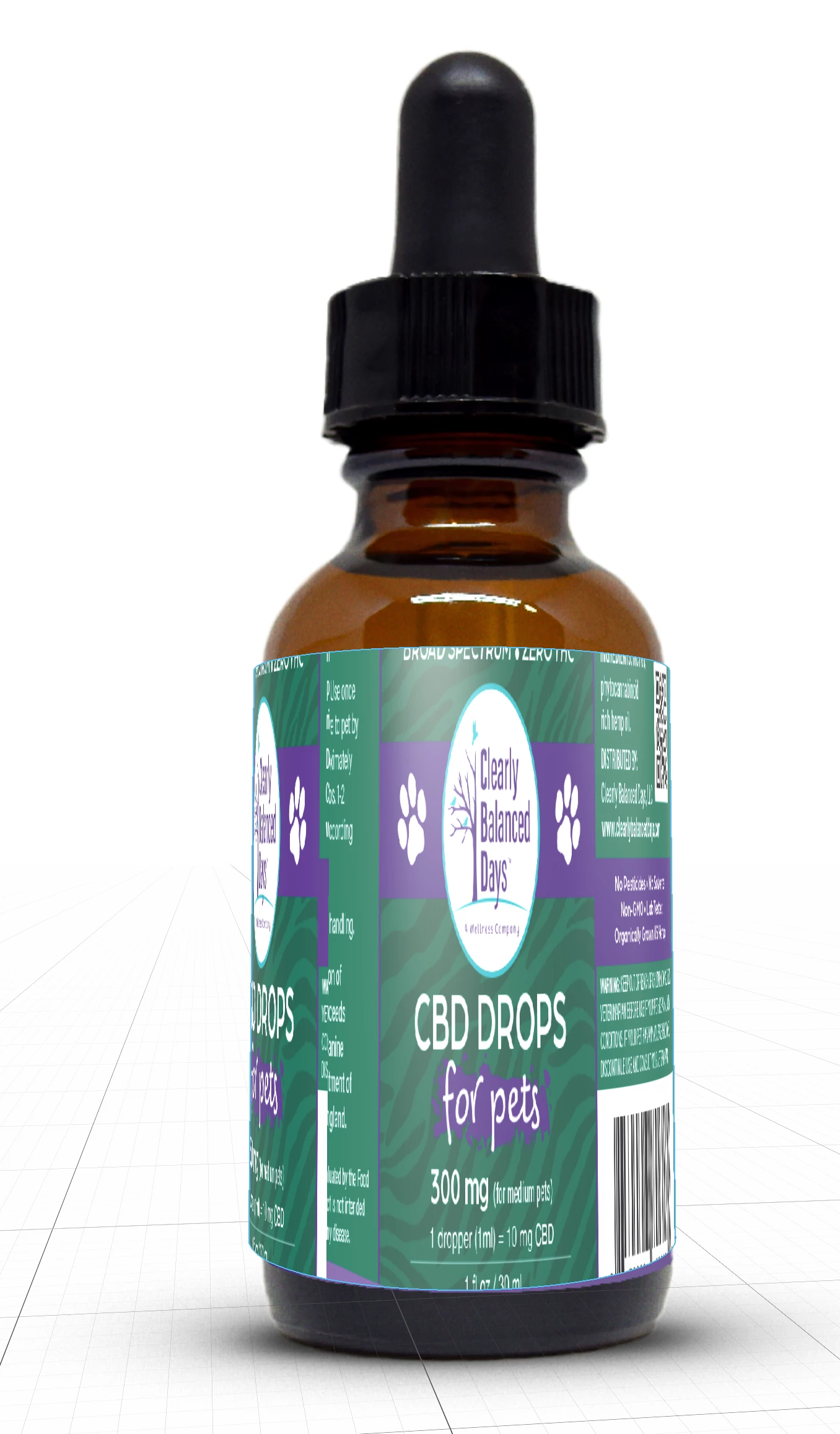
    I got your file and have repared the model... however imo you are going about it wrong so I also want to include the way I would do it so you can see the difference;

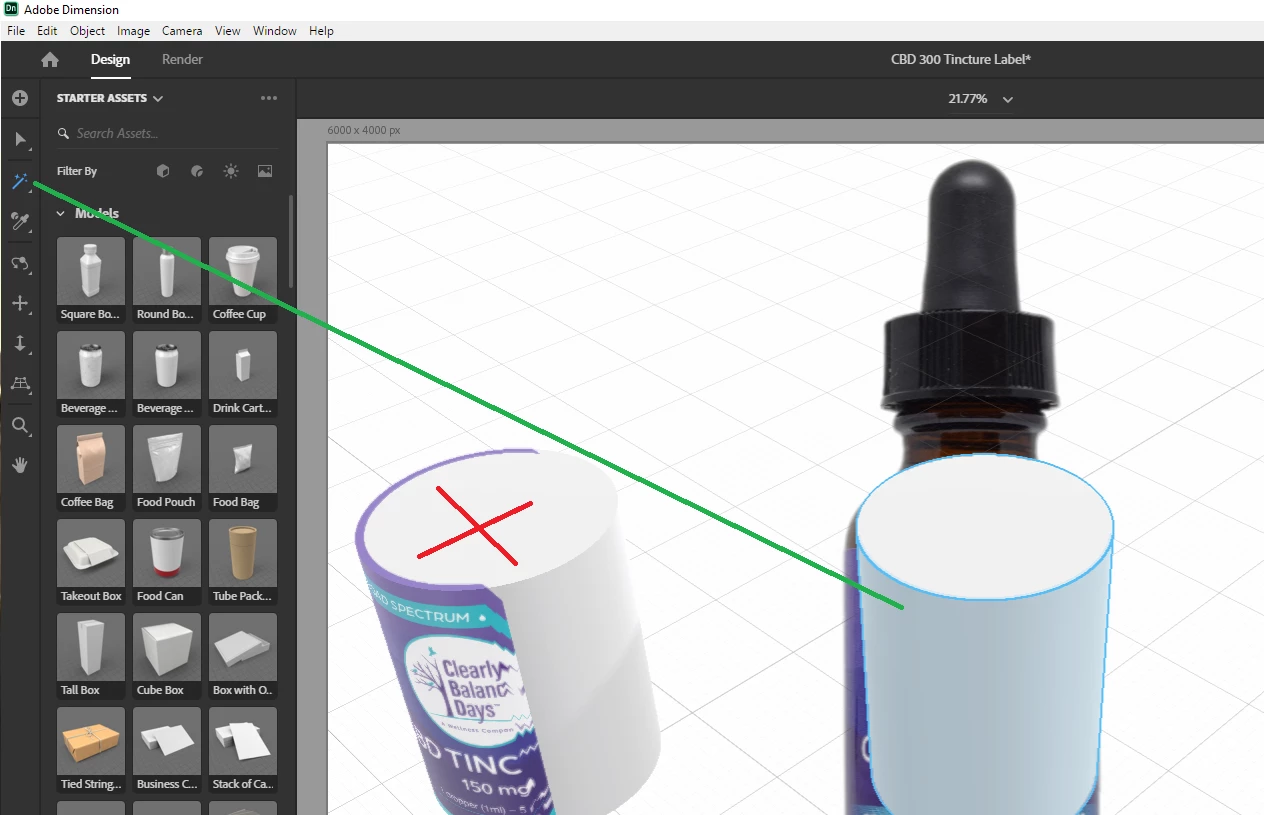
    • 1st the repair = use the magic wand to remove the parts of the model that you don't want the decal to adjust to... your model is the left one and I copied it to wand the right one

    imo this still is not going to look correct because your background bottle is an image and there fore 2D... the bottom edge of your model is 3D so will lift up a bit


    now the way I would build this;

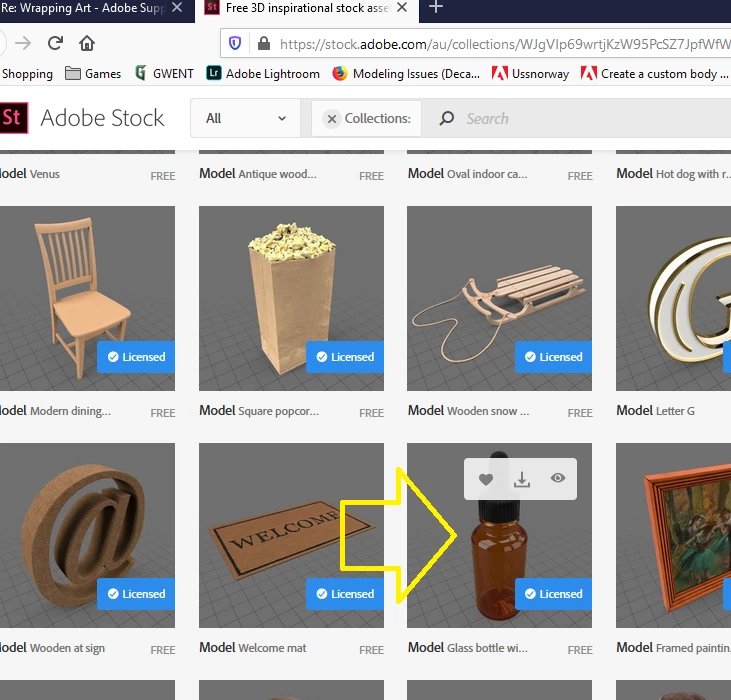
    • I can build a bottle but a quick look on Adobe Stock found a free one that should do the job... its free so I saved myself some time

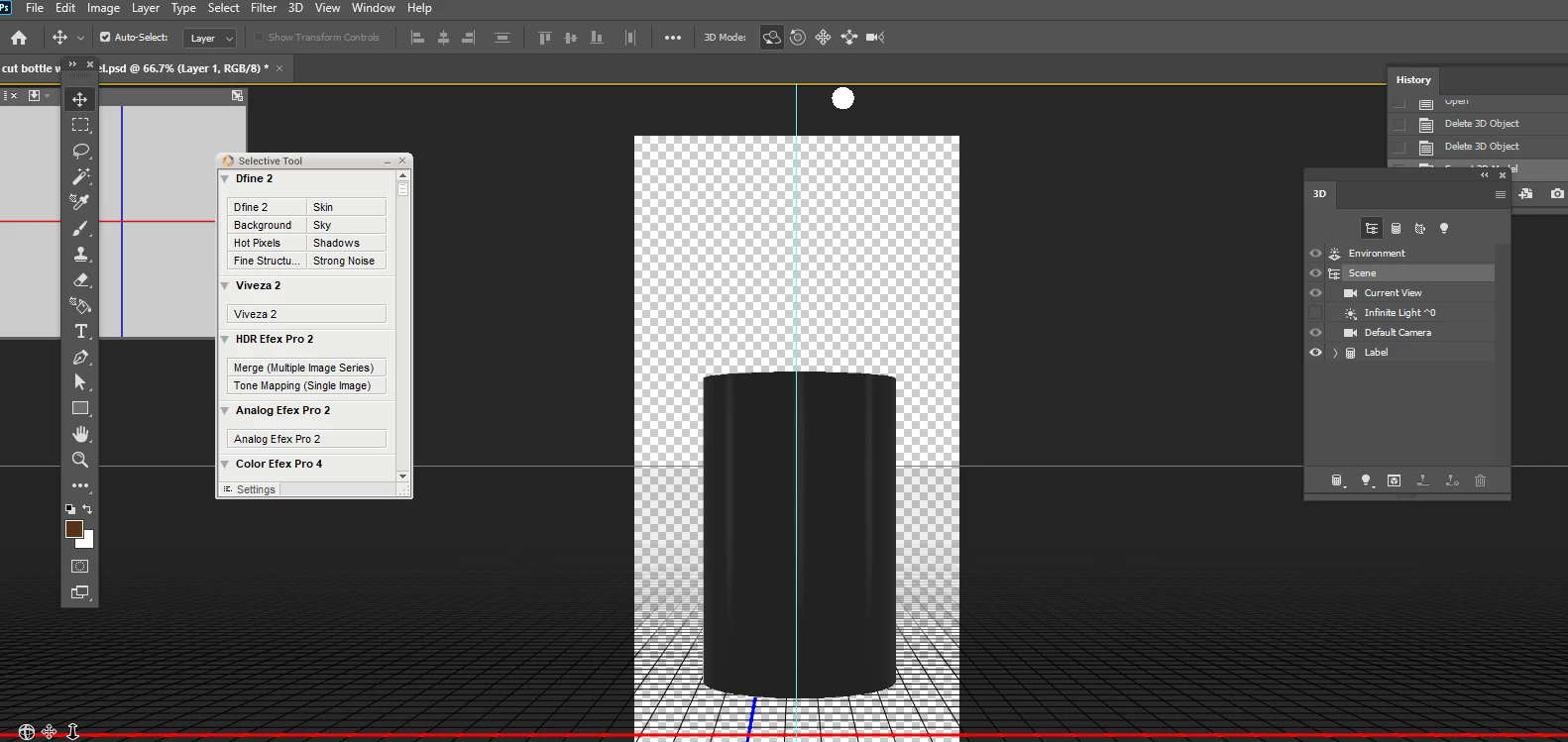
    • now we need a label and I just used the Photoshop wine bottle template to make that

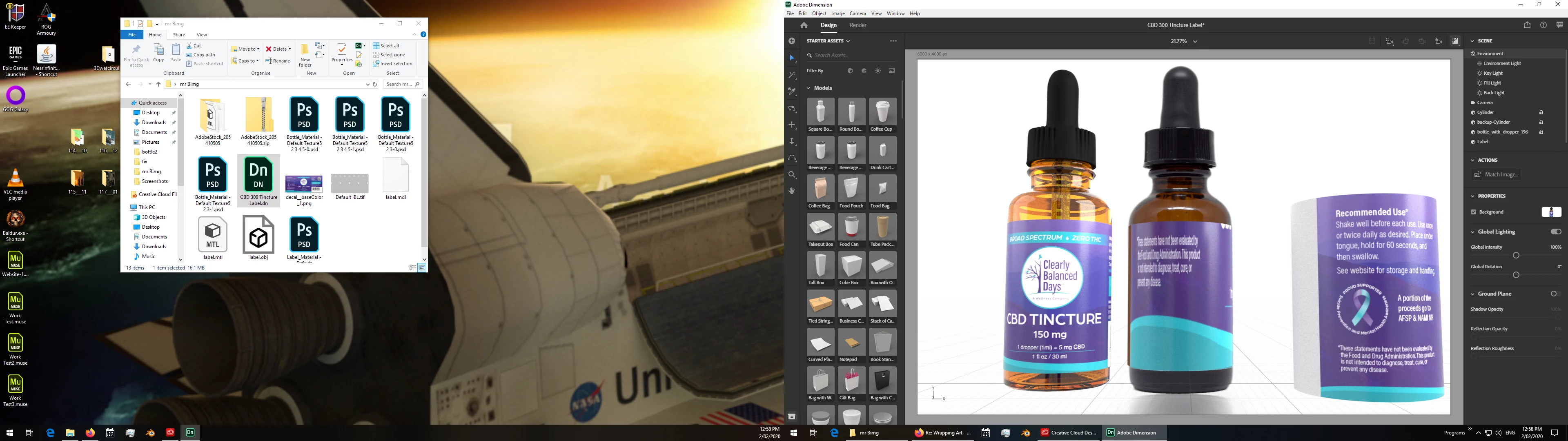
    • assemble


    your file back

    3 replies

    Ussnorway7605025
    Legend
    February 4, 2020

    so make the label in Photoshop = start with the wine bottle template and just remove everything we don't need


    fit the label in Dimension = import them and scale your bottle first. then put the label in the same spot as the bottle and scale it with the number pad {the UI really sucks because its made for | by old people that use Maya a lot}, you need it to be bigger than the bottle to stop clipping and even I sometimes forget that you need the X + Z to match 🙂

    Mr_Bimg
    Mr_BimgAuthor
    Known Participant
    February 5, 2020

    I get it now - thanks!!

    Ussnorway7605025
    Ussnorway7605025Correct answer
    Legend
    February 2, 2020

    I got your file and have repared the model... however imo you are going about it wrong so I also want to include the way I would do it so you can see the difference;

    • 1st the repair = use the magic wand to remove the parts of the model that you don't want the decal to adjust to... your model is the left one and I copied it to wand the right one

    imo this still is not going to look correct because your background bottle is an image and there fore 2D... the bottom edge of your model is 3D so will lift up a bit


    now the way I would build this;

    • I can build a bottle but a quick look on Adobe Stock found a free one that should do the job... its free so I saved myself some time

    • now we need a label and I just used the Photoshop wine bottle template to make that

    • assemble


    your file back

    Mr_Bimg
    Mr_BimgAuthor
    Known Participant
    February 4, 2020

    Thanks for your time and help, very useful with the screenshots.


    Originally I started this project in PS and everything was going great, it was super easy to turn the label and export the scene I needed. Then somehow the perfect lighting on the label would turn dark and I couldn't get the lighting right again, that's when I switched over to quickly learning Dimension.  In fact, you were part of that discussion too 🙂 https://community.adobe.com/t5/photoshop/3d-cylinder-lighting-problem/m-p/10757666?page=1#M285307


    I see you turned the label in your example, did you redo the lighting scenario again and are there any shortcuts to keeping the lighting the exact same?

    Ussnorway7605025
    Legend
    January 31, 2020
    1. you don't have the options shown in this old thread because they got removed in V3 to dum the software down
    2. no there are no plans to make decal behave like a fill because you already have a fill option
    3. the issue you have is partly caused by the model i.e, the map of the textures
    4. please share the Dn file and I'll take a look at it to see what your options are


    Mr_Bimg
    Mr_BimgAuthor
    Known Participant
    February 1, 2020

    I see, thanks for the info. 


    Below is a link to the DN file. Ideally, I'd like to be able to place the label just like on a real bottle and rotate the label so I can export all three sides. 

    https://www.dropbox.com/s/b93ymu3qndut12u/CBD%20300%20Tincture%20Label.dn?dl=0