


Question
When I import a model from Sketchup, all objects are grouped and textures are all grayed out
Hello,
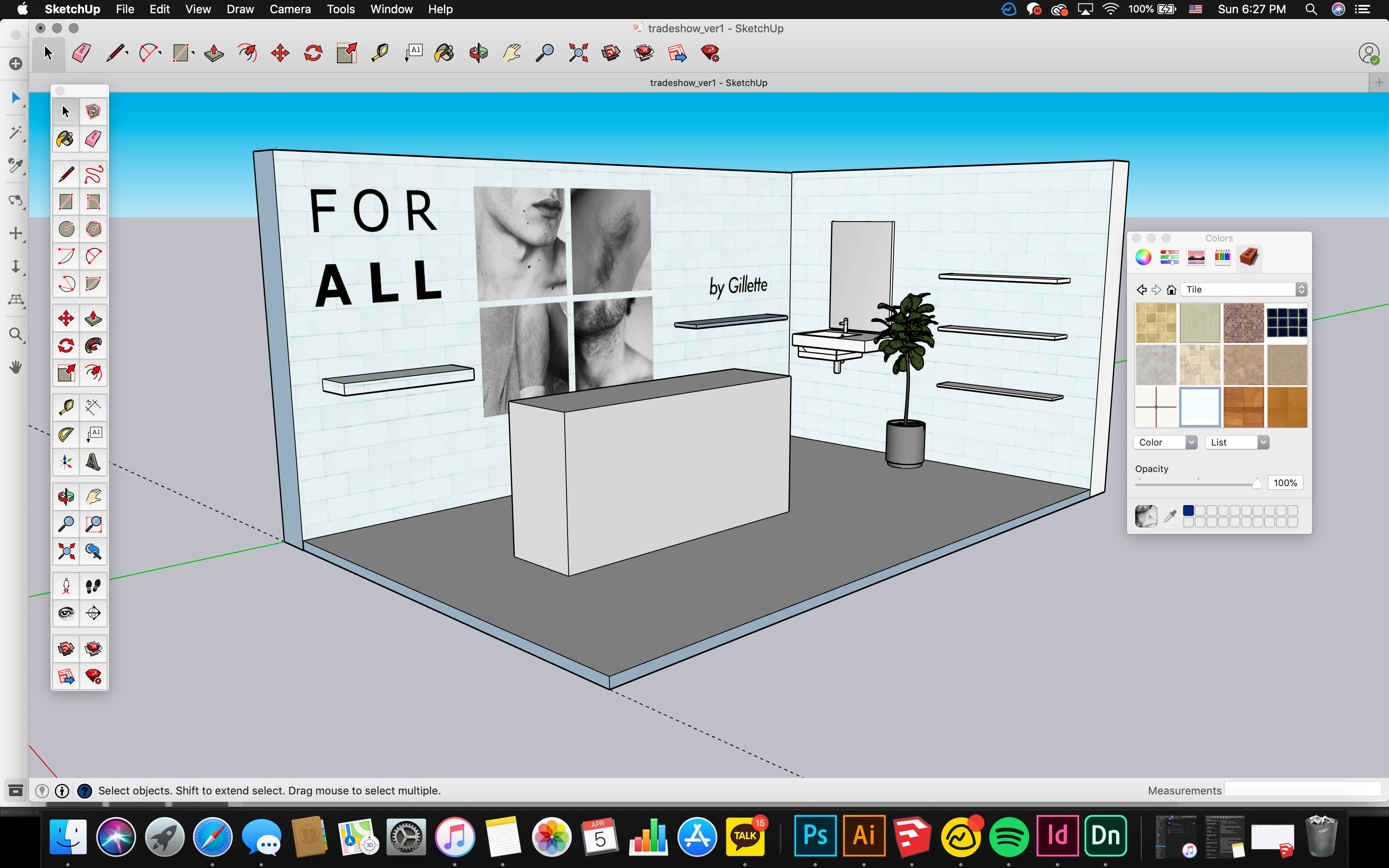
I've modeled a room in sketchup, and wanted to take it into dimensions to render it a bit further.
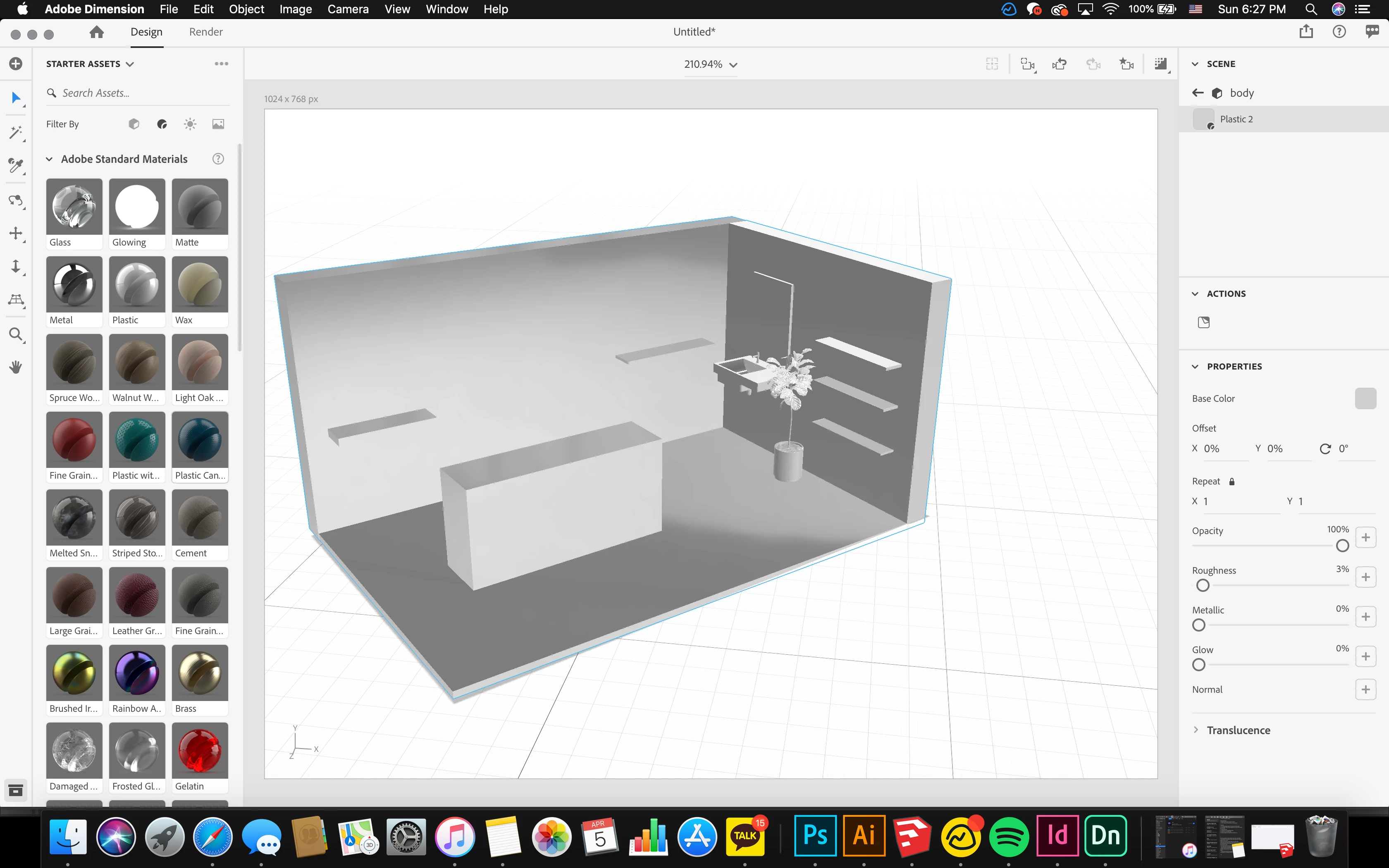
However, when I import my sketchup file into dimensions all the components of the model are grayed out and are all grouped as one chunk/piece.
I exported the file from sketchup as a 3D model/stl. file (that was the only option I had), and when I imported it into adobe dimensions, everything was grayed out as seen below.
Does anyone know why this happens? And how I can take the images/materials/textures/models I had from sketchup into adobe dimensions for further rendering??
 AdChoices