Participant
May 23, 2018
Answered

2-step verification "Don't ask me again".

  • May 23, 2018
  • 3 replies
  • 5733 views

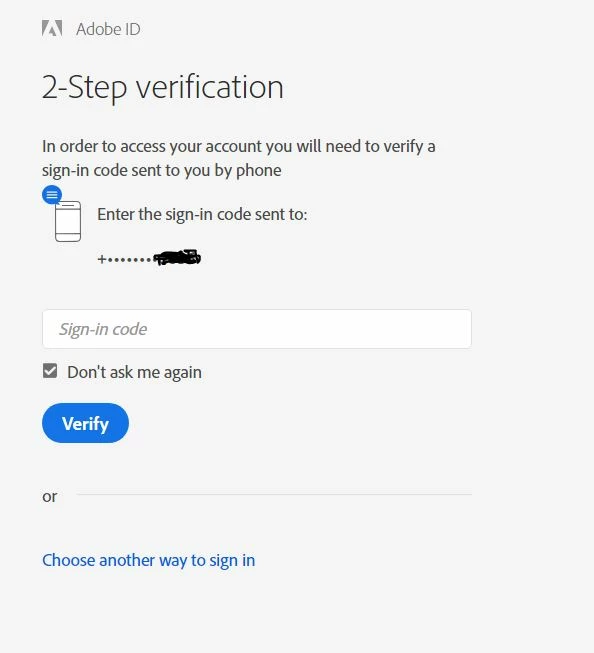
What is the purpose of the "Don't ask me again" check box, when signing in with a verification code? I have 2-step verification turned on.

My expectation was that by checking it, my computer or browser would get a cookie from Adobe that would be remembered next time I signed in from the same computer/browser, and I would not need a verification code again, unless I sign in from a new device, or delete that cookie.

But that's not what is happening, on Chrome. I need a verification code every time I sign in. Not having the problem on Internet Explorer, only Chrome. I ran in to this before when signing in to Google. I would always need the verification code, even when the "Don't ask me again" check box was checked. Can't remember what I did to fix it.

So what is the expectation if the box is checked? And if, as I assume, it's supposed to mean I don't need a verification code every time, how do I fix my browser?

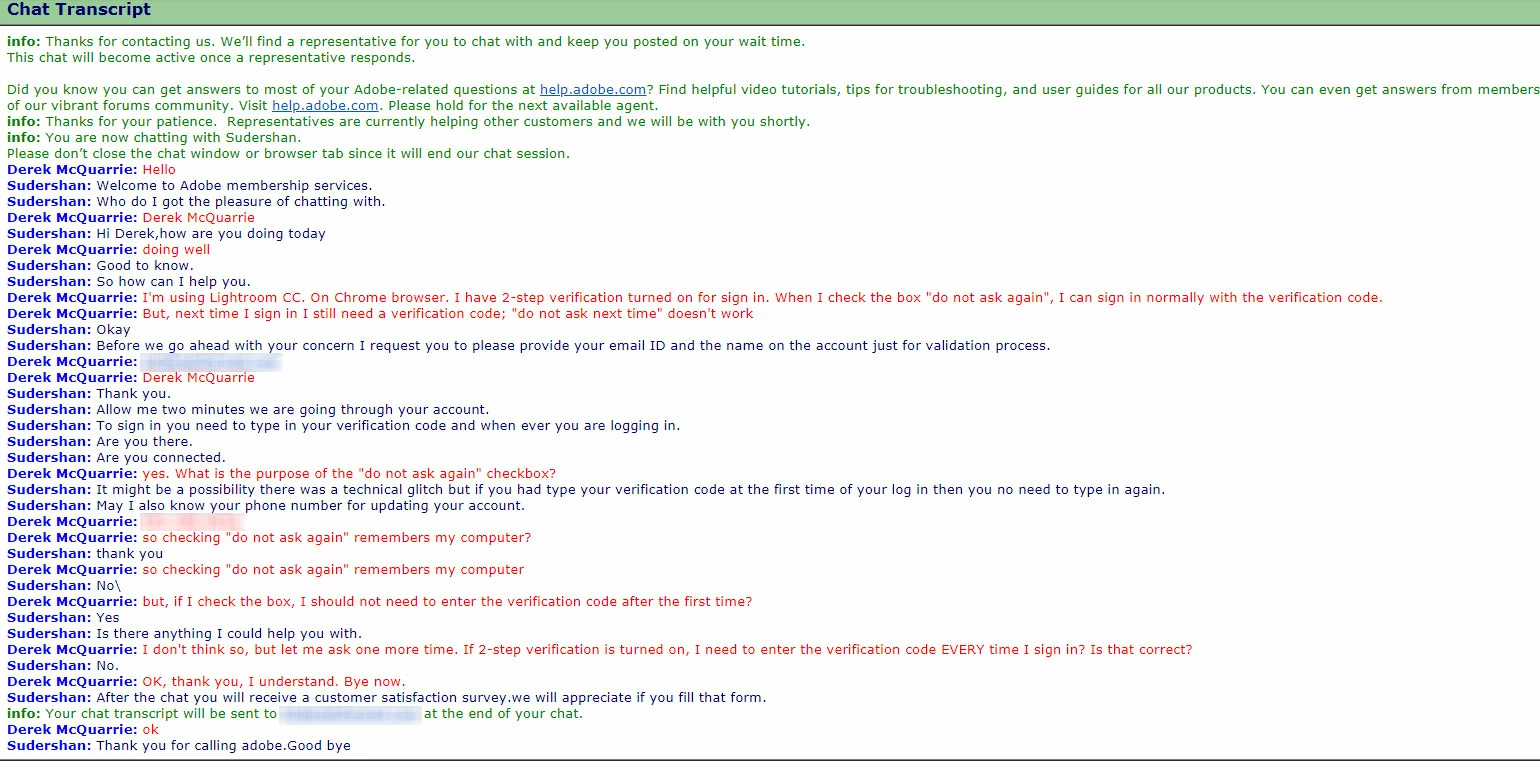
Chat support didn't help; transcript attached.
This topic has been closed for replies.
Correct answer David__B

KanikaS,

No it didn't help; here's what I did exactly.

1. set 2 step verification on (it was off because of the issue)

2. clear cache/files for the last 4 weeks from Chrome

3. Updated Chrome to version 67

4. cleared cache again for the last hour

5. restarted Chrome to complete update

6. Signed in to adobe.com, received 2-step verification code and entered it, (do not ask me again box checked) then signed out

7. at next sign in, I was sent another verification code

What next?


Hi Derek,

Sorry to hear about your difficulties. I blurred your email and phone # from the transcript for privacy.

If the issue is only occurring in Chrome I'd probably try the same suggestions listed here:

Google Groups

And just to confirm, this was happening on the main Adobe.com landing page Adobe: Creative, marketing and document management solutions I know the "Don't ask again" setting is not honored for security purposes on the Manage your account page for example https://accounts.adobe.com

Are you on Windows or Mac?

I'll test in Chrome on my system too to see if I get the same result.

Thanks,

- Dave

3 replies

Participant
June 4, 2018

"I blurred your email and phone # from the transcript for privacy."

Thank you very much for doing that! That was a lapse on my part.

Derek.

Participant
June 4, 2018

Hi,

Yes it was only on Chrome, and only on a particular PC (Windows)

It was happening at the Adobe ID sign-in page ) https / /  adobeid-na1.services.adobe.com/renga-idprovider/pages/login...).

I uninstalled Chrome including browsing history, restarted the PC, re-installed Chrome, and the issue has gone away.

Just one of those things you have to live with these days, nothing works quite as well as they want you to think...

Thanks for the response,

Derek

Mohit Goyal
Community Manager
Community Manager
May 25, 2018

Moved to Adobe Creative Cloud

Regards,

Mohit

Participant
May 26, 2018

Thanks for taking the time to move my comment. Is there someone near you who can maybe help answer the question?

Kanikas
Legend
May 31, 2018

Hi AntarmBreacDearg,

We're sorry that you are facing this issue. Creative Cloud does not ask for verification code everytime you sign in.

Since it is happening only on chrome, I would suggest you to kindly reset the browser, clear cookies/cache and try again.

Let us know if that helps!

Thanks

Kanika