

December 17, 2025
Question

account

  • December 17, 2025
  • 3 replies
  • 163 views

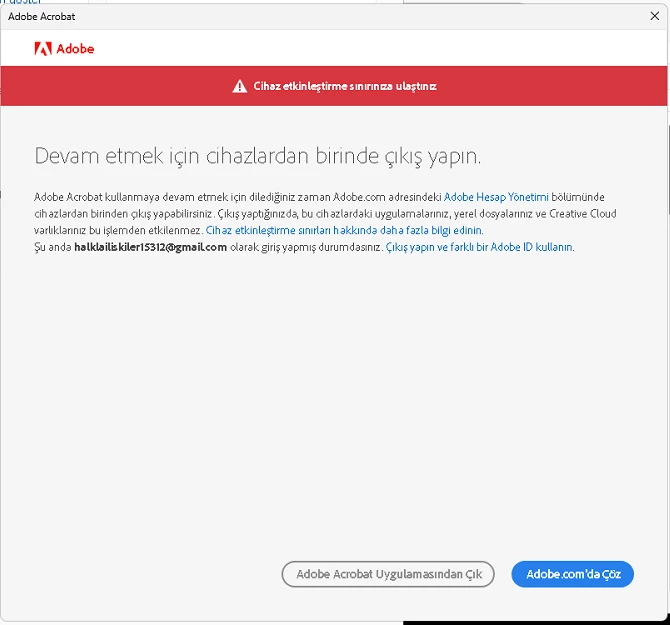
I removed all devices but my account still shows device limit reached.
Please reset my device activation count.

3 replies

Nancy OShea
Community Expert
Community Expert
December 19, 2025

To Deactivate your device, open Acrobat on your computer. 

1. Go to the Acrobat Menu (3 lines icon).

2. Select Help ⇒ Sign Out (your_username.xxx).


Hope that helps. 


Nancy O'Shea— Product User & Community Expert
kglad
Community Expert
Community Expert
December 17, 2025

go to your account and sign out of your activated devices.

Kanikas
Legend
December 17, 2025

Hi halkla__1348, 


We're here to help you. If you have already done the steps to deactiavte the devices- https://adobe.ly/48Z43VM, please follow the steps shared in this article to resolve licensing issues: https://adobe.ly/3L7HZAp;


Hope this helps. 


Thanks
^KS

December 17, 2025
mesaj açılmamaktadır
gupta shivangi
Legend
December 17, 2025

Could you try the steps listed in this article? https://adobe.ly/49f0hsC

Let us know how it goes.
^Shivangi