
Question
Acrobat DC vs Reader Print Options
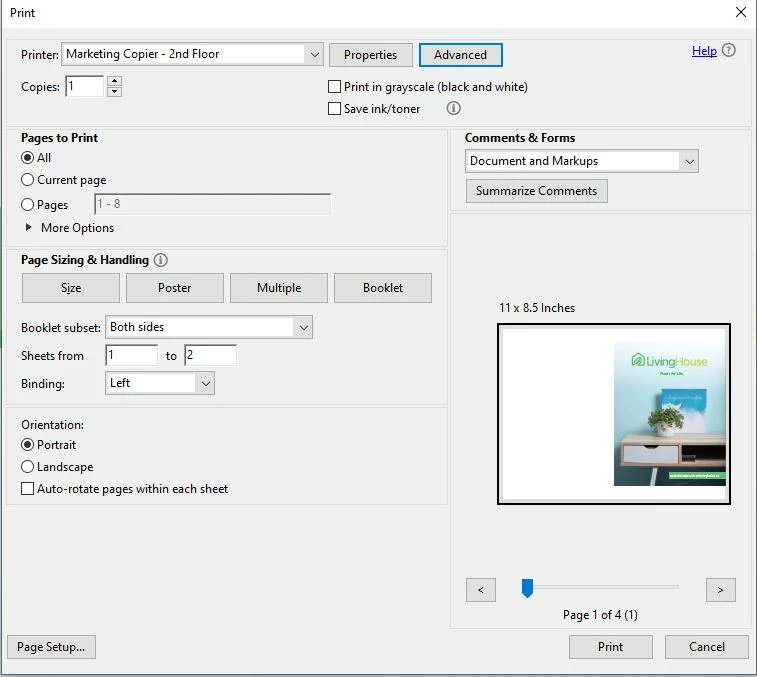
When I print a booklet using Acrobat DC, the page size & handling options within the printer dialog windows are missing compared to printing from Acrobat Reader using the same print driver. It takes a very long time to process the print out using DC compared to Reader. As well, the colours are too dark when using DC. Can anyone direct me on how to get DC to match the print options found within Reader? I'd rather not use Reader since I've paid for the full version. See screenshots:
Adobe DC:
Acrobat Pro:
 AdChoices