

Participant
May 5, 2025
Question

Activation CS6

  • May 5, 2025
  • 4 replies
  • 478 views

Hi,

customer service told me to write to you as I get
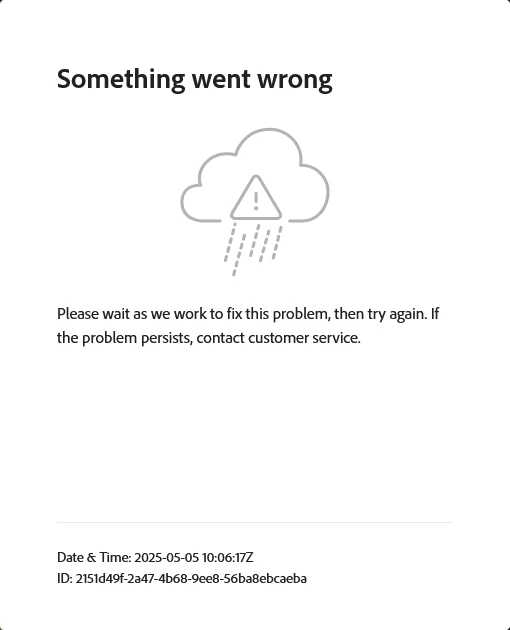
this error when trying to register my CS6.

What should I do?


Kind regards

Daniel

4 replies

Nancy OShea
Community Expert
Community Expert
May 8, 2025

CS6 is 13-year-old software.  Registration is one time per owner.  No need to re-register. 


Activation is only possible with a supported computer & browser.

1. Did you deactivate Creative Suite from your previously installed devices first?
That's critically important because your individual license has a strict 2 time activation limit. Remote deactivation of Creative Suite is not possible.
- https://helpx.adobe.com/download-install/kb/activate-deactivate-products.html
- https://helpx.adobe.com/download-install/kb/activation-deactivation-help.html

If the old devices are dead or no longer in your possession, you're stuck. You won't be allowed to activate CS on another device.

MODERN OPTIONS:
==============
Photoshop Elements or Premiere Elements (3 year license, no subscription needed).
https://www.adobe.com/products/photoshop-elements.html

Creative Cloud Photography (Annual & Monthly plan options).
https://www.adobe.com/creativecloud/photography.html

Creative Cloud Bundles & Single App Plans for mobile, web & desktops
https://www.adobe.com/creativecloud/plans.html


Nancy O'Shea— Product User & Community Expert
kglad
Community Expert
Community Expert
May 5, 2025

in the future, to find the best place to post your message, use the list here, https://community.adobe.com/

p.s. i don't think the adobe website, and forums in particular, are easy to navigate, so don't spend a lot of time searching that forum list. do your best and we'll move the post (like this one has already been moved) if it helps you get responses.


<"moved from account, payment & plan">
kglad
Community Expert
Community Expert
May 5, 2025

IF you havce an activation (not registration) problem, use offline activation:


adobe has provided for offline activation to users with this (and many other) problems:


disconnect the computer from the internet

Launch the product.

At the Serial Number Validation screen, click Having Trouble Connecting To The Internet.

Click Offline Activation and click Generate a Response Code.

Write down the Request Code.

Switch to an online computer and navigate to www.adobe.com/go/getactivated.

Click Offline Activation.

Sign in with your Adobe ID.

Enter your Request code and click Generate.

Write down the Response code.

Switch back to the offline computer.

Enter the Response Code and click Activate.

Participant
May 12, 2025

I'm a hobbyist photographer and casual user of LR CS6. I just did a Win10 re-install and could not activate LR using the online method. The offline method descibed by kglad worked for me.

Thanks!

kglad
Community Expert
Community Expert
May 12, 2025

@mustang2011 


you're welcome.  and thanks for the feedback!

Abambo
Community Expert
Community Expert
May 5, 2025

Why are you trying to register the software? CS6 is ancient software and I doubt that registragation is still available. You should try to activate. If, however, the program has exhausted it's 2 activations, you need first to deactivate on the other site. Uninstalling is not enough.

ABAMBO | Hard- and Software Engineer | Photographer