darrelle16440244
Participant
March 9, 2016
Answered

Adobe Acrobat XI Pro Showing up in French instead of English

  • March 9, 2016
  • 1 reply
  • 525 views

I downloaded the file from Download Adobe Acrobat products | Standard, Pro | DC, XI, X and followed the installation instructions. It installs, but when I double click the desktop icon, everything is coming up in French instead of English.
    This topic has been closed for replies.
    Correct answer Tanusree

    Hi darrelle16440244,

    Sorry for the delay in response!

    I would suggest you to please uninstall Acrobat XI using the uninstaller , after Uninstall is done, please run the set up file.

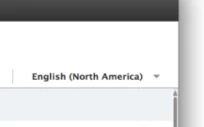
    There will be a dialogue box , which will pop up after Agreeing the Terms and Conditions (EULA) , need to select English (North America )

    Screenshot as 

    Let us know if this worked for you!

    1 reply

    Tanusree
    TanusreeCorrect answer
    Participating Frequently
    March 9, 2016

    Hi darrelle16440244,

    Sorry for the delay in response!

    I would suggest you to please uninstall Acrobat XI using the uninstaller , after Uninstall is done, please run the set up file.

    There will be a dialogue box , which will pop up after Agreeing the Terms and Conditions (EULA) , need to select English (North America )

    Screenshot as 

    Let us know if this worked for you!