
jsimon210
Participant
November 4, 2015
Answered

Adobe Application Manager Can't Connect to Internet
  • November 4, 2015
  • 1 reply
  • 1561 views

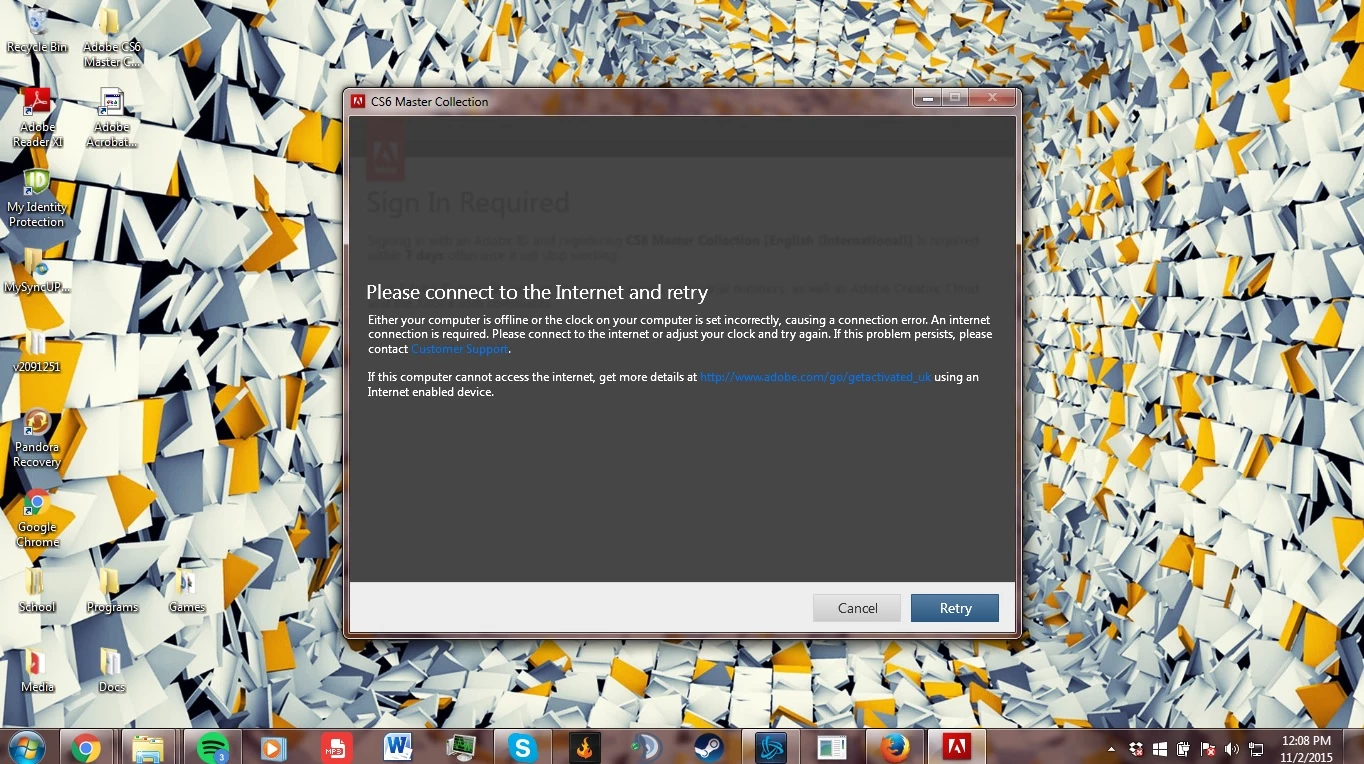
This is the message I get every time I try to sign in to the Adobe Application Manager to register my programs from the CS6 Master Collection.

I've already had my host files checked and they are okay. I have a stable internet connect and my clock is set correctly to the right time zone. And it's not a user problem; I've logged out and used a temporary admin login and it still didn't work.

If anyone could help, that would be great.

And if anyone understands this, my prior case ID is 0187191111. I was given this by a customer service person I chatted with who helped me before.

    This topic has been closed for replies.
    Correct answer jsimon210

    This is an typical issue which can be caused due to main reasons like LAN settings , Corrupt User cache login info or sometime Corrupt Application Manager where it cannot manage to send request to Adobe server or cannot connect to Adobe server,

    Try with the solution provided in the below link :

    Re: I have successfully downloaded a second copy of Acrobat Pro DC to my PC. Clicking the icon gives Either your compute…


    So I found the problem. I needed to install the certificate because it was being questioned by the computer. So I just installed the certificate into the store it recommended it to.

    Now I am able to sign in just fine.

    1 reply

    Sheena Kaul
    Legend
    November 4, 2015
    jsimon210
    jsimon210Author
    Participant
    November 4, 2015

    I'm sorry, but this doesn't help me. I've already gone through that specific guide to try and fix it, but it doesn't work for me.

    This is why, based off what the guide says:

    1. I can connect to internet

    2. I can access secure sites

    3. My host files are fine (as told to me from customer service)

    4. My GlobalSign Root CA Certificate is all good

    So now what? Since all this is working fine, I don't know what's causing my Application Manager to malfunction like this.

    Govardhan.V
    Participating Frequently
    November 4, 2015

    This is an typical issue which can be caused due to main reasons like LAN settings , Corrupt User cache login info or sometime Corrupt Application Manager where it cannot manage to send request to Adobe server or cannot connect to Adobe server,

    Try with the solution provided in the below link :

    Re: I have successfully downloaded a second copy of Acrobat Pro DC to my PC. Clicking the icon gives Either your compute…