
Participant
May 7, 2013
Answered

Adobe Application Manager Fails to Install

  • May 7, 2013
  • 2 replies
  • 1172 views

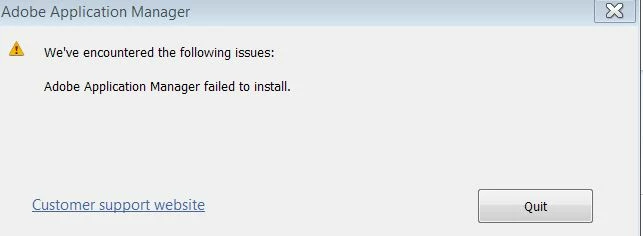
I can donwload the Adobe Application Manager but it fails to install and I get an error message saying "Adobe Application Manager has failed to install" This happens after around 5 minutes and when the progress bar is right at the end of the installation.

Things I have tried:-

Removing all installations/downloads of the application manager.

Downloading a new version and installing.

Ensured the AAM Plugin is enabled in firefox.

Restarted the browser prior to install.

Tried on different browsers including Firefox, Chrome and IE9. I am using Windows7

I have now tried the above process on 3 occassions each time removing any previous installs.
HELP

    This topic has been closed for replies.
    Correct answer Rave

    This might be caused due to the interference of some program running at the background.

    > Enable the hidden Admin Account on Windows 7 ( Ref :  http://www.howtogeek.com/howto/windows-vista/enable-the-hidden-adminis trator-account-on-windows-vista/ )

    > Disable all Non-Microsoft Startup Services. (Ref : http://helpx.adobe.com/x-productkb/global/disable-startup-items-servic es-windows.html )

    > Disable all the Antivirus softwares like CA, Norton,Mc Afee etc. temporarily from the computer.

    > Reboot the machine

    > Download AAM from : http://www.adobe.com/support/downloads/detail.jsp?ftpID=4773   and Install and check.

    2 replies

    Rob Ainscough
    Inspiring
    June 18, 2013

    I'm having the EXACT same problem.  Nothing is being reported in Event Log for Win7 64bit either.

    BTW, the recommendation to enable the "hidden admin account" is a VERY VERY bad idea, do NOT do this ever!

    Participating Frequently
    June 19, 2013

    This is Adobe's problem. Not ours. I saw the same thing on my system. App manager said there was an update, I clicked on open updater from the system tray and it started to update -- then the message you posted above appeared. Application Manager was gone from desktop and Control Panel.

    Updates were available running HELP | UPDATES from within any Adobe Application. Searched for and manually ran Application Manger (PDapp.exe) and update completed -- but it still isn't visible in Control Panel (and Adobe had installed their 'Creative Cloud' app on my system).

    Adobe -- please provide us clear instructions on what we can install/uninstall to keep our systems lean, organized, and working correctly.

    Rave
    Community Manager
    RaveCommunity ManagerCorrect answer
    Community Manager
    May 7, 2013

    This might be caused due to the interference of some program running at the background.

    > Enable the hidden Admin Account on Windows 7 ( Ref :  http://www.howtogeek.com/howto/windows-vista/enable-the-hidden-adminis trator-account-on-windows-vista/ )

    > Disable all Non-Microsoft Startup Services. (Ref : http://helpx.adobe.com/x-productkb/global/disable-startup-items-servic es-windows.html )

    > Disable all the Antivirus softwares like CA, Norton,Mc Afee etc. temporarily from the computer.

    > Reboot the machine

    > Download AAM from : http://www.adobe.com/support/downloads/detail.jsp?ftpID=4773   and Install and check.