
Adobe Application Manager Update Issues
I have noticed that lots of users are seeing issues with a recent update to the Adobe Application Manager. I too have seen these issues, and in the hope of tracking down what is going on built a fresh clean build of Windows 7 x64 to test.
- Installed Windows 7 x64 and all updates.
- Installed CS6 and activated. (NOT Creative Cloud -- perpetual license.)
- Opened Fireworks and ran HELP | UPDATES.
- Selected just the AAM update and installed.
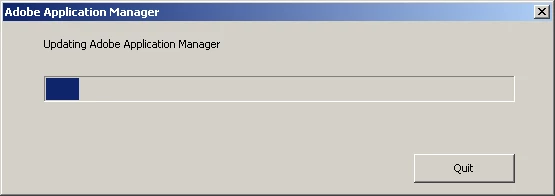
- Clicked on the new AAM shortcut on desktop and was presented with a progress bar and "Updating..." message.
- The following error message appears: "Adobe Application Manager Failed to Install".
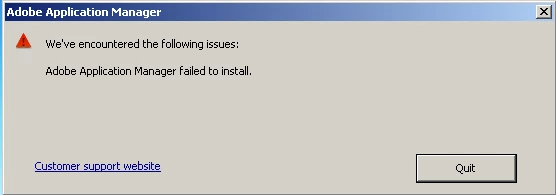
- Rerunning the installer produces the same error.
- Ran AAM through Fireworks HELP | UPDATES.
- Updater comes up fine. Updated the remaining CS6 applications.
- Restarted.
- Tried the AAM shortcut on desktop again. Updating message came up again and so did error message.
- Tried running AAM directly from explorer using "Run as Admin" -- same error message. (This actually seemed to work on my production system -- the update ran through to completion on this system, although it installed the Creative Cloud client too which I then had to uninstall).
Keep in mind this is a completly clean Windows 7 x64 build. There is no antivirus software or anything else that could interfere with the AAM updating procedure. Something with the recent update seems to be causing issues. A fellow forum user Robains posted in another discussion that his analysis of the installation routine seems to point to an HTML 5 privilidge issue during the setup/update routine. I can't provide a second to his analysis, but it may give Adobe something to examine.
If other users are seeing this unusual behavior (should have happened recently, within the last two days or so) -- feel free to post here to describe your environment. Currently is seems to be seen on both Mac and PC platforms.
 AdChoices