

pentagramwookie
Inspiring
September 29, 2018
Answered

"Adobe Application Manager Utilities" is not optimized for your Mac and needs to be updated.

  • September 29, 2018
  • 18 replies
  • 58232 views

I am getting the error:

"Adobe Application Manager Utilities" is not optimized for your Mac and needs to be updated.

it also says:

This software will not work with future versions of macOS and needs to be updated to improve compatibility. Contact the developer for more information.
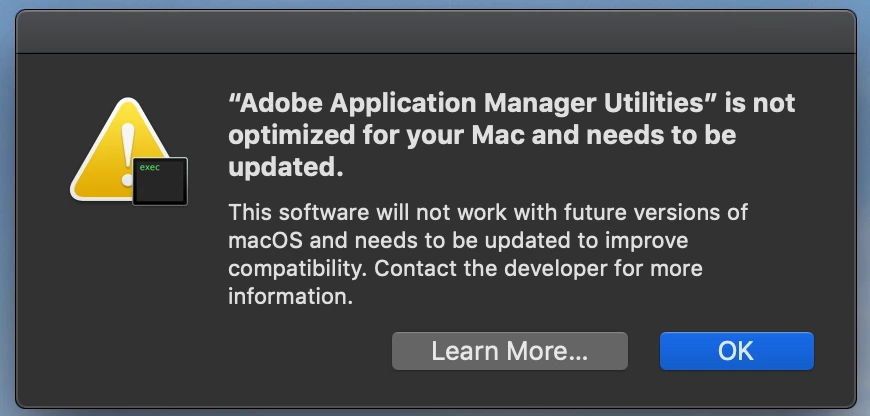
How do I update that?

My Creative Cloud says NO UPDATES.

I'm on a Mac Book Pro 2014 running macOS Mojave 10.14

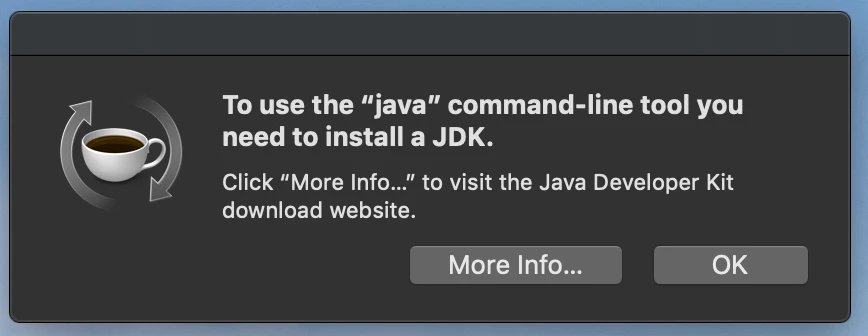
I am also getting this error, not sure it's related:
thank you!

This topic has been closed for replies.
Correct answer Markus Jasker

Gents,

this message just tells you that it will not work in future versions. Everything is fine and this app is working and important for Creative Cloud on Mojave. Just leave it as it is.

And, yes, some apps still need Java and Apple does not provide Java with its macOS. This is an old story. As far as I remember this message was already shown 10.11.x or even earlier with older CC installations. Just install it and you're fine.

18 replies

christophert20739439
Participant
December 2, 2018

This is kind of amusing.  I deleted the AAM folder in Utilities and a few minutes later CC popped a dialog asking to repair the installation. Sure enough, AAM is back on the machine.  We'll see if I get a deprecation warning again.  Apple's deprecation warning doesn't need to be presented to the user in my opinion as it's confusing. It's NOT the user's responsibility to make sure Adobe keeps their software up to date for future versions.

Inspiring
November 24, 2018

Seems reasonable to me that Adobe would either update apps needed to run Creative Cloud and applications or to run a script to delete these that aren't needed. My computer is loaded with Adobe stuff whose need and currency are unknown. Some of it is 32 bit. If Adobe can generate all the marketing stuff it looks like it could clean things up too.

Markus Jasker
Adobe Employee
Markus JaskerCorrect answer
Adobe Employee
November 8, 2018

Gents,

this message just tells you that it will not work in future versions. Everything is fine and this app is working and important for Creative Cloud on Mojave. Just leave it as it is.

And, yes, some apps still need Java and Apple does not provide Java with its macOS. This is an old story. As far as I remember this message was already shown 10.11.x or even earlier with older CC installations. Just install it and you're fine.

stefanh16493522
Participant
January 20, 2019

@Markus - I understand the technical background. But your answer is like the garage saying "don't worry, it's just a warning" when you have some warning sign occasionally showing up on your car's dashboard.

The release of Mojave did not really come as a surprise, and neither is the fact that Apple has been developing everything towards 64-bit applications for years. Adobe does not exactly have a great track record with being on time with new releases of their software that match the latest MacOS version. Therefore, yes, I am a bit nervous and don't trust that Adobe is ahead of the game. Otherwise, we would not see those messages (and yes, I'm aware that the message relates to future MacOS versions).

If you want to give your - well paying - users peace of mind, you release that 64-bit version by the end of this year. What's the hold-up anyway.

Thank you.

Participating Frequently
January 27, 2019

Well, it appears they didn't have any problem making a patch for Windows! 

Adobe - Adobe Application Manager : For Windows : Adobe Application Manager

Legend
October 28, 2018

When 10.15 comes out we‘ll All need to check, watch carefully, a lot a few brave souls on the bleeding edge make mistakes. Apple are changing more and more each system, converting a few 32 bit apps likely to be the least problematic.

Participant
October 28, 2018

Any update from the Adobe side on this issue. Adobe developers have had over a year to take care of this?

The deprecation of support for 32-bit builds of anything meant to run on macOS was announced over a year ago. What's the hold up?

I get this error on a Mac where all assets (libs, apps, preference files, etc.) for previous versions of all proper Adobe software including previous versions of Creative Suite have been removed. I have only Creative Cloud and the latest versions of the Creative Cloud applications that I use installed.

I'm sorry to be impatient. I want to know that Adobe is going to address this so that the Creative Suite subscription I pay good money for and I want to be certain that I will not experience problems with anything related to Adobe CC functioning properly or ceasing to work altogether when I update to macOS 10.14 one-offs and upgrade to new yearly version of macOS. Adobe CC is important to me and I really do not like having to wait on single or just a few vendors when things like important security fixes and accessibility changes are made available by Apple in updates to their OS.

"We're working on this" at this time is not a proper answer to questions about an issue caused by not abiding by Apple development guidelines specific to 32-bit software support where changes to such support of older software was announced so long ago.

shebo-0
Participant
September 30, 2018

pentagramwookie

Adobe offers a solution in this helpx article:

Link: Adobe Application Manager does not update to Creative Cloud desktop app

"If you’re on Mac OS X 10.7, Windows 7, or later and still have AAM on your computer, when you become a Creative Cloud member and download an app, AAM automatically updates to the Creative Cloud desktop app."

- 2nd paragraph in the article

While I am a Creative Cloud member, And updated the app that didn't stop the error message from appearing!
Also the location Library/Internet Plugins did not contain AdobeAAMDetect.plugin!

There is a plist in the Library/LaunchAgents though.*

Obviously when they to Creative Cloud App to handle the installation/uninstallation of their suite apps. It didn't remove old files.

I just removed the Adobe Application Manager folder manually, It's located in Applications>Utilities>...

*Check if an Adobe plist is there as well, It will need to be removed manually as well.

Also check if you have another User Accounts using the Adobe CC it might be populating to the Admin account. And the CC app might need to be updated from their account, If there are multiple users on the same machine.

As for your Java error:

Did you consider pressing "More Info..."? If you use the JDK in the command line, It might need manual install of an updated 64 Bit version. (I am assuming, I didn't get that error)

side note:

@Adobe Why do you have to bloat our hard disks with old files, The Macbooks barely have space to store files. Can't you be at least considerate to this obvious limitation? Adobe system files are just everywhere! It's not a consistent experience.

Example of Bloatware:

@Adobe Creative Cloud Experience?!! Already they pack the System Library folder, Applications folder and the Utilities folder!

Are you and app or a utility? Make up your mind Adobe!

Participating Frequently
October 4, 2018

Thanks, that link  on deleting AAM from the Library/internet Plugins seemed to work ... no ill effects yet.

RE: Side Note

I wouldn't go deleting anything in that folder. Try a temporary rename with 'Old' in front of the file name. Some of the files I found in those folders are from 2018 and some are as recent as August 2018, so something is using them and updating them.

I suppose you could do a complete Adobe uninstall and then reinstall Adobe CC fresh but it only seems to be about 205MB under the Utilities/Adobe Applications Manager Folder so I'm not going to mess with it.

shebo-0
Participant
October 5, 2018

I recommend that too, A uninstall and a clean reinstall. I removed AAM manually I didn't get an error though, But better Safe than sorry Dlogue​ approach is better than my previous suggestion.

To confirm it's a deprecated file that Adobe apps don't use anymore the apps moved to 64Bit architecture for the Creative Cloud appa few updates back. It's has not been overwritten that's why the error pop-up shows.

Please make sure you backup any keyboard shortcuts before the clean install, I learned about backing up these settings the hard way

According to this blog post:

Adobe Applications and 64-Bit Compatibility | Adobe Blog

Last paragraph:

In the meantime, the best way for Adobe customers to minimize the frequency of these notifications is to install all Adobe-provided updates — this will ensure they are running the latest versions of both the Adobe applications and the Adobe shared components.

Legend
September 29, 2018

There are no updates. The message is true, it won't work in Mac OS 10.14. Adobe have about a year to make the update.

Don't know about the Java thing, sorry.

kglad
Community Expert
Community Expert
September 29, 2018

you probably have some 32bit adobe programs installed (eg, aamu) and mojave doesn't support those.  you can just ignore that message.

as you update your adobe programs, they'll be 64 bit and once you replace the culprit(s) that message will stop appearing.