
pollyash
Participating Frequently
February 11, 2019
Answered

Adobe Assets has disappeared

  • February 11, 2019
  • 1 reply
  • 1450 views

Hey,

I don't know if I'm just being dense but has anyone else not been able to find where the assets tab has been moved too?

My adobe creative cloud used to look like this
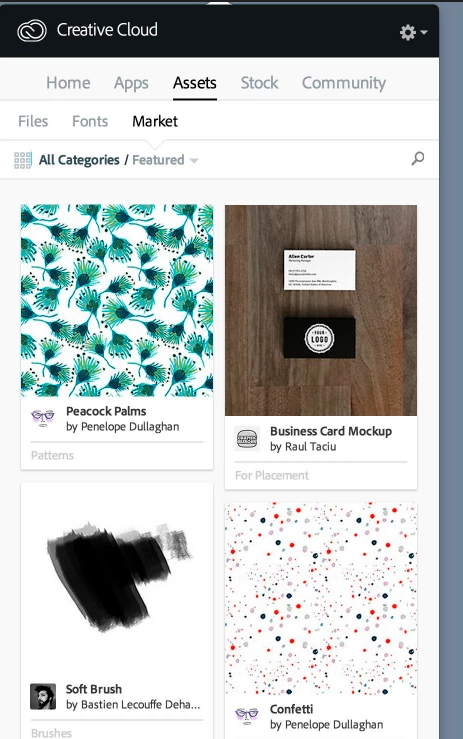
And now it looks like this ...
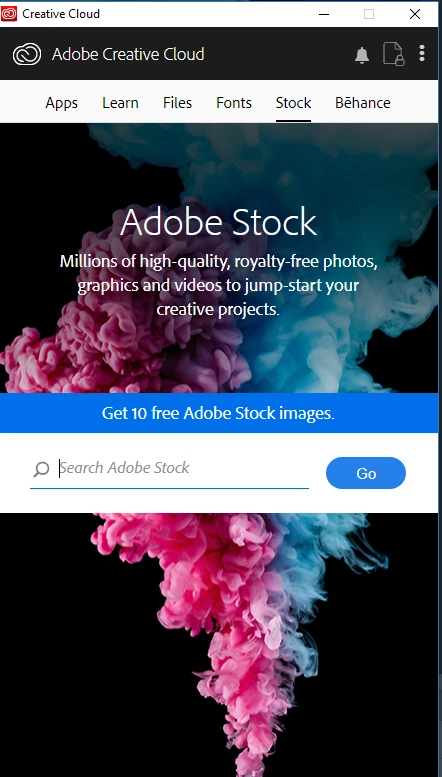
The assets tab has gone ... Does anyone know where it has been moved too?

Thank you!

This topic has been closed for replies.
Correct answer AxelMatt

Adobe has closed the market and it's now on Adobe Stock.

Assets Market files gone

1 reply

AxelMatt
Community Expert
AxelMattCommunity ExpertCorrect answer
Community Expert
February 11, 2019

Adobe has closed the market and it's now on Adobe Stock.

Assets Market files gone

My System: Intel i7-8700K - 64GB RAM - NVidia Geforce RTX 3060 - Windows 11 Pro 25H2 -- LR-Classic 15 - Photoshop 27 - Nik Collection 8 - PureRAW 6 - Topaz Photo AI
pollyash
pollyashAuthor
Participating Frequently
February 12, 2019

Thank you!

Yes, I managed to get through to support and they said it is now only accessible through the Photoshop Sketch app ... very inconvenient but I guess it is a money making scheme!

Inspiring
February 15, 2019

That's a shame. I found it very useful, though there are other services on the web that offer graphics libraries.