Answered
Adobe CC Start Screen loop
So This is what i get when i start any of adobe CC prorgrams.
Firewall was already switched off. Just installed everytjng on my new PC.
Thanks for any help
M

So This is what i get when i start any of adobe CC prorgrams.
Firewall was already switched off. Just installed everytjng on my new PC.
Thanks for any help
M
I registered a MacBook and this PC.
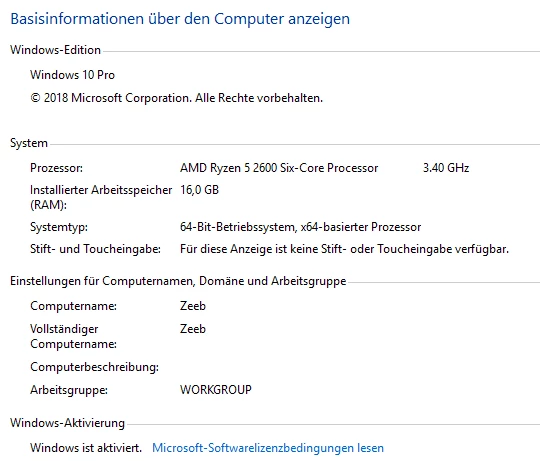
Attached PC Specs:
HI M,
Just to double check, in your Adobe ID account under "Manage Plan", it only shows those two computers as activated, correct? Activation issues are the most common cause of the flashing, spinning-wheel screen on startup.
If the only devices listed in your account are the older MacBook and your new Windows 10 PC, you might try the solutions offered here: All Adobe programs crash at startup, Adobe screen flashing trying to load. Beyond that, I'm not sure how much help I'll be as I'm a Mac user and not all that familiar with the intricacies of Windows.
Already have an account? Login
Enter your E-mail address. We'll send you an e-mail with instructions to reset your password.
 AdChoices