
rokec70749246
Participating Frequently
November 23, 2018
Question

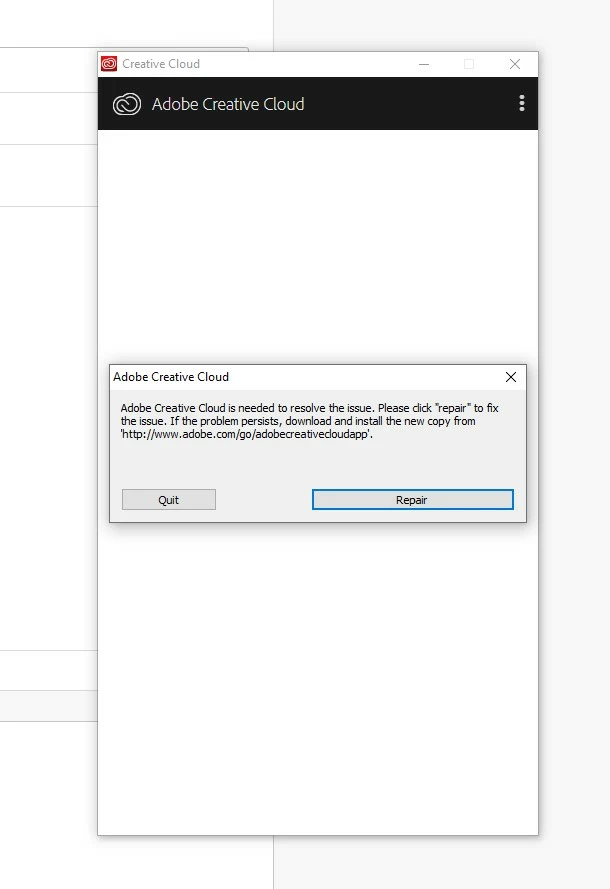
Adobe CC stuck in Repair Loop

  • November 23, 2018
  • 1 reply
  • 1023 views

Hi! I recently downloaded Adobe CC and the latest InDesign as a trial, but the my first installation had no problems.

I signed in and got to download a trial, but after I restarted my computer; CC is stuck on a repair loop and InDesign freezes.

I have tried to uninstall, and used Adobe CC Cleaner Tool and reinstalled, but the problem persists.

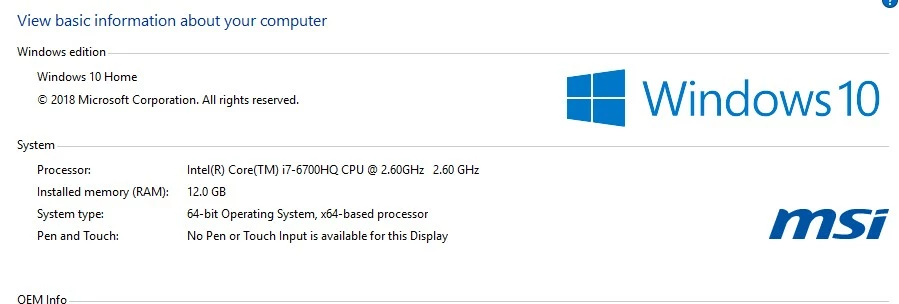
What should I do? Below images are the problem and my specs. Please let me know if I can provide anything else.
This topic has been closed for replies.

1 reply

Bani Verma
Legend
November 23, 2018

Hi Rokec70749246,

We're really sorry for the poor experience.

As you have mentioned that the desktop app crashes with an error message 'Creative Cloud is needed to resolve the issue' every time you try to launch it, could you please let us know if you have any anti-virus, internet security software or system optimizer software installed on your machine?

These apps can cause the Creative Cloud desktop app to stop working, specially a system optimizer software.

Since you have tried all the basic troubleshooting steps already, I would request you to turn off these apps for the time being and then follow the steps given in the below thread to manually remove Creative Cloud desktop app from your machine: Photoshop Installation Failed

After this install, the CC desktop app again from direct download links given here: Download Creative Cloud desktop app

Let us know if this helps.

rokec70749246
Participating Frequently
November 24, 2018

I don't think I have any anti-virus software except for windows defender. As for Internet security, my current browser uses "uBlock" which is an advert blocker and because my computer is a Gaming Laptop from MSI, it comes with all kinds of system optimizing software such as Dragon Center, SCM, SteelSeries Keyboard, MSI Afterburner, and Power Settings.

Although I haven't received any notifications from any of these software stating that it's outright blocking Adobe Cloud on my end.

I'll try to turn off as many of these as possible and follow your steps. Thank you!