


Participant
March 31, 2017
Question

Adobe Chat Support doesn't work. How can I contact Adobe Tech Support ???

  • March 31, 2017
  • 3 replies
  • 2231 views

Hi everyone,

I would like to contact the Adobe support because of a suddent probleme of white/blank preview screen on Premiere Pro AND After Effect.

Unable to work under these conditions.

I try to find solutions on different forums (Adobe CC, PPro and AE), but nothing I tried works...

So I wanted to call or mail or chat with an agent Adobe. The only solution Adobe proposed to me is the chat, but it doesn't work!

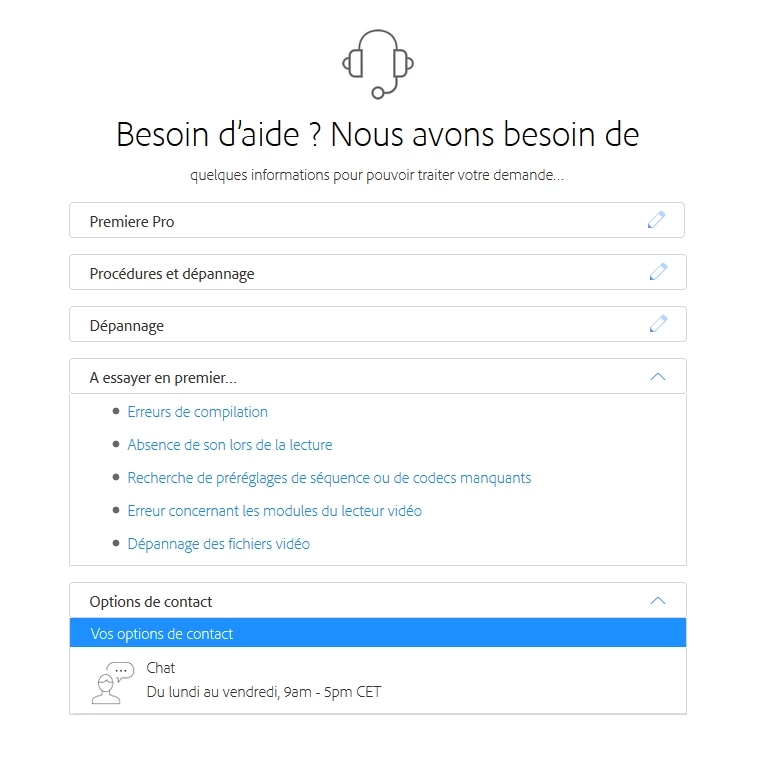
When I click on the tab "chat" (you can see on the picture below ) nothing happens! However I'm in the right times (Monday-Friday 9am - 5pm CET).

Very frustating...

Please can anyone help? Thank you very much in advance...

PS: I'm french and I would like to contact some french agent if possible, my english is not good enought.
This topic has been closed for replies.

3 replies

Participant
January 13, 2021

Although this is an old thread but I'll post the link to how to show the chat icon and get in touch with an actual Adobe agent, maybe someone will search and see this reply:

https://youtu.be/Q2B7AHMFt2w


Good luck!

jamesc29857070
Participant
August 8, 2017

Chat doesn't work for me either! I have gone through several times and explained the issue and then it goes to a chat page that has a button that says to submit message, but it is greyed out and doesn't do anything.

Adobe Support really needs to get their act together.

[Image removed by moderator.  Next time, don't use vulgar language in your Chat messages.]

jamesc29857070
Participant
August 8, 2017

It's not vulgar language! Although next time Someone tries to get chat support, you might actually want to fix chat support so that it works. But that's OK take away the screen shot that shows what a pile your chat support center is. By the way, moderator, I have 2 chat ID#s that were never responded to. I'd like you to look into them please.

Case # 0189186740 & Case # 0189186782

THANKS, Moderator!

davescm
Community Expert
Community Expert
August 8, 2017

James

This is a user to user forum you are not addressing Adobe here. The users who answer questions and moderate are not Adobe staff. When an Adobe staff member does join they are clearly identified with a red staff badge.

Dave

Participant
March 31, 2017

Ok, I find the solution. The problem seems to come from Firefox, I try with Microsoft Edge and surprised, I discover 3 options for contacting Adobe support - and this time links are working. I'll try to call...