


Participant
December 12, 2022
Question

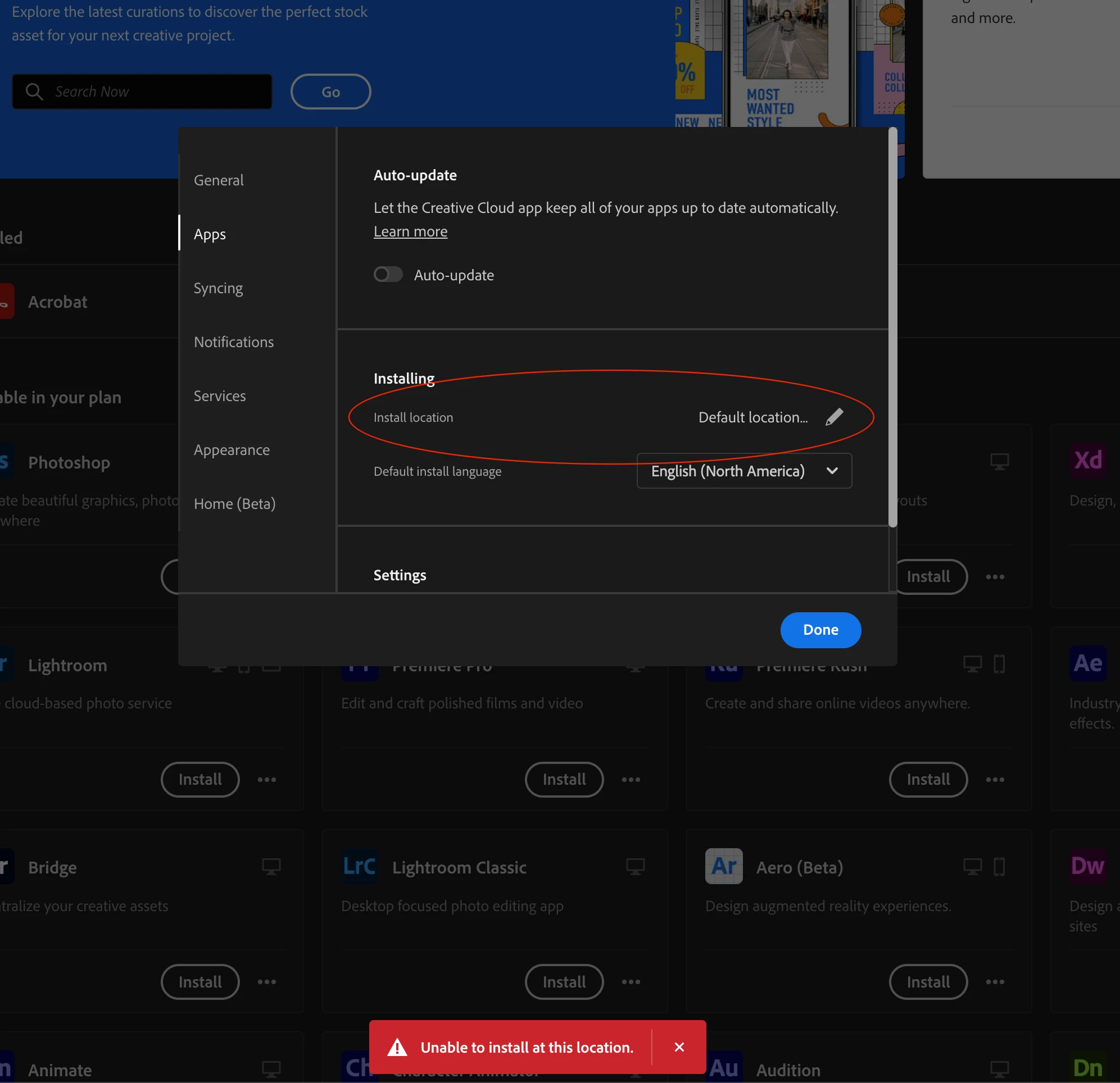
Adobe creative cloud 2022 is unable to install at this location on my SSD (Apple Mac)

  • December 12, 2022
  • 2 replies
  • 223 views

It used to work earlier but for a week I have been noticing that I am unable to install apps on my SSD. When I try to change the location to a folder on my SSD. It gives me this error 😭
I am on the latest MacOS Ventura version 13.0.1
This topic has been closed for replies.

2 replies

Kanikas
Community Manager
Community Manager
December 13, 2022

Hi, 

We're here to help you!


The Creative Cloud desktop app must be installed on the same partition that contains the operating system (Primary drive).  You can choose to customize the install location for most Creative Cloud applications, but the Creative Cloud desktop app and shared resources and files will always be stored on the partition containing the computer operating system.


Let us know if you have any other questions. 


Regards 

Kanika 

kglad
Community Expert
Community Expert
December 12, 2022

your ssd is not formatted correctly for adobe installs.


use apfs, https://support.apple.com/en-gb/guide/disk-utility/dsku19ed921c/mac