
ahmada79624594
Participant
January 5, 2016
Answered

Adobe Creative Cloud Installation Error due to Cannot connect to server. No Firewall, no restriction of app access no anti virus is blocking & Port is clear.

  • January 5, 2016
  • 2 replies
  • 2561 views

Hi, I have encountered error to download adobe creative cloud. For your information I have make sure firewall, port, and app access level as the app should require. But I am still facing the error of installation ( Trying to connect to server ).

I have also downloaded latest version of creative cloud and reinstalled it ( where I have cleared all previous installed version of creative cloud which happened to have same error where I cant log into account due to failed to connect to adobe server error)

Please advise because I have purchased a package of creative software to start working asap.
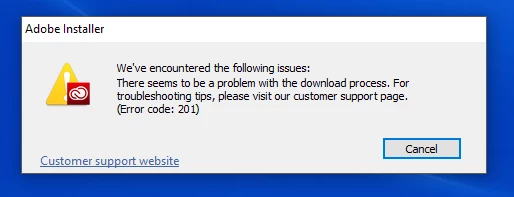
Looking for quick feedback by today as I can't do my work and everything have been delayed.

Note Sure: I have used creative cloud before this and it happened to have an error ( cannot connect to adobe server ), So i can't login to the creative cloud. In That case, I have uninstalled and reinstalled it (using latest downloaded or old version of installers).

This topic has been closed for replies.
Correct answer ahmada79624594

There are so many unseen problem that may caused this.. I have figured by myself by trying out errors in any possible ways that related to client itself (instead of pc & network connectivity/policy issues).

The solution you shared is incorrect as I have mentioned in my post above, I have freed out my connection policy and etc and the problem obviously sourced by adobe creative cloud client itself.

By the way, I have fixed the problem.

2 replies

ahmada79624594
ahmada79624594AuthorCorrect answer
Participant
January 5, 2016

There are so many unseen problem that may caused this.. I have figured by myself by trying out errors in any possible ways that related to client itself (instead of pc & network connectivity/policy issues).

The solution you shared is incorrect as I have mentioned in my post above, I have freed out my connection policy and etc and the problem obviously sourced by adobe creative cloud client itself.

By the way, I have fixed the problem.

kglad
Community Expert
Community Expert
January 5, 2016

check your hosts file. 

for help with that and other common secure adobe.com connection problems read, http://helpx.adobe.com/x-productkb/policy-pricing/activation-network-issues.html