


Participant
July 31, 2022
Question

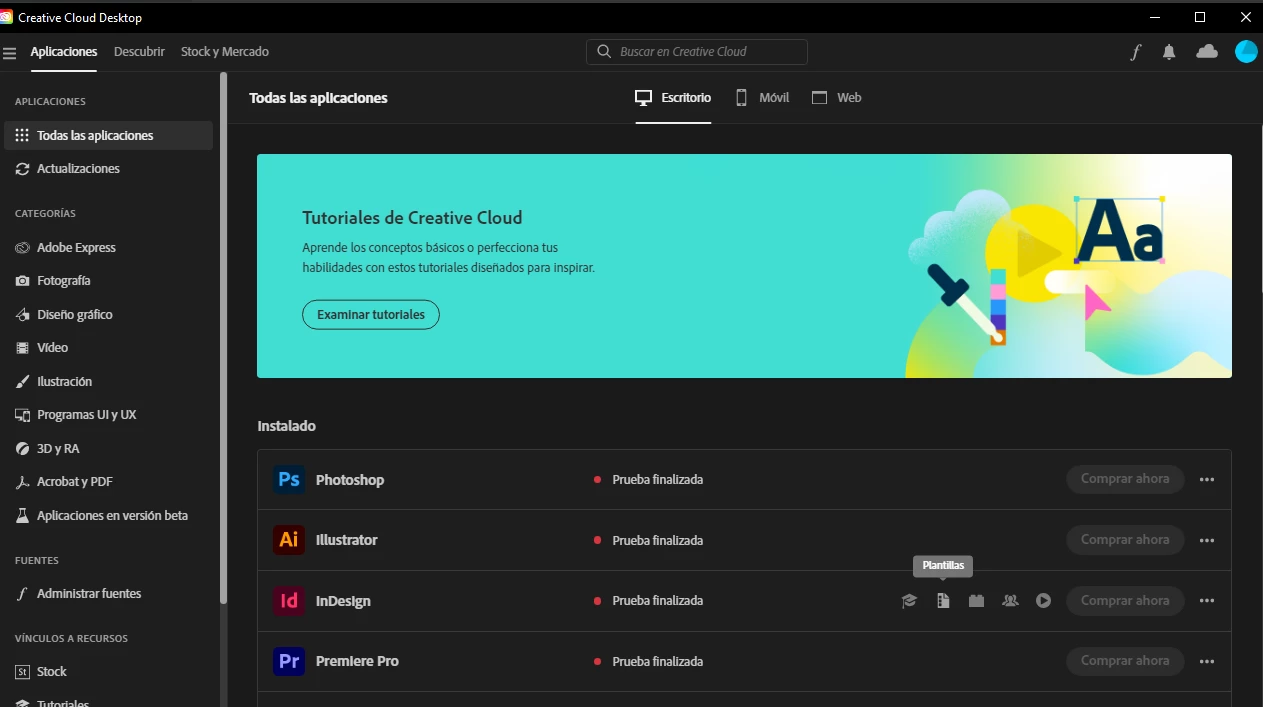
Adobe Creative Cloud is not working

  • July 31, 2022
  • 3 replies
  • 265 views

I recently purchase the Adobe Creative Cloud and I was using it just fine. Today it appear like I haven't pay the montlhly fee. So I can't open any program I went to my account and the bill doesn't appear but I have the bill in my email so what's going on? What should I do?


This topic has been closed for replies.

3 replies

Shivangi_Gupta
Community Manager
Community Manager
August 1, 2022

Hi Andrea,

We appreciate you reaching out. We checked your account details and found that you have an active subscription. Could you test the issue after signing out and signing back in to the Creative Cloud desktop application?

Let us know the outcome.

Participant
August 9, 2022

Thank you, I talked with an agent and he helped me out with the issue.

kglad
Community Expert
Community Expert
July 31, 2022

does your account show an active subscription?


if so, sign out and then back in to your cc desktop application using the same adobe id used to verify your subscription: http://helpx.adobe.com/creative-cloud/kb/sign-in-out-creative-cloud-desktop-app.html

Participant
August 9, 2022

I have an active suscription, fortunately a technical agent was able to resolve the issue.

kglad
Community Expert
Community Expert
August 9, 2022

good to hear!

Community Expert
July 31, 2022

Hi @Andrea Rebeca25458225mvj5,

It would be best if you contacted support as only they have information about account related matters. To contact support. login to your account and navigate to the URL below. Make sure that the browser has cookies enabled, and all script blockers are disabled.
https://helpx.adobe.com/contact.html?rghtup=autoOpen
Type AGENT to avoid bots and talk to a human.
Also, be mindful of answering anyone who sends you a private message. See the following for more information about scammers
https://tinyurl.com/y7cfrr7y
-Manan

-Manan
Participant
August 9, 2022

Thank you for your suggestions I talked with an agent and he helped me out with the issue.