
ignatiusl51574906
Participant
October 15, 2018
Answered

Adobe Creative cloud says 100% of 100Gb used but I only have 30Gb of files.

  • October 15, 2018
  • 1 reply
  • 1935 views

For some reason that I can not find. My adobe cloud says that I only used up all 100gb of storage when I only have 30gb in my adobe cloud file. To double check I even went on the browser version of adobe cloud to see what is in there and it had the exact same files that takes up only around 30gb of storage but it still says that it's full. Is this some sort of bug that I am experiencing or is it possibly something else that I'm missing? Any help would be greatly appreciated.
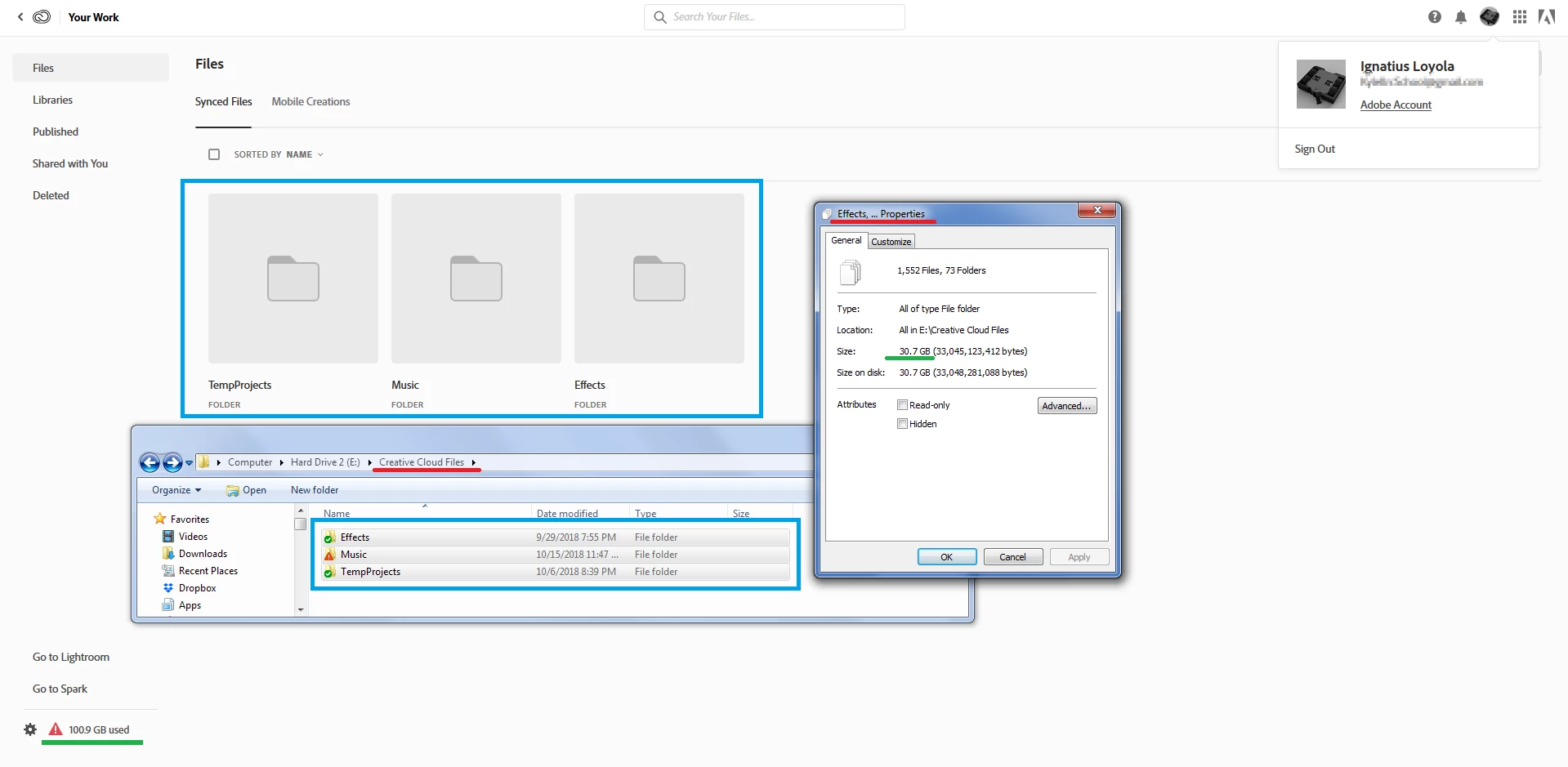
[email address removed by moderator to protect user data]

This topic has been closed for replies.
Correct answer Kanikas

Hi there,

Since you have used 30GB storage and getting error that 100GB has been used. Kindly delete the filed from the 'DELETED' folder to clear up the storage.

Please see the link for help: Creative Cloud file storage and quota

Let us know the outcome.

Thanks

Kanika

1 reply

Kanikas
Community Manager
KanikasCommunity ManagerCorrect answer
Community Manager
October 15, 2018

Hi there,

Since you have used 30GB storage and getting error that 100GB has been used. Kindly delete the filed from the 'DELETED' folder to clear up the storage.

Please see the link for help: Creative Cloud file storage and quota

Let us know the outcome.

Thanks

Kanika

ignatiusl51574906
Participant
October 15, 2018

That worked! I did not know that folder existed.

Thanks for the help.

Kanikas
Community Manager
Community Manager
October 15, 2018

You're welcome! We're glad the issue is now resolved.

Have a great day!

Thanks

Kanika