This topic is closed to new replies. Start a new post to keep the conversation going.
MelissaLA88Correct answer
Participating Frequently
September 6, 2018

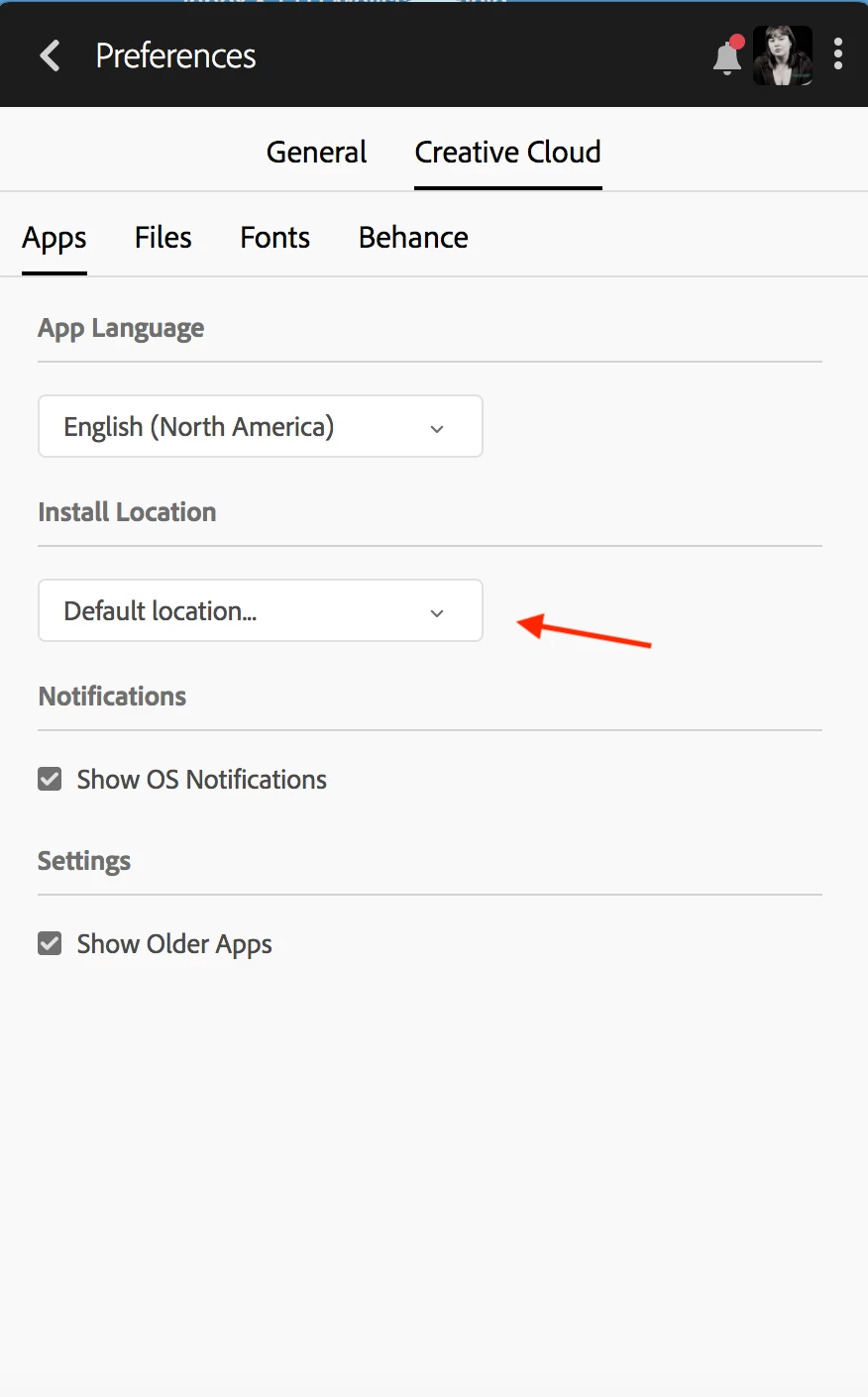
Wie Axel schon gesagt hat, kannst du das innerhalb der Adobe Creative Cloud App einstellen. Hier ist ein Bildschirmfoto was hoffentlich etwas weiterhilft

7 replies

MelissaLA88Correct answer
Participating Frequently
September 6, 2018

Wie Axel schon gesagt hat, kannst du das innerhalb der Adobe Creative Cloud App einstellen. Hier ist ein Bildschirmfoto was hoffentlich etwas weiterhilft

Translate
Community Expert
September 6, 2018

Den Installationspfad kannst du in der Creative Cloud - App einstellen.

Hier findest du mehr Infos dazu:

https://rothlive.de/de/content/adobe-creative-cloud-installationspfad-aendern-speicherort-aendern-apps-verschieben

How can I change which drive CC installs on?

Translate
My System: Intel i7-8700K - 64GB RAM - NVidia Geforce RTX 3060 - Windows 11 Pro 26H2 -- LR-Classic 15 - Photoshop 27 - Nik Collection 9 - PureRAW 6 - Topaz Photo AI
Participant
June 15, 2021

Es geht um die CC-APP an sich. Ich möchte auch die CC-App auf G insatllieren. Das kann ich aber bei Installation nirgends auswählen.

Translate
Participant
July 17, 2021

Habe das selbe Problem. 

Echt frustrierend

Translate