Participant
September 9, 2015
Question

ADOBE creative cloud wont install on win 10!!! HELP

  • September 9, 2015
  • 3 replies
  • 3054 views

Hello! I downloaded the .exe installed from here and in the middle of the installation it just says the installer has stopped working
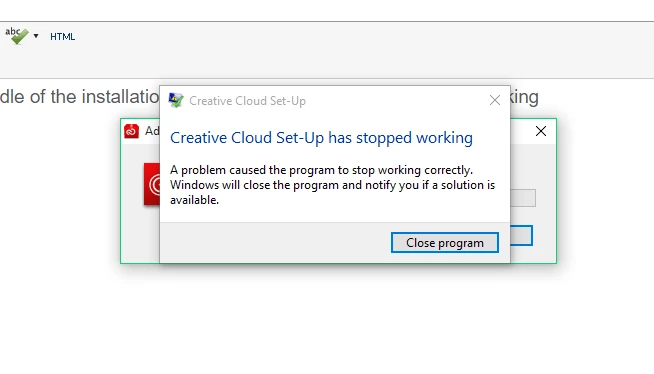
    This topic has been closed for replies.

    3 replies

    Megha Rawat
    Community Manager
    Community Manager
    September 10, 2015

    Please delete Adobe Creative Cloud folder from C:\Program Files (x86)\Adobe\Adobe Creative Cloud.

    In case you are unable to delete it . Rename it.

    Try reinstalling Creative Cloud.

    Let us know if this works.

    Regards

    Megha Rawat

    Megha Rawat
    Community Manager
    Community Manager
    September 9, 2015
    1. Please check event viewer for faulty process.

           Refer: https://support.microsoft.com/en-us/kb/308427

    2.Navigate to c drive/users/userprofile/appdata/local/temp

       In case you are unable to locate it . You need to unhide folders : Show hidden files - Windows Help

      Open PDapp.log  file.

      The exact issue would be mentioned in the file.

    3.You need to remove the folders causing issue.

       After that try reinstalling  Creative Cloud.

       It will work.

    Let me know in case you face challenges.

    Regards

    Megha Rawat

    Participant
    September 9, 2015

    The faulty process guide is for windows xp not 10..

    RahulTyagi_
    Community Manager
    Community Manager
    September 9, 2015

    Hi Martin,

    I would recommend you to please restart your windows 10 system and then run the installer again.

    Regards,

    Rahul
